The problem
Most AI meal planners give you a perfect plan you'll never cook.
A plan for someone else's fridge
The AI doesn't know what you bought yesterday or what's about to expire. So you cook from scratch — or scrap the plan.
A grocery list as long as the plan
Most planners assume you'll buy everything fresh. Half of it sits in your fridge until it doesn't.
Plans you don't have time for
Recipes optimised for impressing guests, not for a Tuesday at 7:43 pm with a tired hand.
The same five meals on rotation
Decision fatigue dressed up as personalisation. After two weeks the plan reads like a menu printout.
Food waste, scaled up
When the plan and the kitchen don't talk to each other, the bin fills up faster.
The promise
An AI meal planner that knows your kitchen.
Dietrack is an AI meal planner built on a simple idea: the best plan for your week is the one that uses what you already have. Snap your groceries, your receipt, or just open your fridge to the camera; Dietrack reads what's there, learns your goal, and writes a meal planner from ingredients you can actually cook tonight. The result is a weekly meal planner that fits your real shopping rhythm — not a printout for someone else's pantry.
How it works
Four steps. About sixty seconds.
From open fridge to a week of dinners that make sense.
Snap
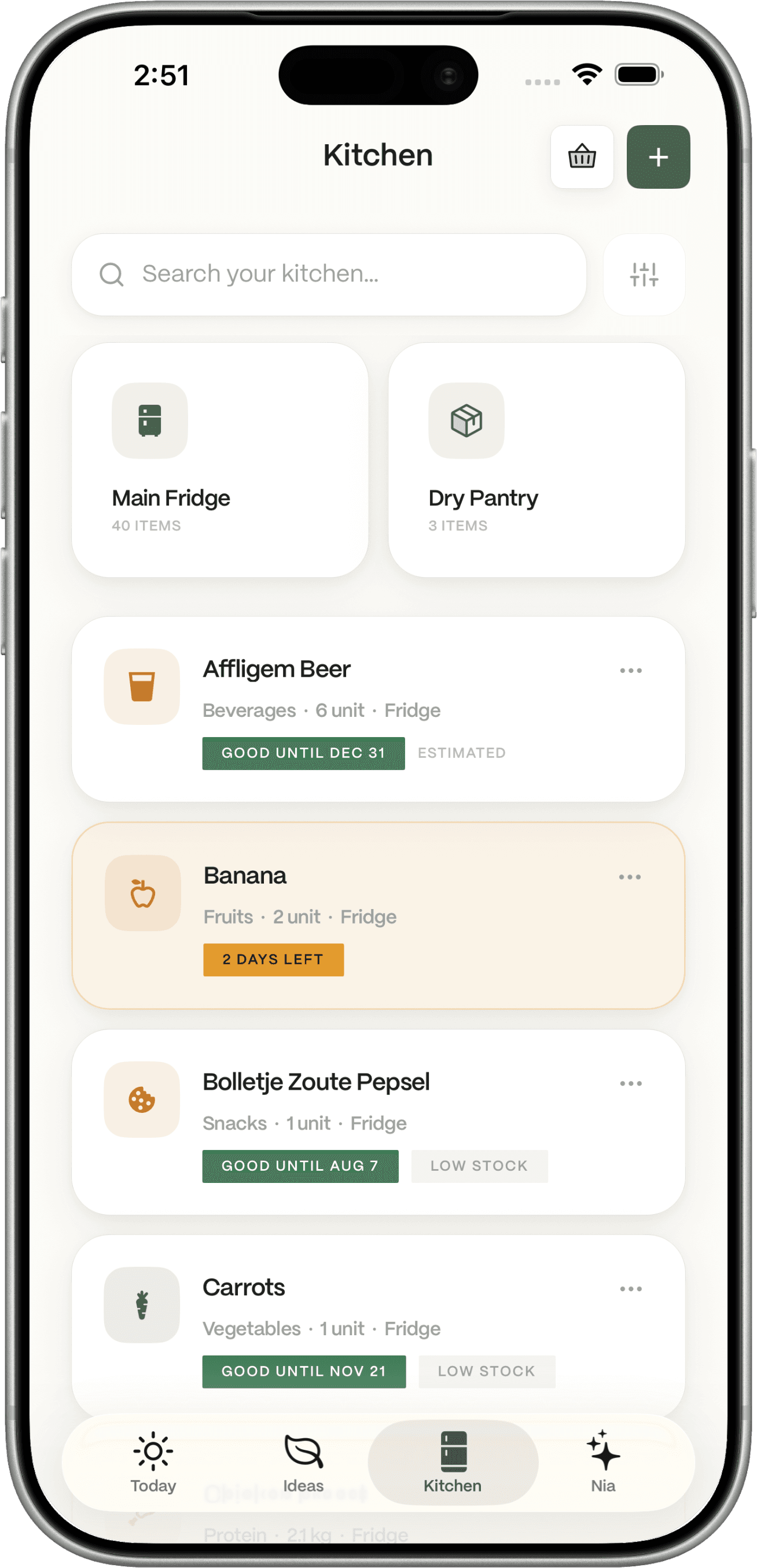
Snap your kitchen
Open Dietrack and point the camera at your groceries, receipt, fridge, or pantry. Dietrack reads what's there in seconds.

Tune
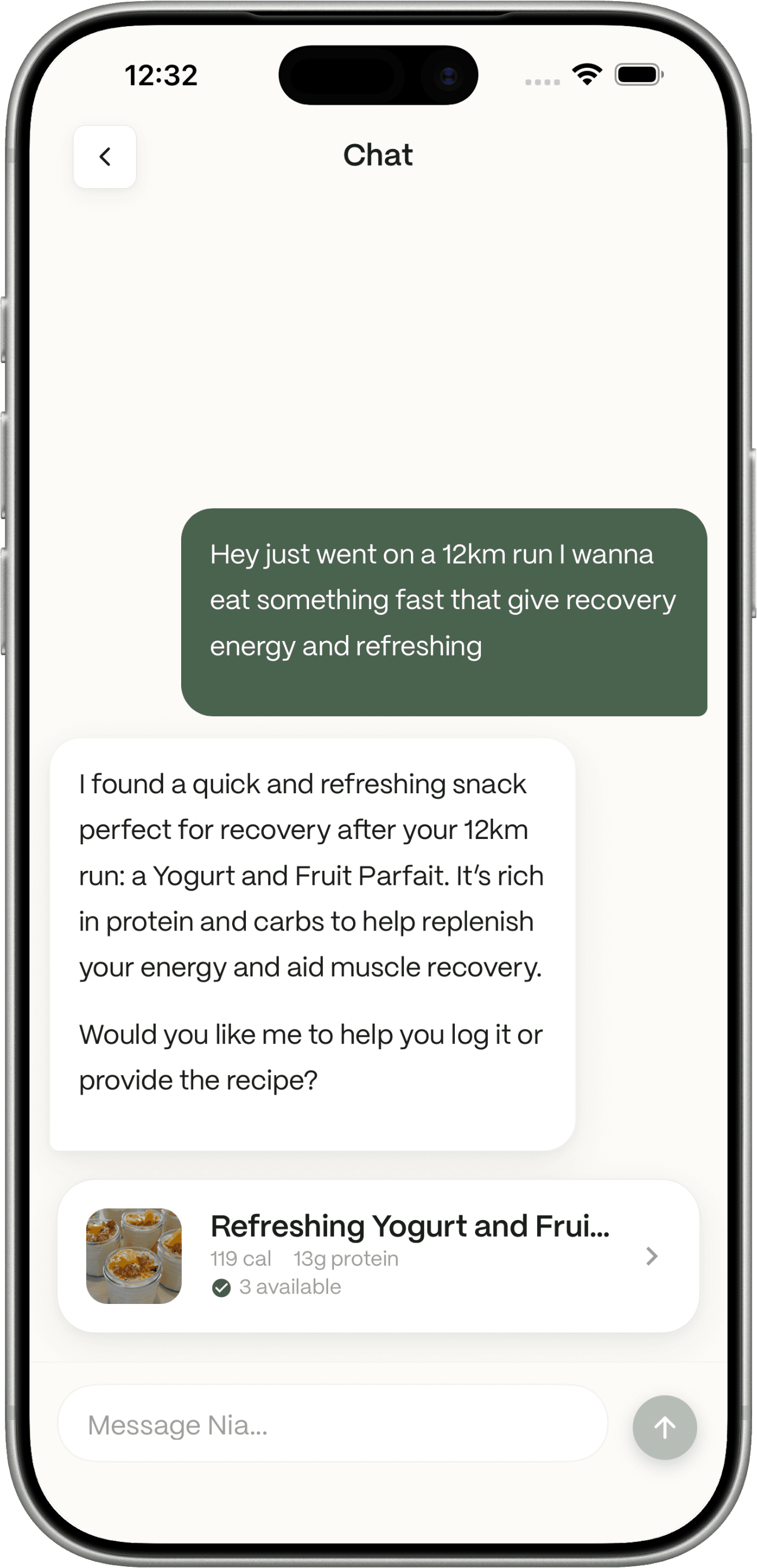
Tell us what matters this week
Eat better, lose weight, hit a protein target, or just spend less. The plan tunes itself to your goal.

Plan
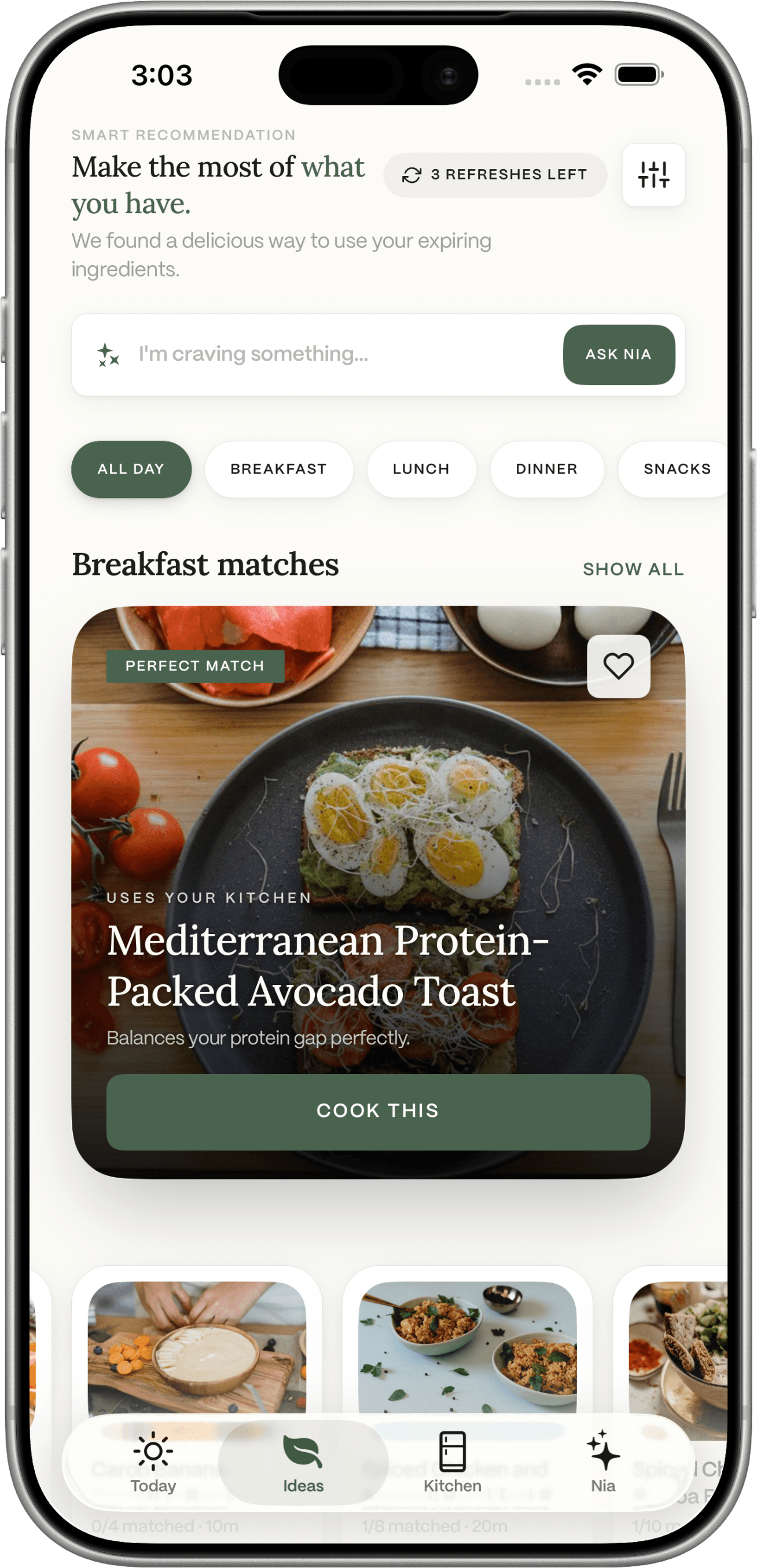
Get a week of meal ideas
Seven days of dinners (and lunches, if you want them) using what's already in the kitchen — ranked by what's about to expire first.

Track
Track and refine
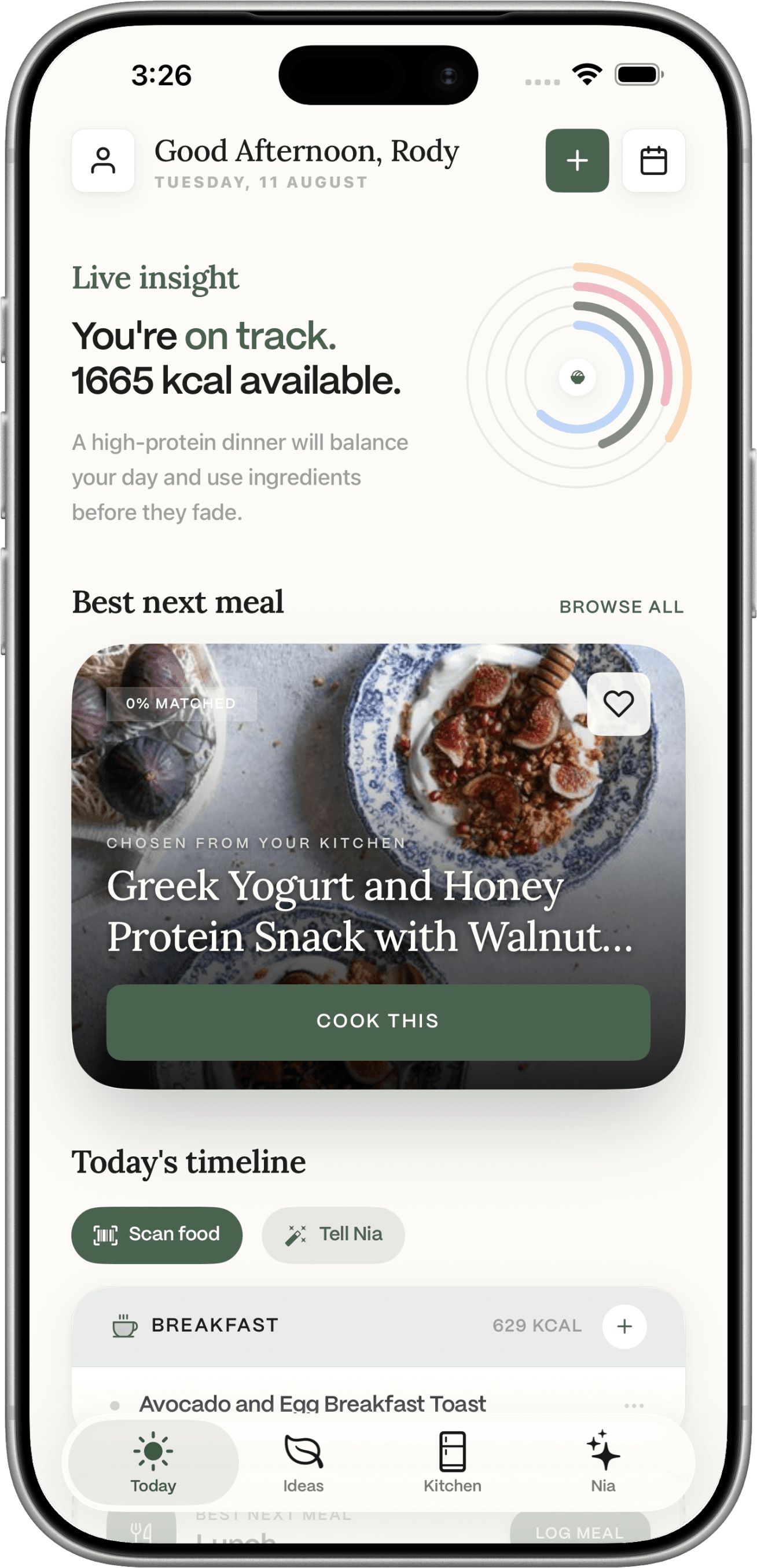
Mark a meal as cooked. Dietrack updates your inventory, your nutrition log, and next week's grocery list automatically.

The planner
Planning that actually plans.
Five things the AI planner does in the moment.
Plans built from your real ingredients
Dietrack's AI reads your pantry first, then writes the week. No "buy 47 things" lists. See the meal planner from ingredients.
Recipe ideas that match your time
Tell Dietrack you have 20 minutes and one pan. The plan adjusts. Same engine as the AI recipe generator from ingredients.
A weekly view that respects real life
Some days are leftover days. The plan knows that.
Swaps on demand
Don't fancy Tuesday's dinner? Swap it for one of three alternates that use the same ingredients.
Plans that get smarter
The more you cook, the better the suggestions match your taste. No questionnaire required.
and one more thing
Planning is half the job. Tracking is the other half.
The tracker
Tracking that fits real meals.
Five things Dietrack does so you don't have to track them by hand.
Calorie estimates per meal
Cook a meal from the plan and Dietrack logs the estimate to your day — same ledger as the calorie tracker.
Macros, not just calories
Hit your protein target without spending an hour in a tracker app. See the macro tracker.
Plans that fit a calorie deficit
Want a lighter week? The planner builds a deficit using the food you already have — see the meal planner for weight loss.
A grocery list that's only the gap
The list is what the plan needs minus what you already own.
Gentle nudges, no nagging
A small reminder when an ingredient is about to turn — never an interruption.
Who it's for
Built for the planner you wish someone had built.
THE WEEK
For planning the whole week at once
Sit down on Sunday with whatever's in the fridge. Get seven dinners, a grocery list, and an estimate of the calories before you cook a thing.
THE WEEKNIGHT
For tonight only
Skip the planning. Tell Dietrack you have 25 minutes and these five things.
THE GOAL
For a calorie-deficit week
Plans that hit a deficit without feeling like one.
THE GYM
For hitting macros
Protein-first weeks that still use what you have.
THE LEFTOVERS
For Friday's “what do I do with this?”
Half a chicken, two carrots, half a can of beans → dinner.
Why Dietrack is different
An AI meal planner that knows what's already in your fridge.
| Capability | MyFitnessPal | Yummly | AnyList | ChatGPT | Dietrack |
|---|---|---|---|---|---|
| Plans a full week from your real ingredients | |||||
| Pantry / fridge inventory | |||||
| Auto-generated grocery list (only the gap) | |||||
| Calorie + macro tracking on planned meals | |||||
| Suggests swaps for ingredients about to expire | |||||
| Personalised to your goal (cut, gain, eat better) | |||||
| Works without subscription |
Each app is named by its best-known representative; claims reflect each app's published default behavior as of mid-2026 and may change.
In plain English
What an AI meal planner actually is — and what it isn't.
An AI meal planner is software that builds a week of meals for you using a model rather than a fixed recipe library. The best ones learn your goal, your time, and your habits. The shortest path from "AI" to "useful" is connecting the planner to the actual food in your kitchen — which is what most generic planners skip and what Dietrack treats as the starting point.
Dietrack pairs the AI planner with a live pantry inventory and a smart grocery list so the plan, the shop, and the cook are reading from the same source. The same engine generates recipe ideas from your ingredients, helps you plan a calorie-deficit week, and surfaces meals that use up what's about to expire — quietly cutting food waste while it does it.
An AI meal planner doesn't replace cooking; it replaces the part where you stare at an empty meal-planner screen and write nothing. Dietrack is free to download on iOS and Android — see the FAQ for what's included, or read more on the blog about how AI planners actually work in practice.
Frequently asked questions
Everything people ask about Dietrack's AI meal planner.
Dietrack is a planning and tracking tool, not medical advice. Nutrition values are estimates and may vary by brand, prep, and portion. Talk to a qualified professional before changing your diet, especially if you manage a medical condition.