Smart grocery list app
A grocery list that knows what's already in your kitchen.
Dietrack builds your list from your meal plan, then subtracts what you already have. Scan a receipt at the till to update everything in one go.
Free on iOS and Android. Built for everyday shopping.

The problem
Most grocery apps make you do their job.
Type-everything-in fatigue
A list app is only useful if you can populate it without ten minutes of typing.
Buying what you already own
The third jar of cumin. The duplicate hummus. The classic over-buy.
A list that's not in aisle order
You walk back to the produce section three times. You also forget the herbs.
A receipt that goes straight into the bin
All that data — what you bought, what you spent — wasted.
A list that doesn't know your meal plan
Two systems. Two sources of truth. One forgotten ingredient.
The promise
A grocery list that builds itself — and learns your shop.
Dietrack is a smart grocery list app that builds the list for you. Plan your week (or just one meal) and the list is whatever the plan needs minus what's already in your pantry and fridge. Scan the receipt on your way out and Dietrack updates your inventory in one go. Over a few weeks the list learns your repeat-buys, your aisle order, and the brands you actually like.
How it works
Four steps. Then the list mostly writes itself.
Plan
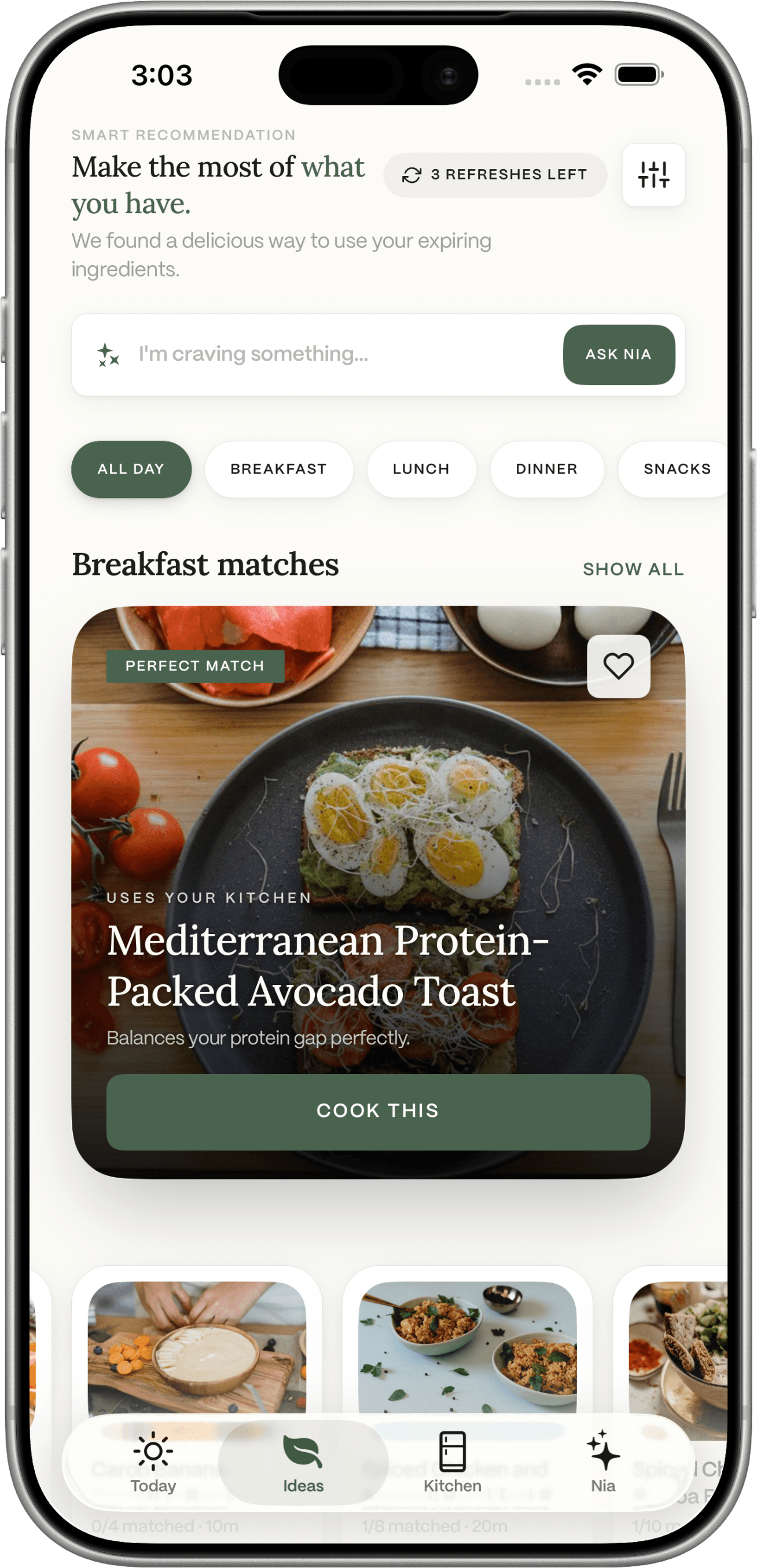
Plan a meal (or a week)
The list is built from the plan minus your inventory.

Tweak
Tweak it as you go
Add a few extras. Drop the things you've changed your mind on.

Shop
Shop with it
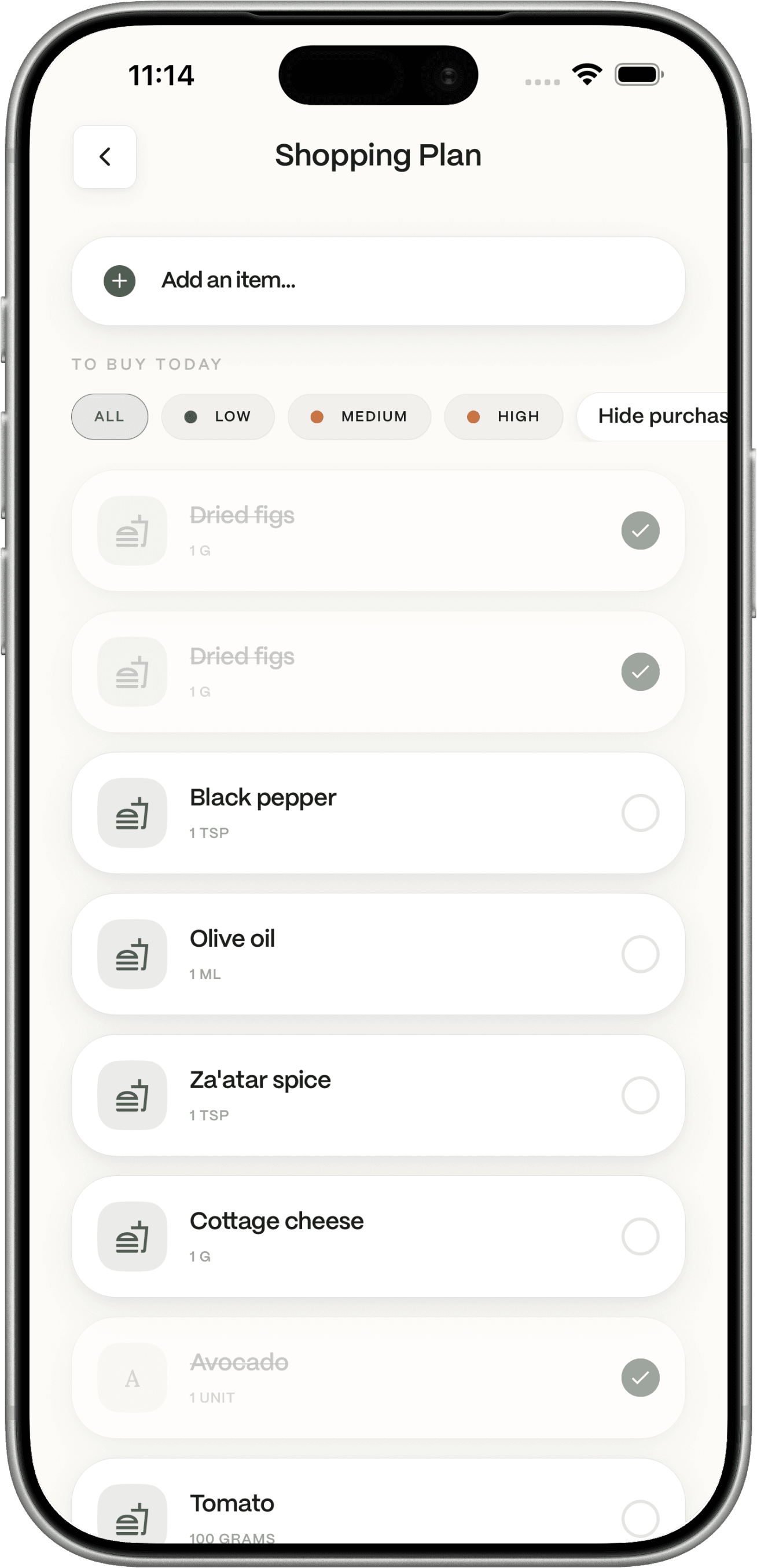
Items grouped by aisle. Tick as you go. Running total at the bottom.

Scan
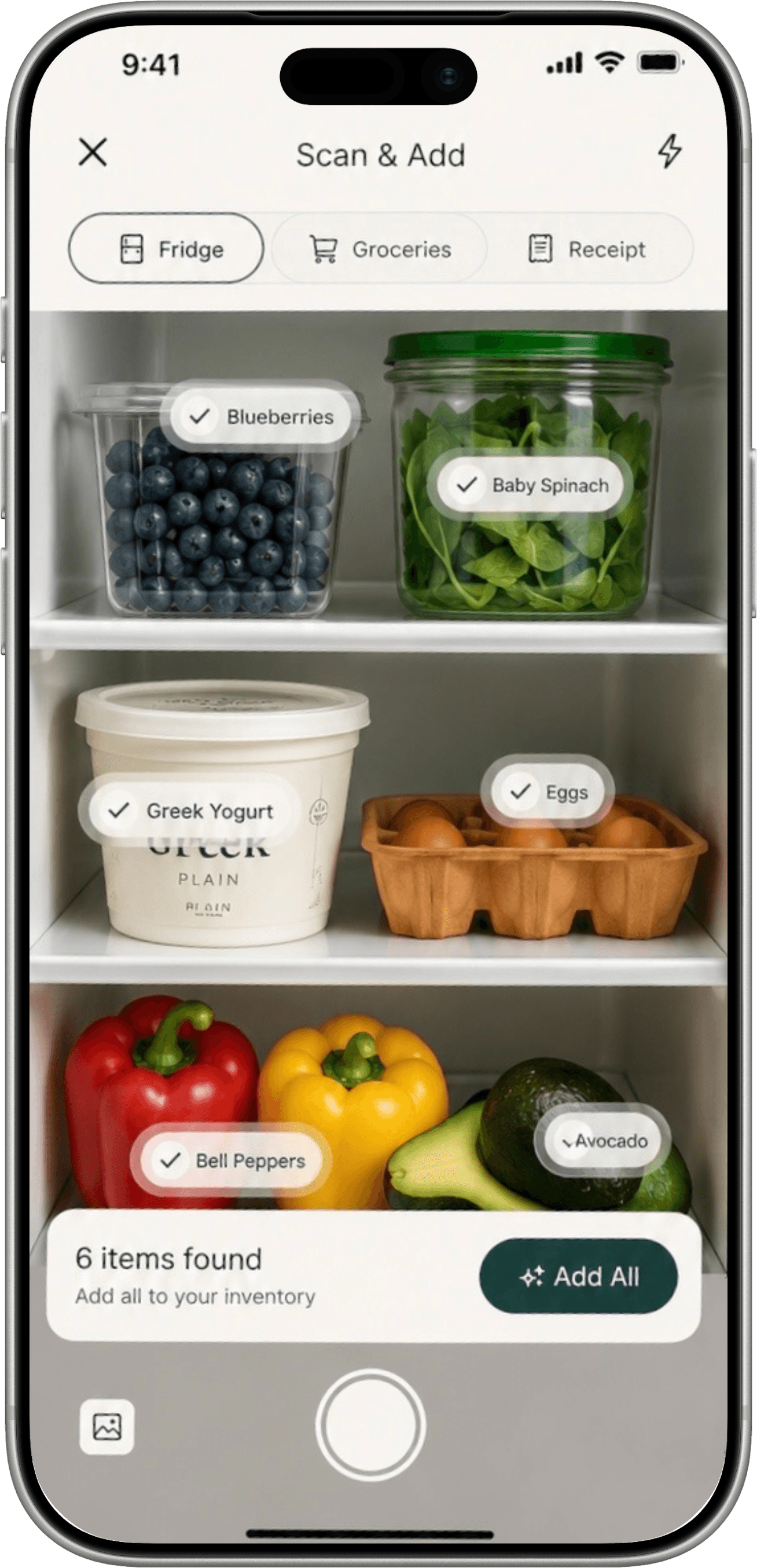
Scan the receipt at the till
One photo and your pantry, fridge, and budget update themselves.

The list
A list that builds itself.
Auto-generated from your plan
The list = what the plan needs − what you already have. Powered by the meal planner from ingredients.
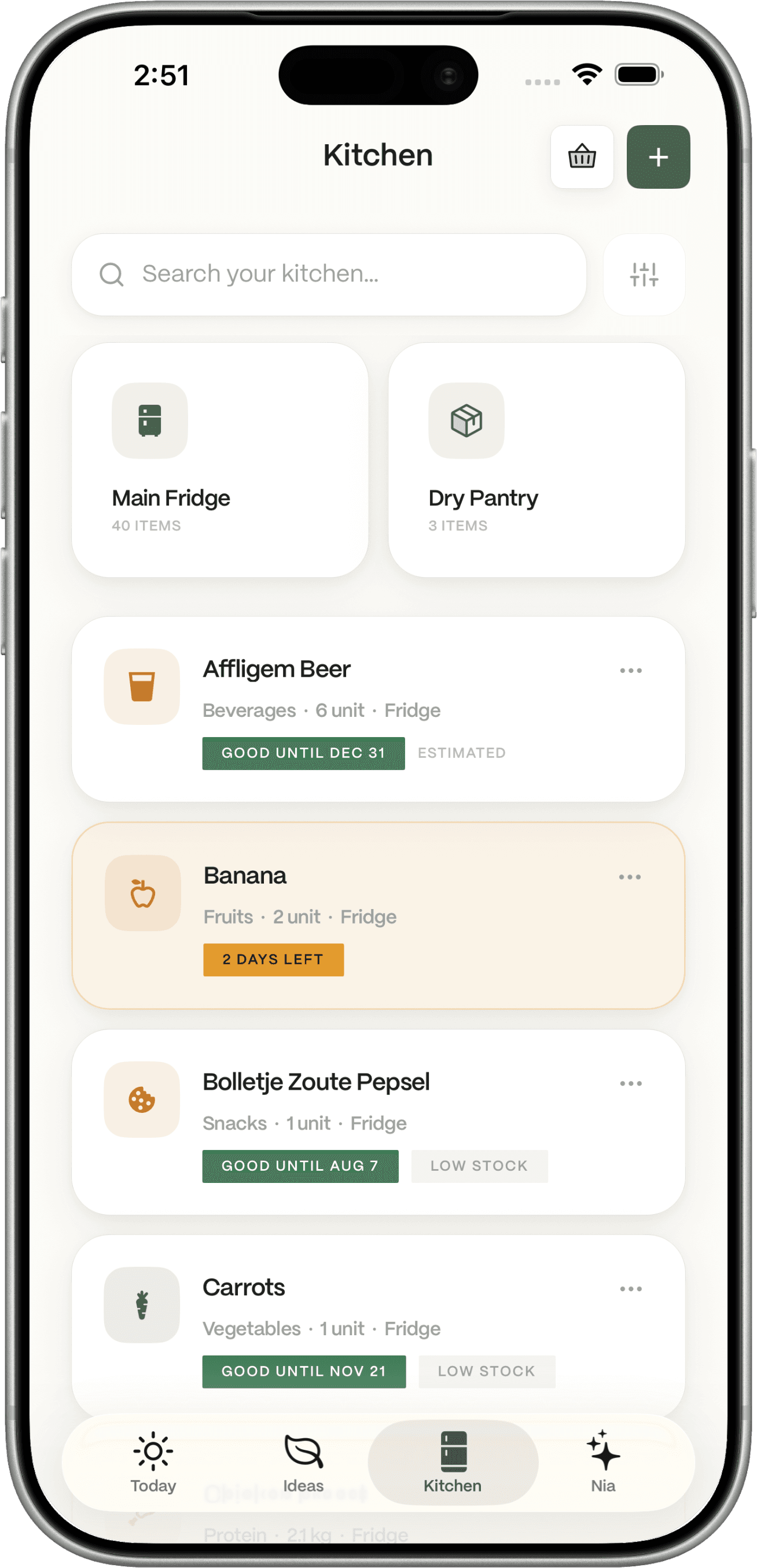
Reads from your pantry + fridge
No duplicate buys. No third jar of cumin. See the pantry inventory.
Aisle-order grouping
Produce, dairy, dry goods. The walk shortens.
One-shop, one-list
Drop in things from anywhere in the app — it's all one list.
Edit anything in two taps
Add, remove, swap units. No menu-diving.
and one more thing
The list that ends at the till — and starts the next one.
From receipt to next week
From receipt to next week's list.
Receipt scanning at checkout
One photo updates the pantry, the fridge, and your budget tracker.
Running total + monthly spend
Know what the week's shop costs before you queue.
Pattern view
"What did I buy three weeks in a row but barely use?" Honest answers. See food waste reduction.
Re-buy reminders that respect inventory
Coffee's running low? You'll get a nudge — not a duplicate.
Shared lists for households
Everyone's edits sync. The shop happens once, not three times.
Who it's for
A grocery list that fits how you actually shop.
THE WEEKLY SHOP
For Saturday-morning supermarket
Open the app at the front door. Plan-driven list, aisle-grouped, running total. The weekly shop becomes a ten-minute thing.
THE TOP-UP
For mid-week top-ups
A list that knows what you cooked since Sunday.
THE FAMILY
For shared shopping
Two phones, one list, no double-bought milk.
THE BUDGET
For a tight month
Running total + monthly view. The shop fits the budget.
THE BUSY
For “just give me the list”
Pick a meal, get the gap. Done.
Sustainability, made practical
A smaller shop is a quieter bin.
A grocery list that knows your kitchen is a grocery list that doesn't add what you'll throw away. Dietrack uses your pantry, fridge, and freezer to subtract before it adds — and the receipt scan teaches the app what you actually used vs. what you bought 'just in case'.
- Don't add what you have. The list reads from your inventory before adding what you "always buy".
- Spot the over-buys. A monthly view shows which items you stock but rarely cook with.
- Cook the about-to-turn first. The plan that feeds the list prioritises ingredients on day six over ingredients with a month left.
Shop less. Throw less out. Cook the same.
Why Dietrack is different
A grocery list that does the thinking, not just the typing.
| Capability | Apple Reminders | AnyList | Yummly | Fetch | Dietrack |
|---|---|---|---|---|---|
| Auto-built from your meal plan | |||||
| Reads pantry + fridge inventory | |||||
| Aisle-order grouping | |||||
| Receipt scanning at checkout | |||||
| Running total + monthly spend | |||||
| Shared lists for households |
Each app is named by its best-known representative; claims reflect each app's published default behavior as of mid-2026 and may change.
In plain English
What a smart grocery list app actually does.
A smart grocery list app is a list that builds and maintains itself instead of asking you to type every item. The good ones connect to a meal plan and a real-time inventory; the great ones add receipt scanning so the loop closes at the till.
Dietrack does all three. The list is generated from your meal planner from ingredients, reads from the pantry inventory and fridge inventory, and updates everything when you scan the receipt. The result is fewer duplicate buys, less waste, and a shorter shop.
If you've kept your grocery list in a notes app for the last decade and felt vaguely guilty about it, this is the upgrade. Free on iOS and Android. See the FAQ for what's included.
Frequently asked questions