
Kitchen first
Don't know what to cook? Your food already does.
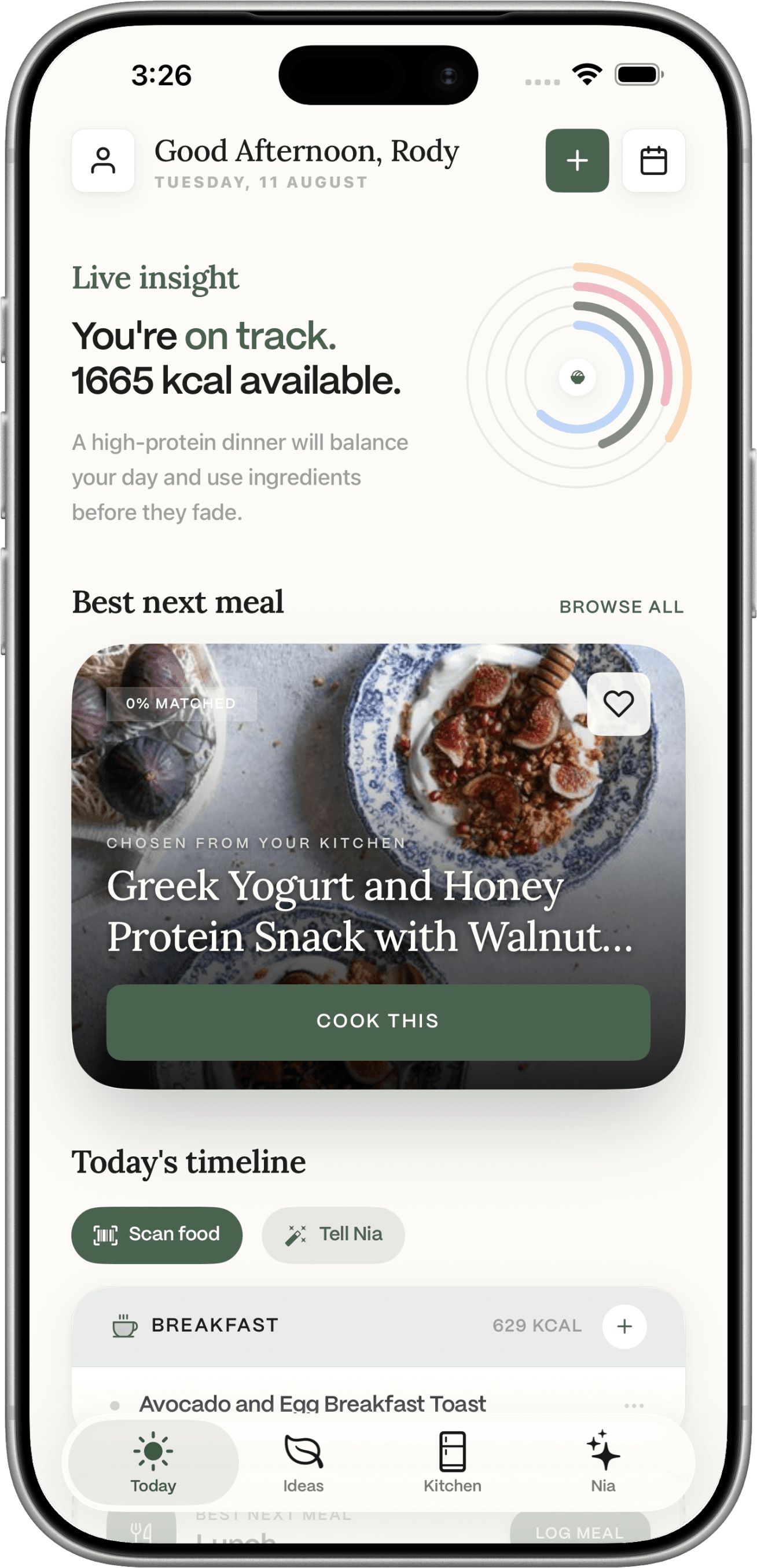
Photograph your fridge or a receipt, scan a barcode, or add food yourself. Dietrack turns what you already have into a day’s meal ideas, estimated nutrition, and a list for what is still missing.


Available on iOS and Android. Built for everyday eating, not complicated dieting.

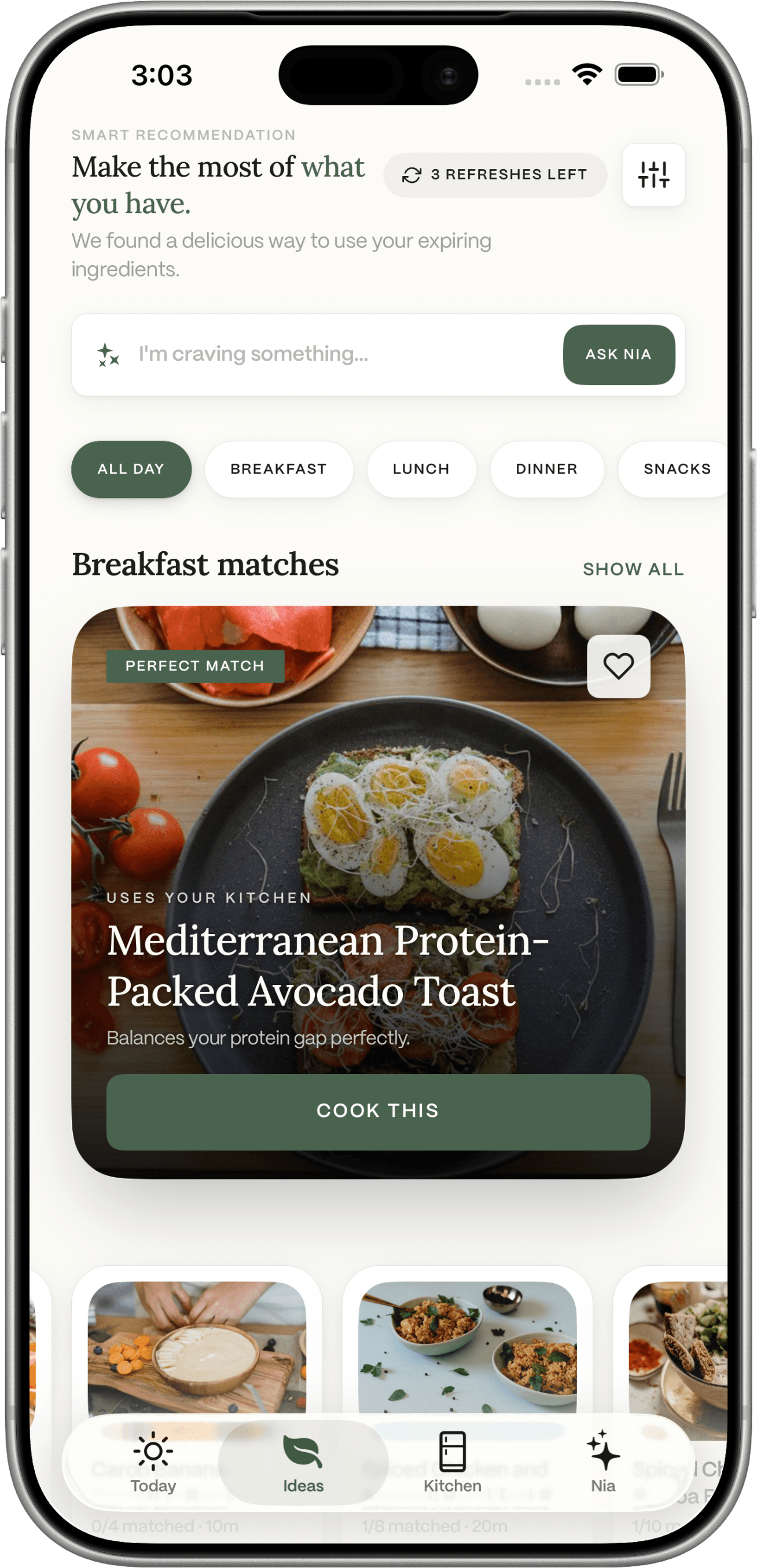
Most meal apps start with recipes. Dietrack starts with your kitchen.
You don't need another app that asks you to type in everything you ate. You need help deciding what to cook with the half-tomato in the fridge, the rice you bought last week, and the chicken you forgot was in the freezer.
Forgotten groceries
You bought spinach. Then forgot. Now it's slimy. Again.
Food waste you can taste
Throwing food out feels bad and costs more than it should.
Duplicate purchases
“I'll grab tomato paste, just in case.” You already have three.
Dinner-time decision fatigue
Six o'clock arrives. You're tired. The recipe screen stares back.
Calorie tracking is a chore
Logging every gram of every meal is why most trackers get deleted.
Meal planning takes too long
Sunday meal-prep is a great idea you have started, and stopped, twelve times.
Add the kitchen. Then ask what to cook.
Logging and the shopping list are optional after that. Ideas is a day of meals, not a week on a calendar.
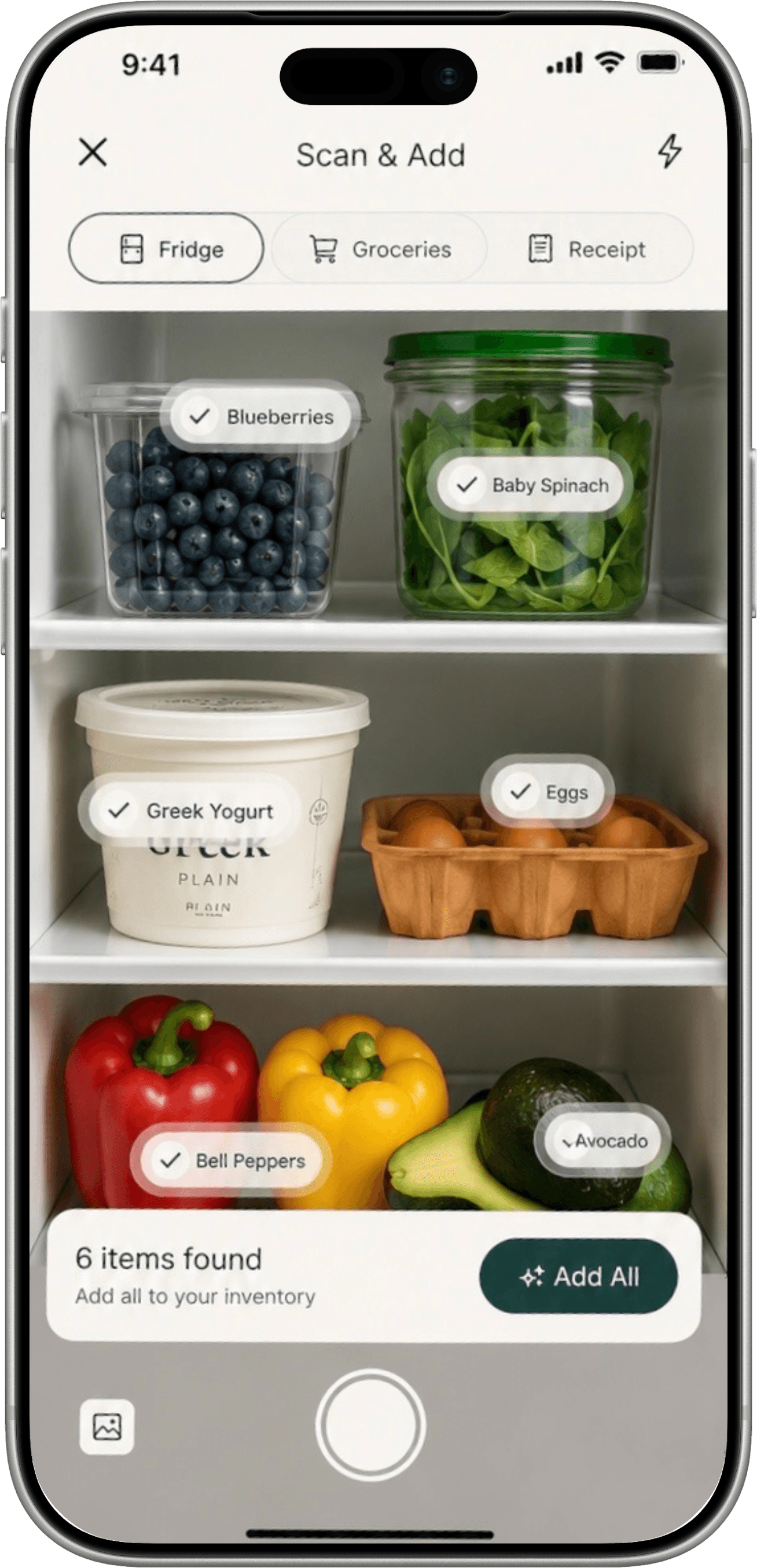
Snap
Photograph the fridge or a receipt
Confirm what Dietrack found. Scan a barcode or add food by hand. Fridge photos save to the fridge. Receipts save to the pantry. There is no pantry-shelf camera.
Goal
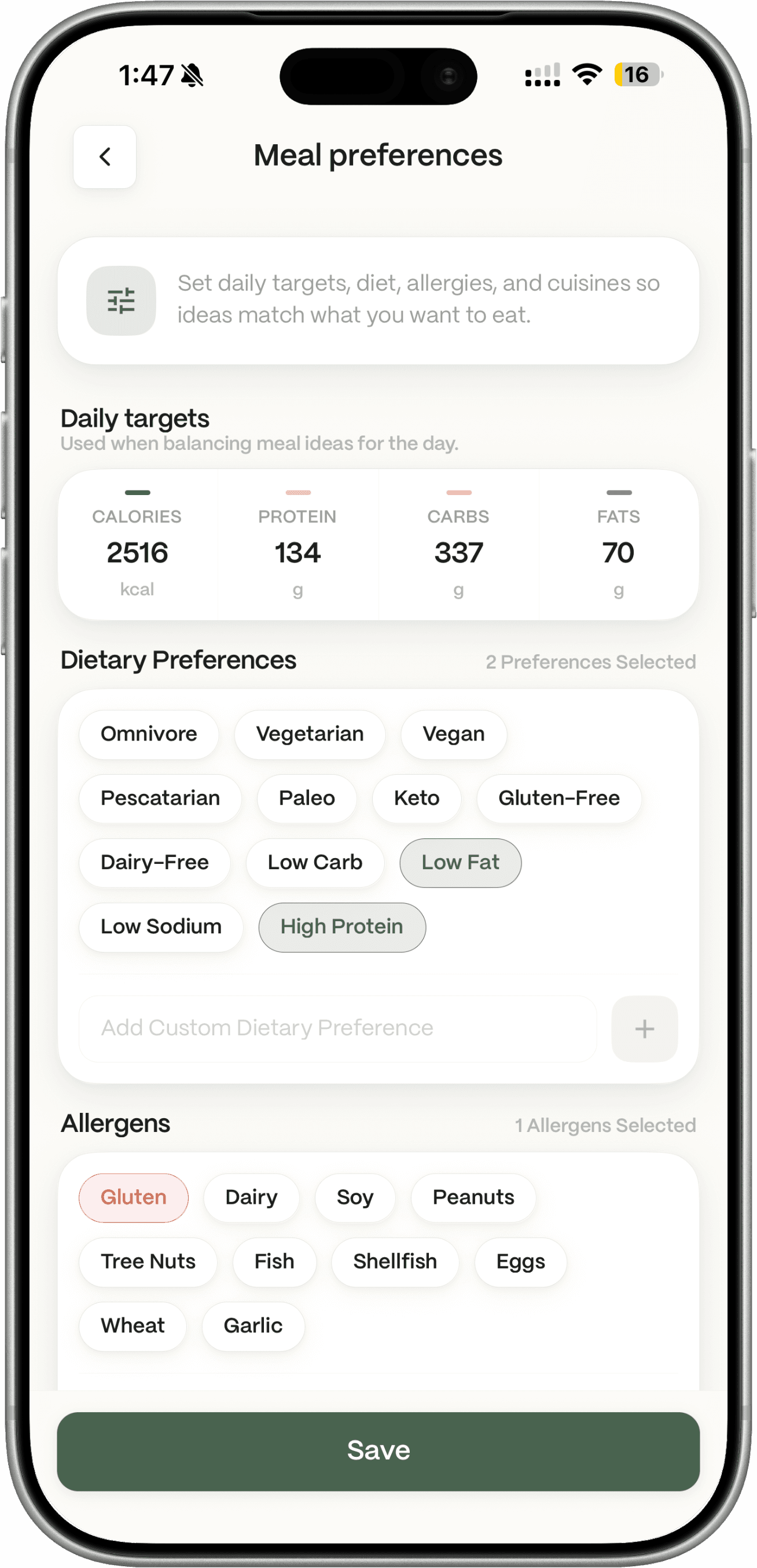
Set the goal that changes the numbers
Eat with more awareness, lose weight, or hit macros: Dietrack uses the targets from setup. You can edit them. Wearable data does not automatically raise calories.
Cook
Get a day’s meal ideas
Ideas prefers food in the kitchen and your remaining calories and macros. Missing extras are labelled. It is a day of slots, not a week on a calendar.
Track
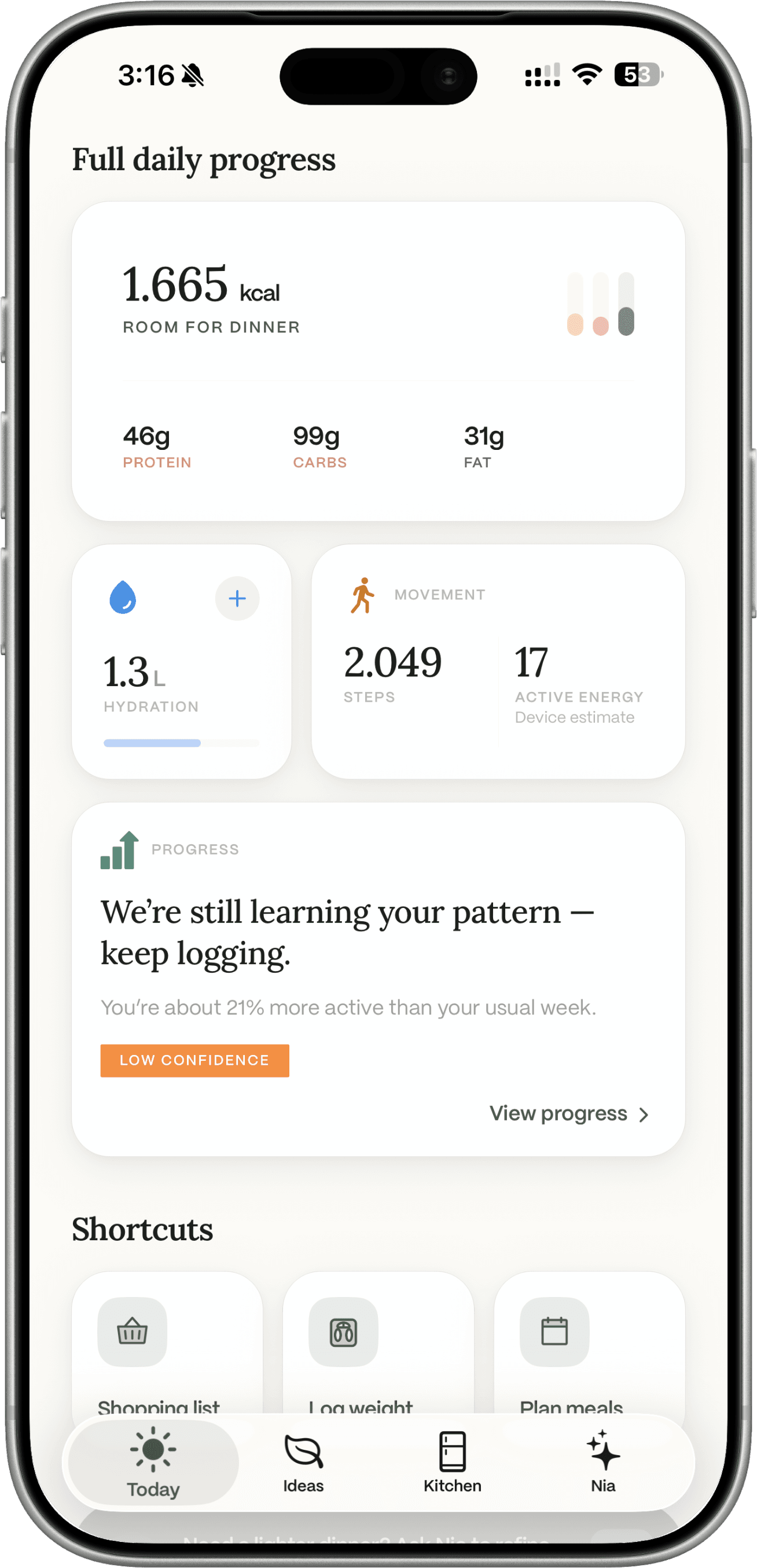
Log estimates. Add what is missing.
Logging updates Today. Kitchen amounts can update. Add missing ingredients to the shopping list when you want them. Dietrack does not auto-build a weekly shop.
Nia is the chat inside Dietrack.
Ask about meals, the kitchen you logged, and the goal you set. Nia can suggest ideas. Logging or adding items stays off until you turn writes on. Nia is not a dietitian. Chat is Dietrack Pro.
Generates meals from your kitchen
Ask for an idea built from food already in the kitchen.
Can log a meal if you allow it
Write actions are off until you turn them on. You can review before save.
Uses kitchen, goals, and logs as context
Kitchen, goals, logs, and macros can inform a reply. Exact packing of every turn is not a promise.
Returns cards you tap
Meals, shopping, insights, navigation. Nia is not unsupervised automation.
Nia
Dietrack AI assistant
- What can I make with the chicken thigh, brown rice, and lemon I already have?
- Lemon-garlic chicken bowl over brown rice. About 30 minutes, around 520 kcal. Want me to log it after dinner? Writes have to be on.
- Log my breakfast: 2 eggs and a slice of toast.
- Done. ~340 kcal, 22g protein. You're at 1,180 / 1,800 today.
Preview · in-app conversation
Notice food that should be used soon.
Kitchen and Today can highlight items approaching expiry (about three days). Meal ideas can prefer those foods. Dietrack does not eliminate waste, and it does not measure a percentage for your household.
- See it. Use-soon filters make perishable food harder to forget.
- Cook from it. Ideas can rank those items higher. You still cook them.
- Shop the gap. Add missing extras and low-stock items. Duplicate buys get less likely, not impossible.

Notice it. Cook it if you can.
A calorie app, a recipe app, and a chatbot each miss the fridge.
Most kitchens stitch those together. Dietrack starts from food you already have, then ideas, logs, and the gap to buy.
| Capability | MyFitnessPal | Yummly | AnyList | ChatGPT | Dietrack |
|---|---|---|---|---|---|
| Plan meals from your ingredients | |||||
| Pantry / fridge inventory | |||||
| Add missing meal items to a list | |||||
| Calorie + macro tracking | |||||
| Notice food to use soon | |||||
| Goals you choose, not a preset diet. | |||||
| AI chat that can use your kitchen as context |
Each app is named by its best-known representative; claims reflect each app's published default behavior as of mid-2026 and may change. Dietrack also covers calorie + macro tracking. See the calorie tracker and macro tracker pages for details.
A few questions.
Nutrition values are estimates and may vary by brand, prep, and portion. Check labels for allergens and specific dietary needs.
Get the app
Start with the food you already have.
Free on iPhone and Android. The kitchen you add is what Ideas can see.
Manual kitchen and logging stay free.