Calories
Calories tell you how much energy you logged.
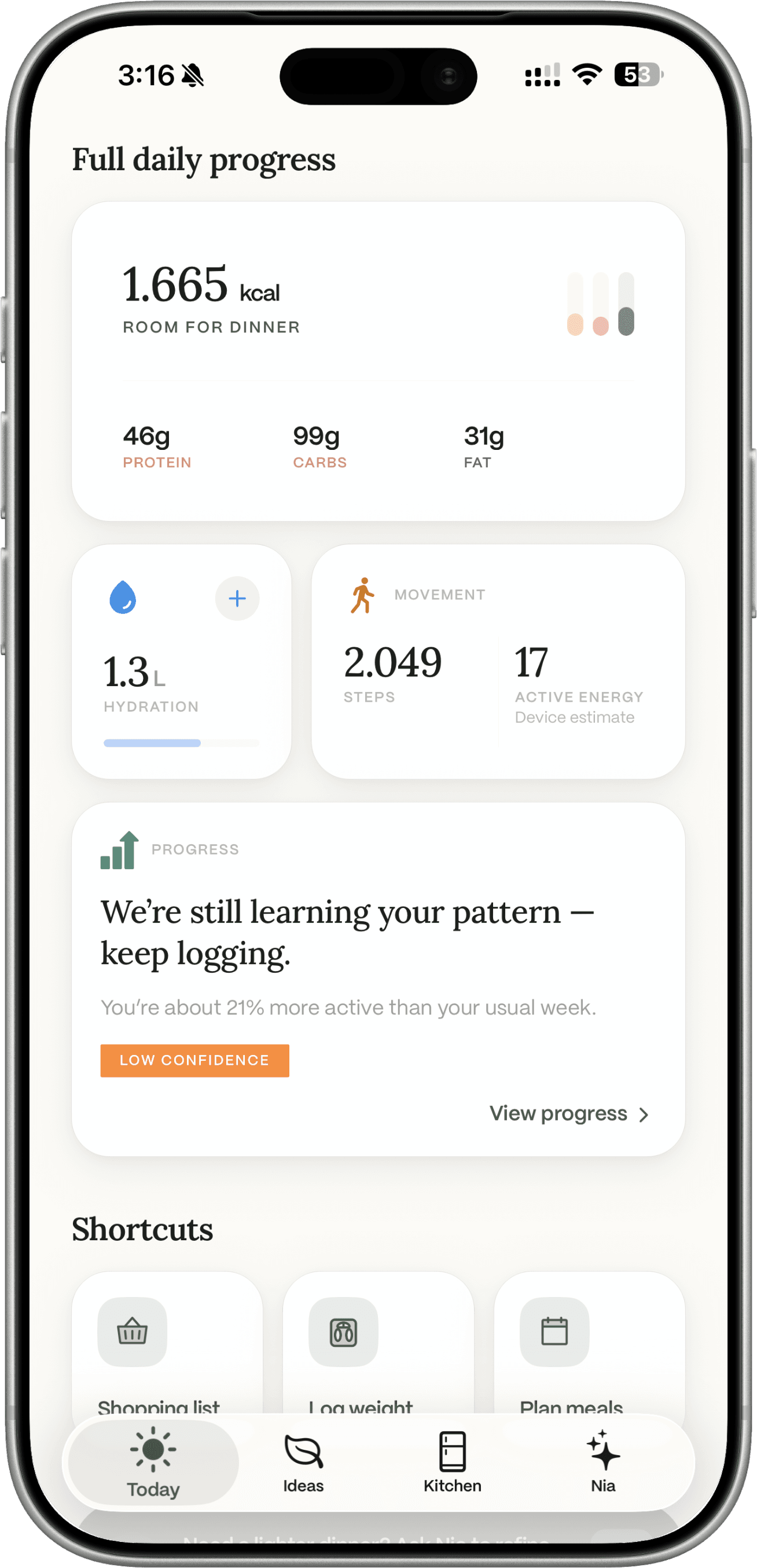
Today adds up the meals you actually save, not the ideas you merely generated. Those totals are estimates. Brands, quantities, and cooking change the real number.


Free to download on iOS and Android.

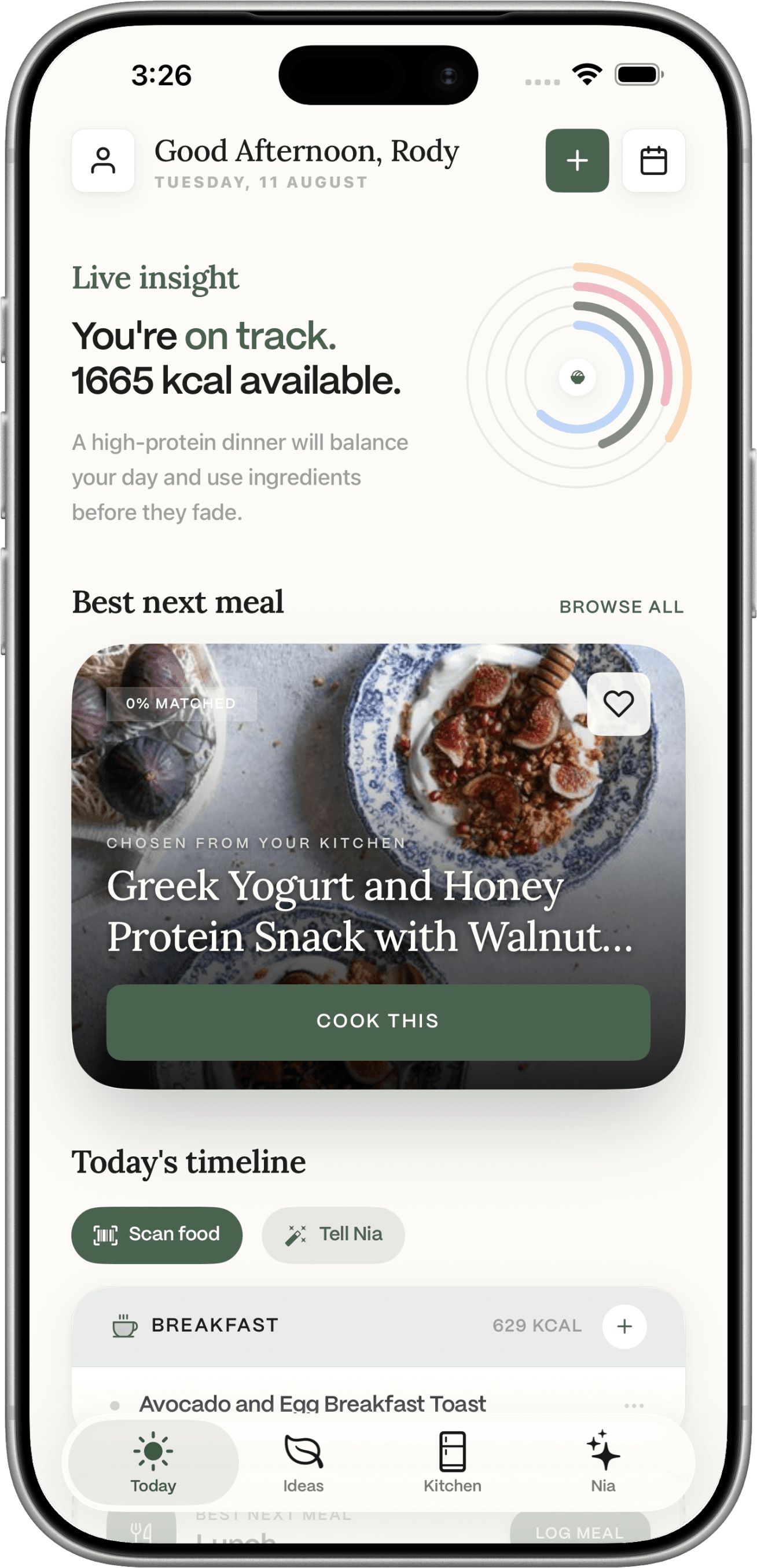
A calorie number looks exact. Food is not.
The same “chicken” is not one food
Skin on or off, oil in the pan, a branded tray versus a generic database row. The label and the cooked plate disagree.
A photo is a guess you should review
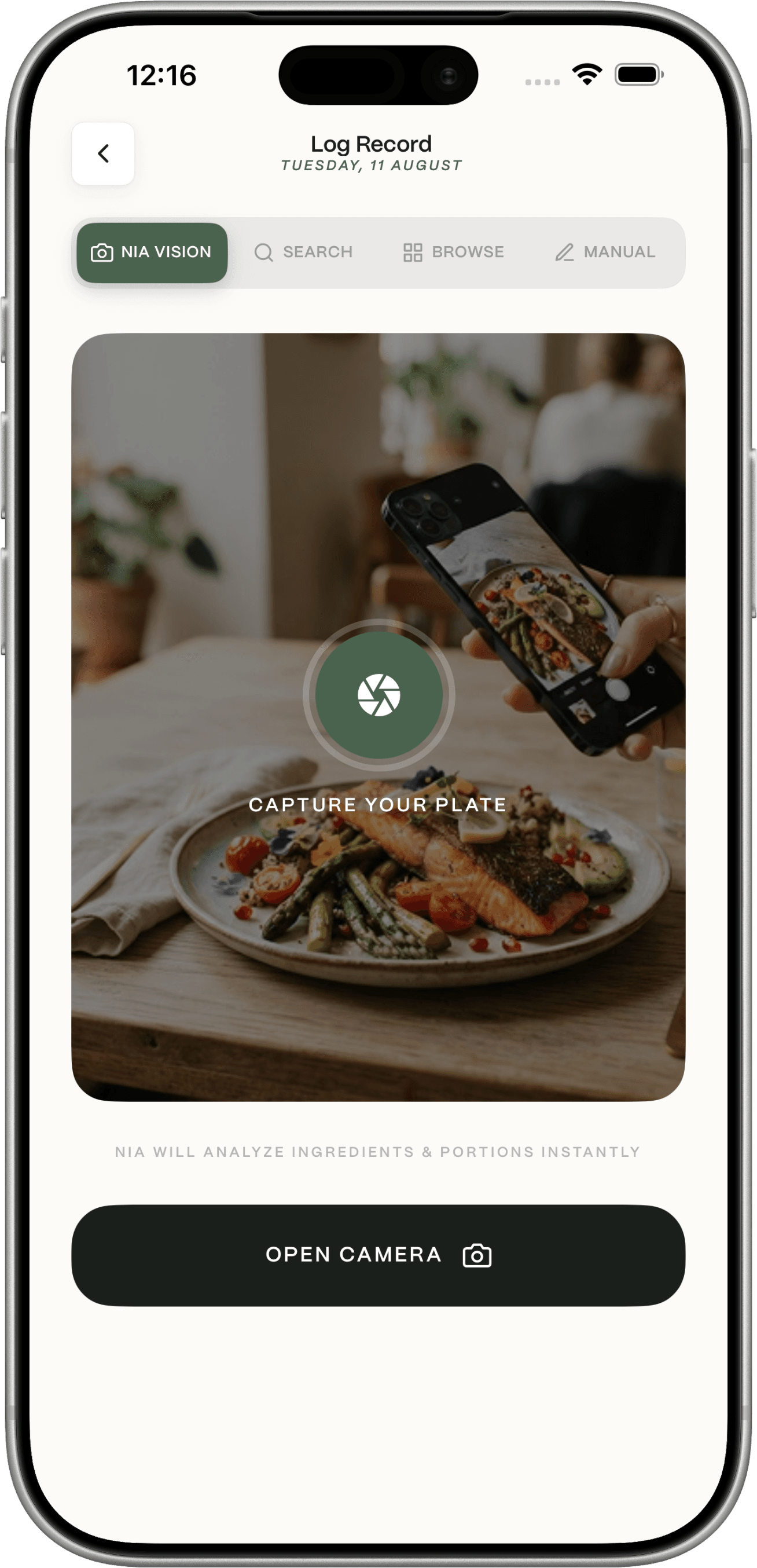
Meal photos propose a meal and nutrition. You confirm before it counts. That is still an estimate.
Generating is not logging
An Ideas card does not add calories until you log it. That is easy to miss if you treat the planner as a diary.
Log the meal. Today adds it up.
What studies actually show
Treat the log as a guide, not a lab printout.
Labels already use Atwater-type factors, not a bomb calorimeter of your dinner. Photo and AI intake tools can be badly wrong on mixed dishes (Chen et al., Nutrients 2024). Wearable “calories burned” is a different question: a Stanford Medicine 2017 study found heart rate was reasonable and energy expenditure was not. Do not use that paper as proof that a food log is accurate.
Dietrack does not publish a combined “plus or minus X percent” figure for the app. The honest write-up is how accurate calorie trackers are, then how Dietrack estimates nutrition.
How a meal becomes a number on Today.
Choose
Pick a way that matches the food
Packaged yoghurt: barcode when lookup works. A plate you cooked: idea or meal photo. Oil you poured: numbers or a careful search. No method is a lab.
Review
Check quantity before you save
Servings scale estimates. Barcode nutrition is database values when found, not a scan of the molecules in your kitchen.
Context
Activity does not eat back calories
If you connect Apple Health or Health Connect, steps, active calories, workouts, and weight can show in Progress. Dietrack does not raise your target because you walked more.
What Dietrack will not claim.
Not exact
Useful as a practical guide. Not medically accurate, not laboratory-grade.
Not a daily micronutrient dashboard
Extra nutrients can appear on a meal detail. Today is calories, macros, water.
Not automatic from cooking
You log. Kitchen amounts can update when you do. Treat stock as approximate.
Meal photo is Pro after a try
The same scan allowance as fridge and receipt photos. Manual logging stays free.
Calorie questions.
Nutrition values and calorie figures in Dietrack are estimates. They can vary with ingredients, brands, quantities, and how food is prepared. Use them as a practical guide, not a lab measurement. Dietrack is not medical advice.
Get the app
Keep energy visible without pretending it is exact.
iPhone and Android. Manual logging is free.