Apple Health · Health Connect
Your nutrition and activity, finally in the same picture.
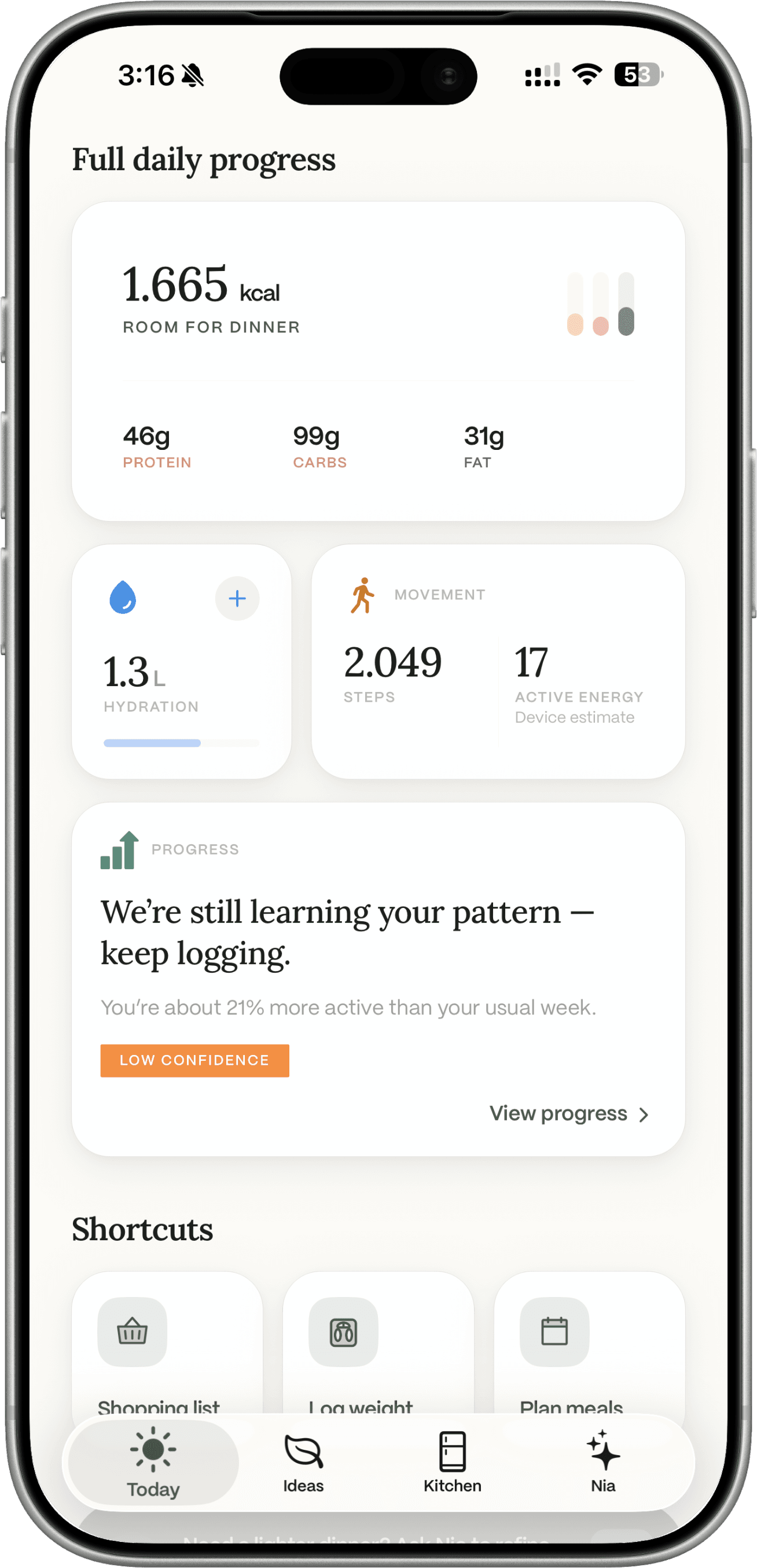
On iPhone you can optionally connect Apple Health. On Android, Health Connect. Dietrack then reads steps, active calories, workouts, and weight so Progress can show food and movement together. Connecting is optional. Dietrack does not write to those platforms, and it does not change your calorie or macro targets from that data. Kitchen, logging, and meal ideas still work if you never connect.
Nutrition figures stay estimates. This is not a medical device, and it is not an Apple Watch app.


Why connect
Calories without movement is half a day.
A food log can look “over” on a day you walked a lot, or “fine” on a rest day. Putting both in one place is for context, not for a guaranteed outcome.
Dietrack’s job is still the kitchen: decide what to cook from food you already have, then log estimated calories and protein, carbohydrates, and fat. Health is an optional extra picture, steps, active energy, workouts, and weight, next to that log.
It does not replace logging. Generating a meal idea does not log it. Connecting Health does not invent nutrition from a workout.
What Dietrack reads
Four metric types. Read-only.
You grant permissions on the phone. You can allow some types and deny others.
Steps
Movement for the day, shown when the connection is on.
Active calories
Active energy from the health hub, a device estimate of movement, not extra food you earned.
Workouts
Exercise sessions the hub already has, for Progress and Today context.
Weight
Weigh-ins you log in Dietrack, plus weight the hub shares if you allow it.
Dietrack does not read heart rate, sleep, menstrual data, labs, location, or nutrition stored in Apple Health / Health Connect. It does not write anything back.
Platforms
iPhone uses Apple Health. Android uses Health Connect.
Same four metric types in this version. The permission screens differ by OS.
Apple Health on iPhone
Optional. Open Profile, then Health connections (the in-app label may read Wearable connections), and grant iOS Health permissions. Dietrack reads steps, active energy, workouts, and weight. It does not write to Apple Health.
Health Connect on Android
Optional, when Health Connect is available on the device. Same purpose: Progress and activity context, not automatic target changes. Grant the types you want; deny the rest.
Sync is when you connect, when you open or resume the app, and when you tap Sync. It is not a continuous background observer. The connect control can be rolled out gradually, if you do not see it, the rest of Dietrack still works.
In Dietrack
What you see when it is connected.
Today stays light. Progress is where the fuller picture lives.
- Today can show steps, active energy, and workouts next to the meal budget for that day.
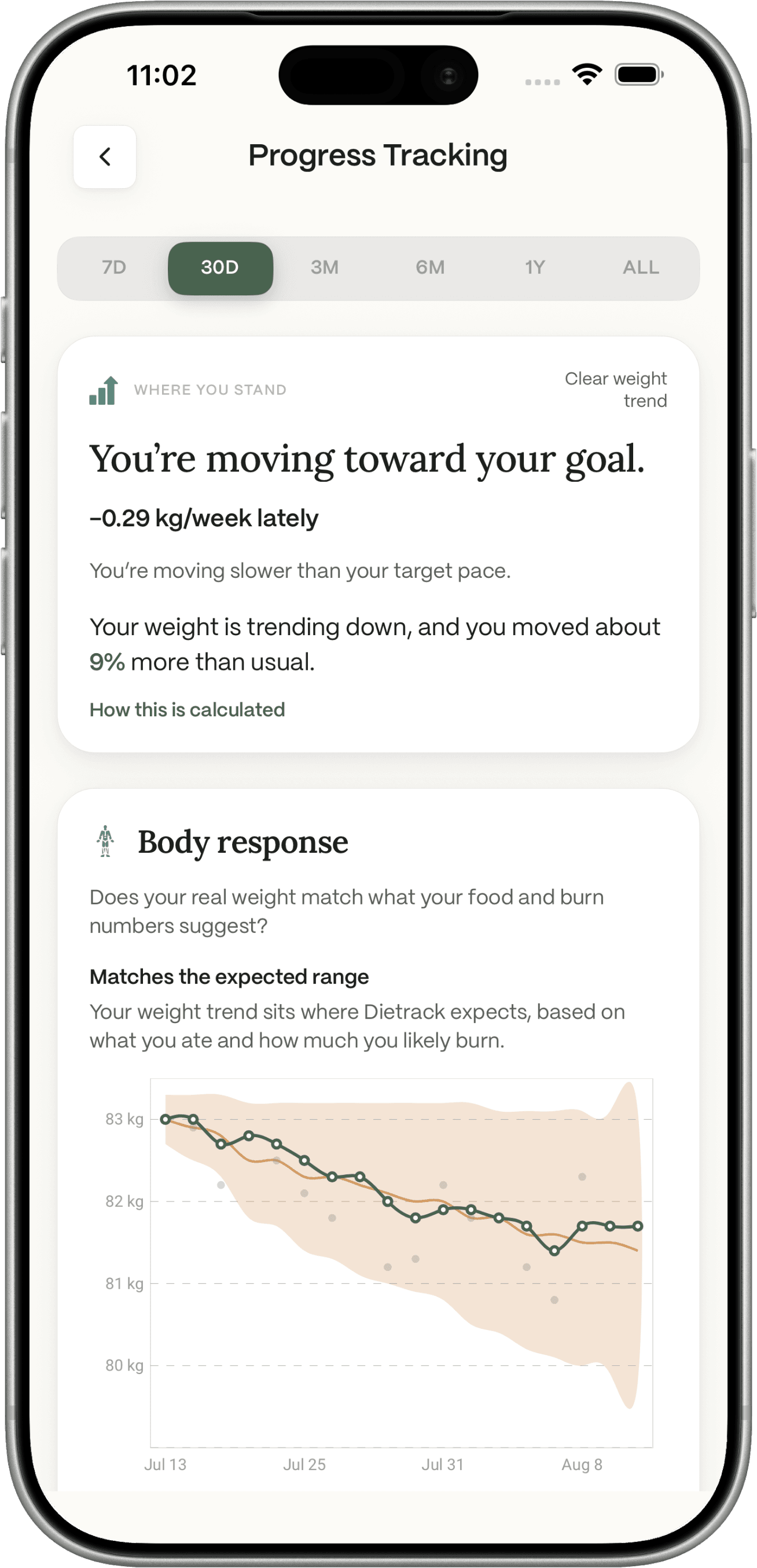
- Progress can show weight trend toward your chosen health goal, an energy picture of logged food vs estimated burn, and movement when Health is connected. Advisory copy about targets comes from that weight trend, not from a workout , and you choose whether to apply it.
Disconnecting stops future reads. It does not by itself erase records already stored. Account deletion removes stored activity, workout, weight, and related records as described in the privacy policy.
Limits
What this connection does not do.
- It does not write to Apple Health or Health Connect.
- It does not automatically change your calorie or macro targets, and it does not treat active calories as food you earned.
- It is not a Dietrack Apple Watch app, and it does not log you into Fitbit, Garmin, Oura, Samsung Health, or Google Fit separately.
- It does not guarantee weight change. Nutrition values and calorie figures are estimates.
- AI features (Ideas, Nia) may include relevant account data , including Health-synced records if present, in prompts to AI providers named in the privacy policy.
Keep reading
The log, the macros, the longer note.
Calorie tracker app
Daily calories from meals you log, estimates, not a lab value. Health is optional context around that log.
Macro tracker app
Protein, carbohydrates, and fat from the same logs. Health does not rewrite those gram targets.
Why a tracker should talk to Apple Health
The longer product note: Progress, Today, and what connecting is for.
Dietrack FAQ
Accuracy, privacy, Pro vs free, and the Health question in the technical section.
FAQ
Apple Health and Health Connect.
Get the app
Log the meal. Connect Health if you want the extra picture.
Free to download on iOS and Android. Connecting Apple Health or Health Connect is optional and not a Pro gate.