Find My Portion
Did not cook it and cannot weigh it? Start with an estimate.
Tell Dietrack what you are having and which meal it is. Find My Portion estimates how much fits your goals and what you have logged today. You can change the amount before you log it.


Free to download. Your first portion result is free, then it is part of Dietrack Pro.

A plate you did not make is hard to log.
No recipe
At a friend’s table or a family dinner, you do not know how much oil or rice went in.
No scale
Weighing food in front of other people is awkward, and often not possible.
A calorie number on its own
A target by itself can point to a plate size that does not look like a real meal.
Name the dish. Get an estimated amount.
What it is and is not
An estimate to help you log, not a prescription.
Find My Portion gives an estimated portion and estimated nutrition. It does not weigh your food or look at your plate. Recipes vary, so the numbers can be off. Treat the amount as a starting point.
The amount assumes the dish is the whole meal. If you are having other food too, take a bit less.
It needs a nutrition goal set in the app. If your goal is outside the range it works with, it shows a general serving reference instead of a personal amount.
It is not medical or dietary advice. If you have a medical condition or follow a plan from a clinician, follow their guidance.
How Find My Portion works.
Start
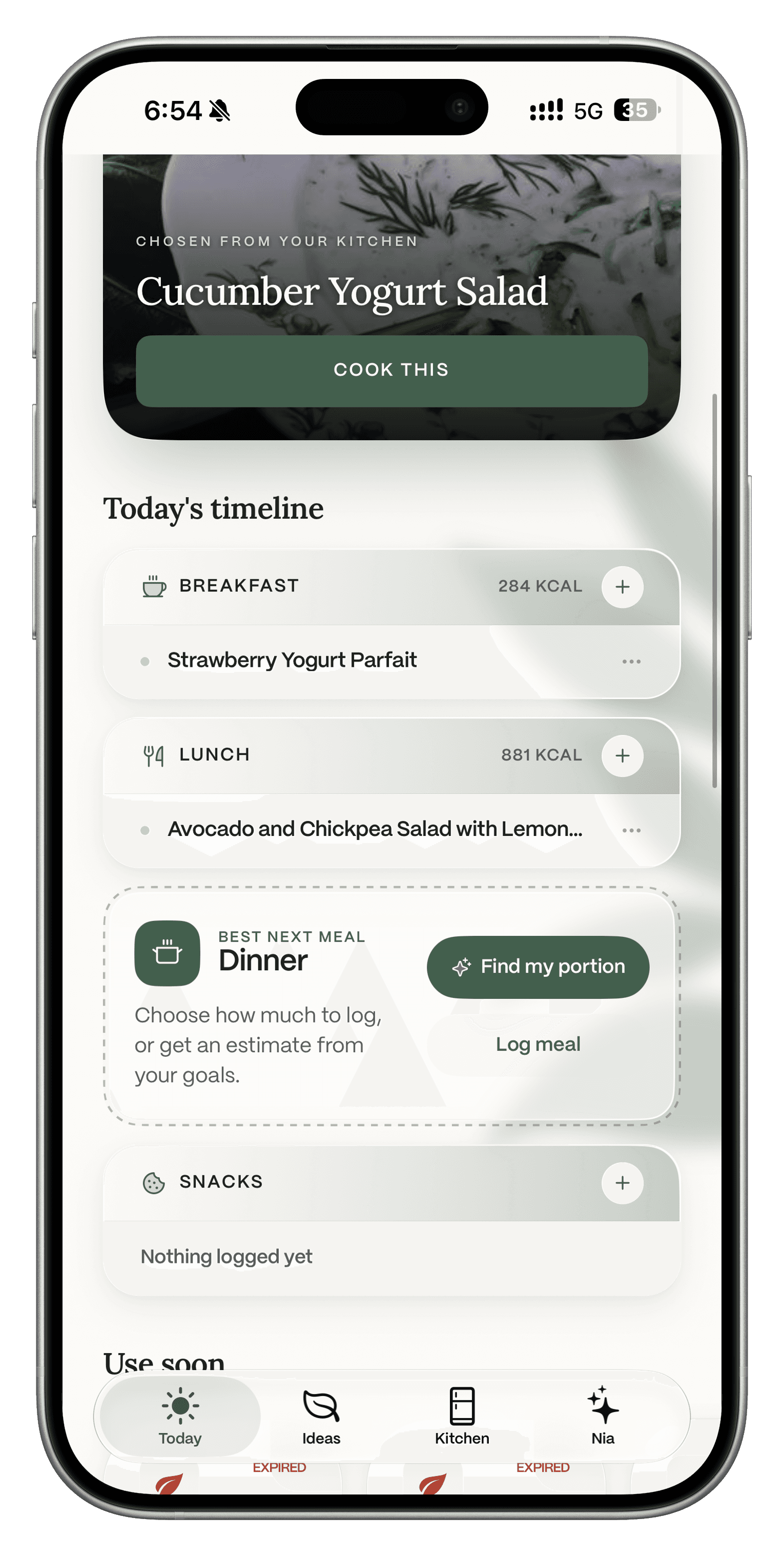
Open it from Today
Tap Find my portion on the Best next meal card in your timeline. You can also tap + on any meal and pick Find my portion from the list.
Describe
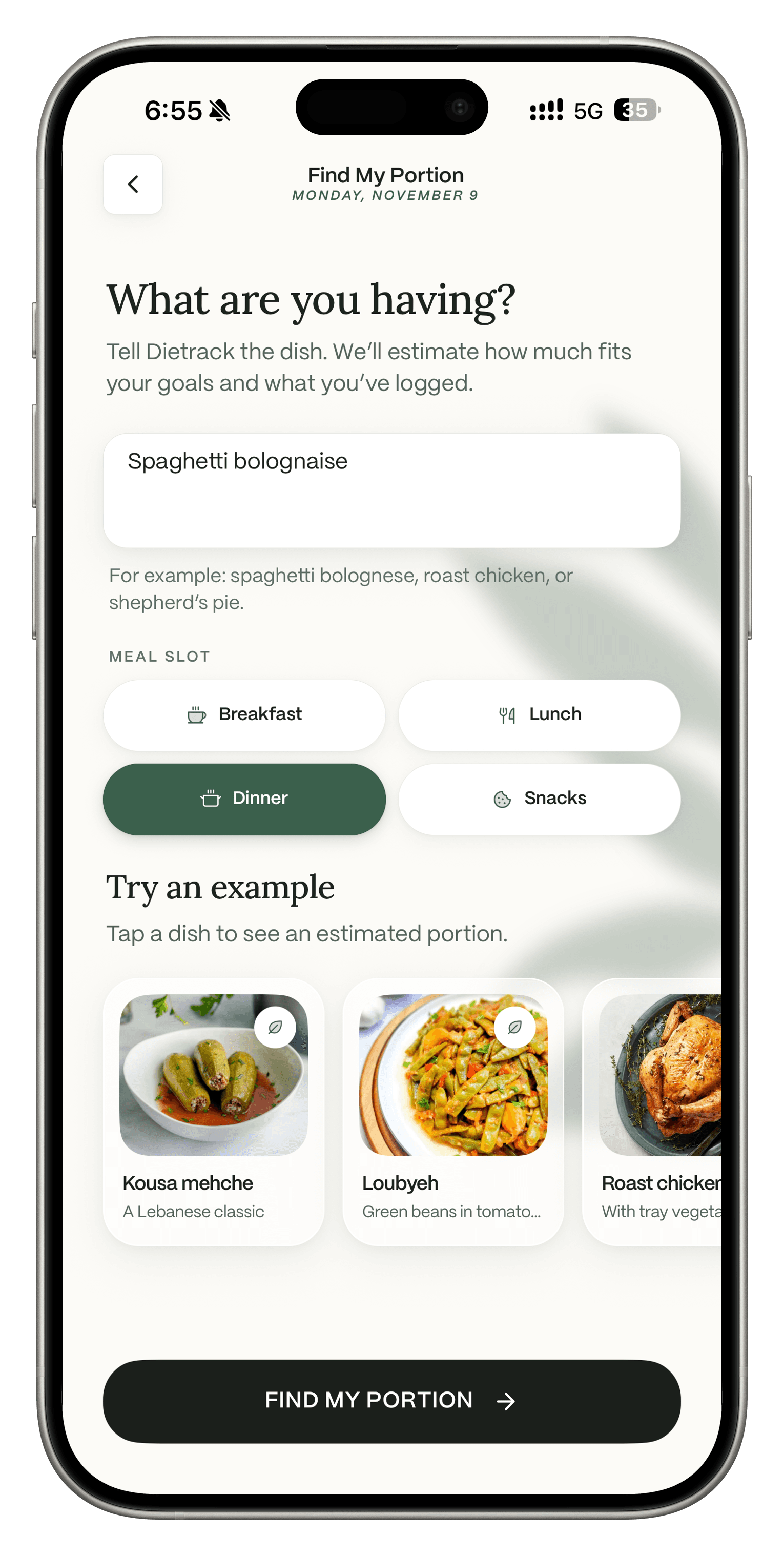
Type the dish and pick the meal
Write what you are having and choose breakfast, lunch, dinner or snacks. Not sure what to type? Tap an example like kousa mehche, loubyeh or roast chicken.
Estimate
See your estimated portion
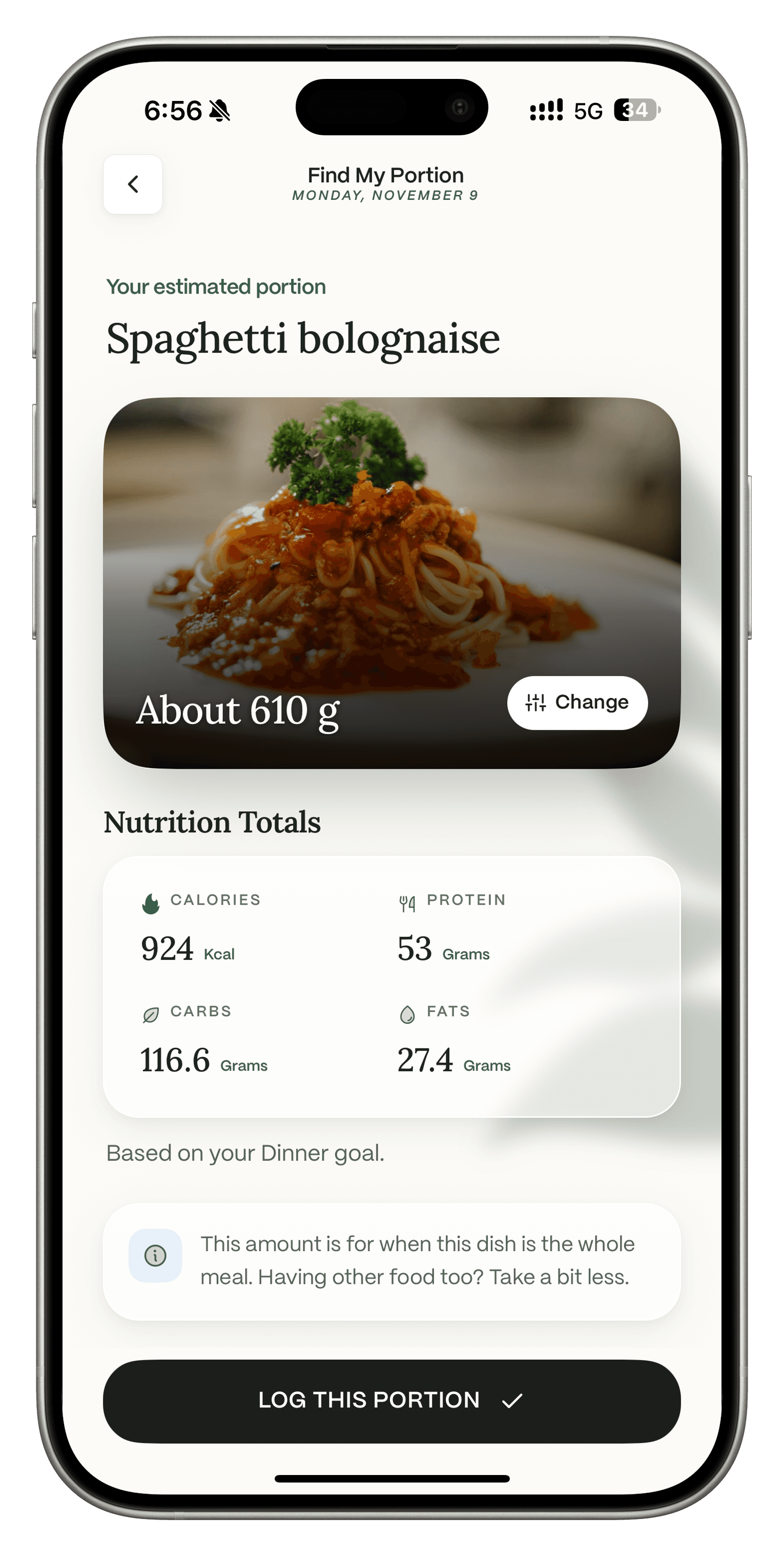
You get an amount with calories, protein, carbs and fat, based on your goal for that meal. Tap Change to pick a different amount. A note reminds you to take a bit less if the dish is not the whole meal.
Log
Log this portion
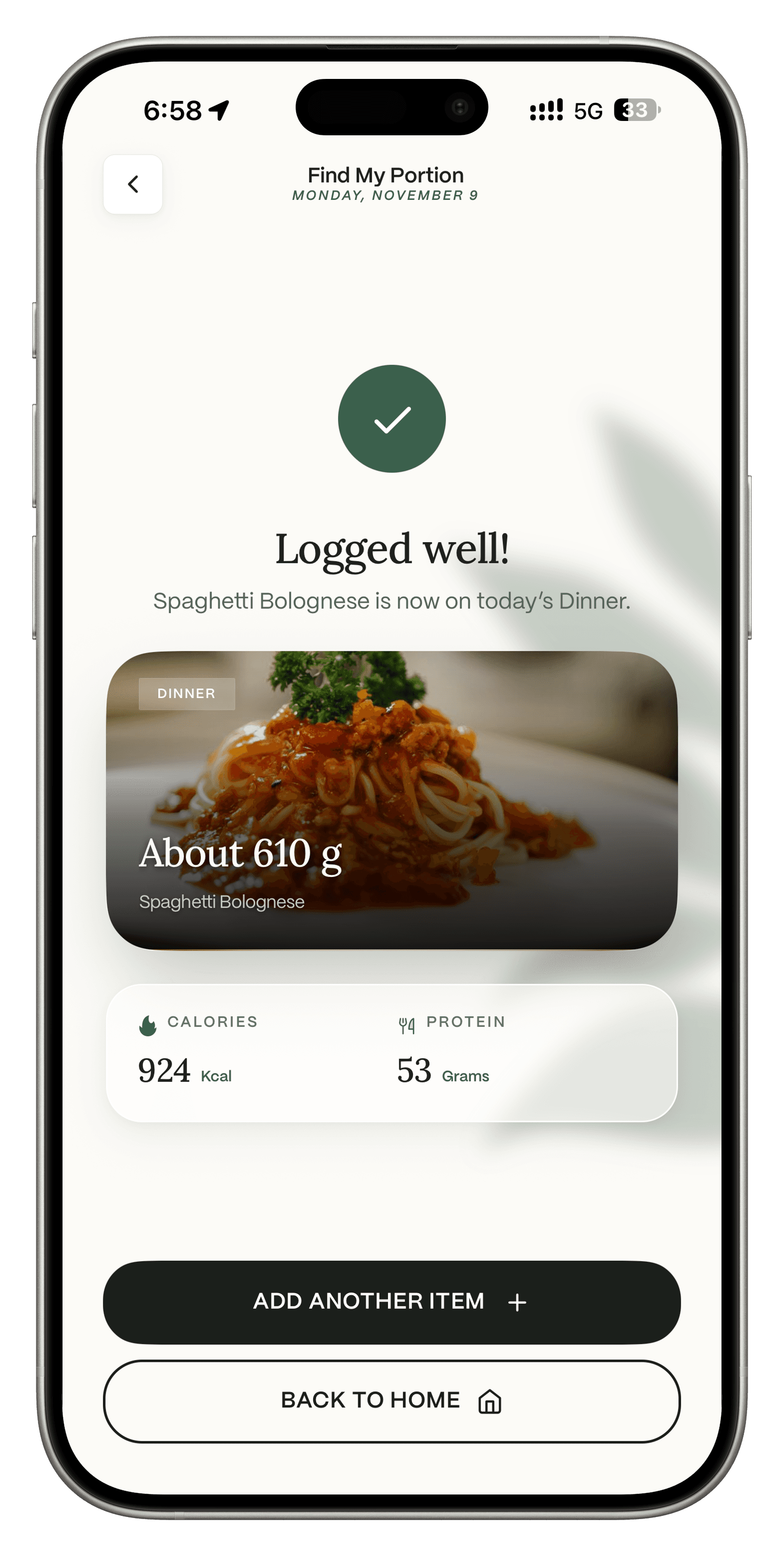
Tap Log this portion and it goes on that meal for today. From there you can add another item or go back home.
Related reading.
Track calories without weighing
Four ways to estimate, and when weighing is worth it.
Local and traditional dishes
Ideas that suggest everyday dishes from the countries you pick.
How Dietrack estimates nutrition
What the numbers are based on and what they cannot know.
Calorie tracking
How logged meals reach your daily totals.
Find My Portion questions.
Get the app
Log the meals you did not cook.
On iPhone and Android. Free to download. Your first portion result is free.