Skip to content

The Mealime alternative that starts with what is already in your fridge.

Mealime closed on October 21, 2026. Dietrack suggests meals from the food you already have, shows calories and macros for each, and adds anything missing to your shopping list in one tap.

Download Dietrack on the App StoreGet Dietrack on Google Play

Free to download. No ads. Try Ideas free for 7 days.Facts checked Nov 10, 2026. Sources at the bottom of the page.

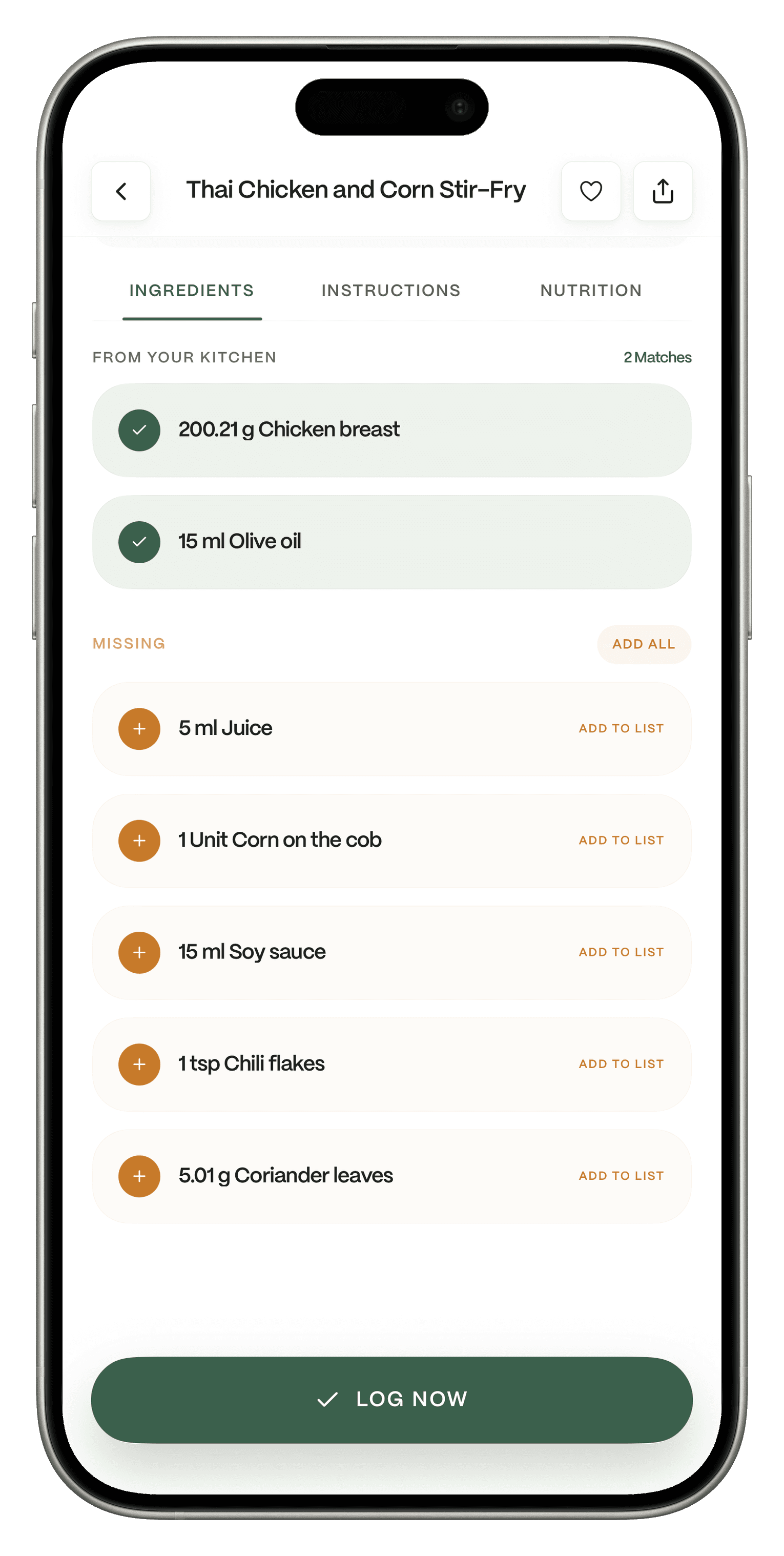
A Thai Chicken and Corn Stir-Fry in Dietrack, with its ingredients split into From your kitchen and Missing, an Add all button for the missing items and a Log now button.

Quick answer

Switch to Dietrack if:

  • You opened Mealime to answer "What do I cook tonight?" and want the answer to start from your own fridge.
  • You want calories and macros on every meal idea, and your food log in the same app.
  • You want ideas that respect your diet and allergies, and dishes from home like Lebanese, Egyptian, Italian or Filipino food.

Pick something else if:

  • You want Mealime's own recipes back. They live on in Meals Hub, run by Albertsons Companies.
  • You want a whole week planned on Sunday. Dietrack plans one day at a time.

Why Mealime users are looking now

  • Mealime is gone.

    Fact: Mealime says it was discontinued as of October 21, 2026, and that all personal data is deleted at shutdown, so saved favorites, plans and lists did not move. (mealime.com/closing, read Nov 10, 2026)

    Dietrack: Start from the food you have today. There is no recipe library to rebuild.

  • The official successor lives inside grocery store apps.

    Fact: Mealime says its recipes continue in Meals Hub, inside Albertsons Companies store apps and websites, and that you sign in through one of them. (mealime.com/closing)

    Dietrack: A standalone app on iPhone and Android, not tied to any store.

  • You have to set things up again anyway.

    Fact: Mealime says some preferences and settings have to be set up again in Meals Hub. (mealime.com/closing)

    Dietrack: Set your goal, diet and allergies once, and every meal idea follows them.

Your options, side by side

Last checked Nov 10, 2026. Prices are shown in the currency each company uses and can change by country. "Not stated" means the source does not say. It does not mean the app lacks it.

DietrackMeals HubSamsung FoodPlan to EatEat This Much
Meal ideas or plansA day of mealsMeal plansWeekly and daily plansWeek, month or longerDaily plans, weekly is Premium
Shopping listFreeAutomatic list is Premium
Starts from the food you already haveThe core ideaNot stated"Use It Up" search, part of Food+Not its focusPantry feature
Calories and macros on every ideaNot statedNot statedNot stated
Food log in the same appFree, including barcode loggingNot statedNot statedNot statedNot stated
Shows food that is expiring or expiredKitchen filtersNot statedNot statedNot statedNot stated
AI assistant that knows your logNia, ProNot statedNot statedNot statedNot stated
AdsNone on any planNot statedNot statedNot statedNot stated
PriceFree app. Pro €7.99 a month or €49.99 a year, 7-day trialFreeFree, or Food+ $6.99 a month or $59.99 a year$5.95 a month or $49 a year, 14-day trialFree, Premium from $5.00 a month billed yearly

Sources: mealime.com/closing; samsungfood.com/meal-planner; support.samsungfood.com (What's Included in Your Samsung Food Subscription); samsungfood.com/food-plus; plantoeat.com/pricing; eatthismuch.com/pricing; dietrack.app/pricing. All read Nov 10, 2026.

What Dietrack does for a Mealime cook

Ideas is Pro, included in the 7-day trial. Shopping list free.

Dinner from what you have, with the gaps filled in one tap

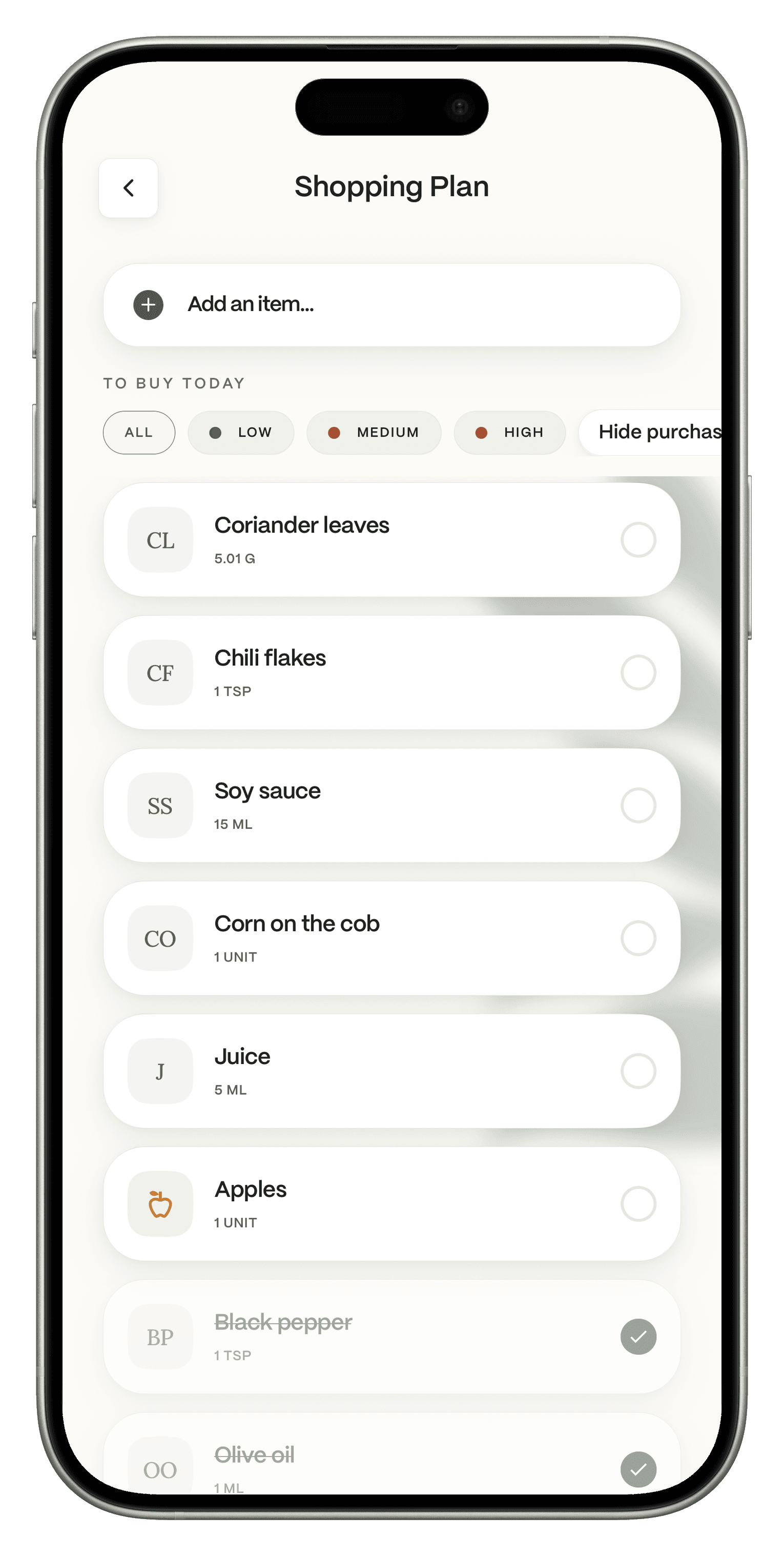
Open a dish and you see what comes from your kitchen and what is missing. Tap Add all and the missing items land on your shopping list. Cook it, then tap Log now.

A dish in Dietrack showing which ingredients come from your kitchen and which are missing, with Add all and Log now buttons.
The Dietrack shopping plan after tapping Add all, with the missing ingredients listed.

Free.

A kitchen that tells you what to use first

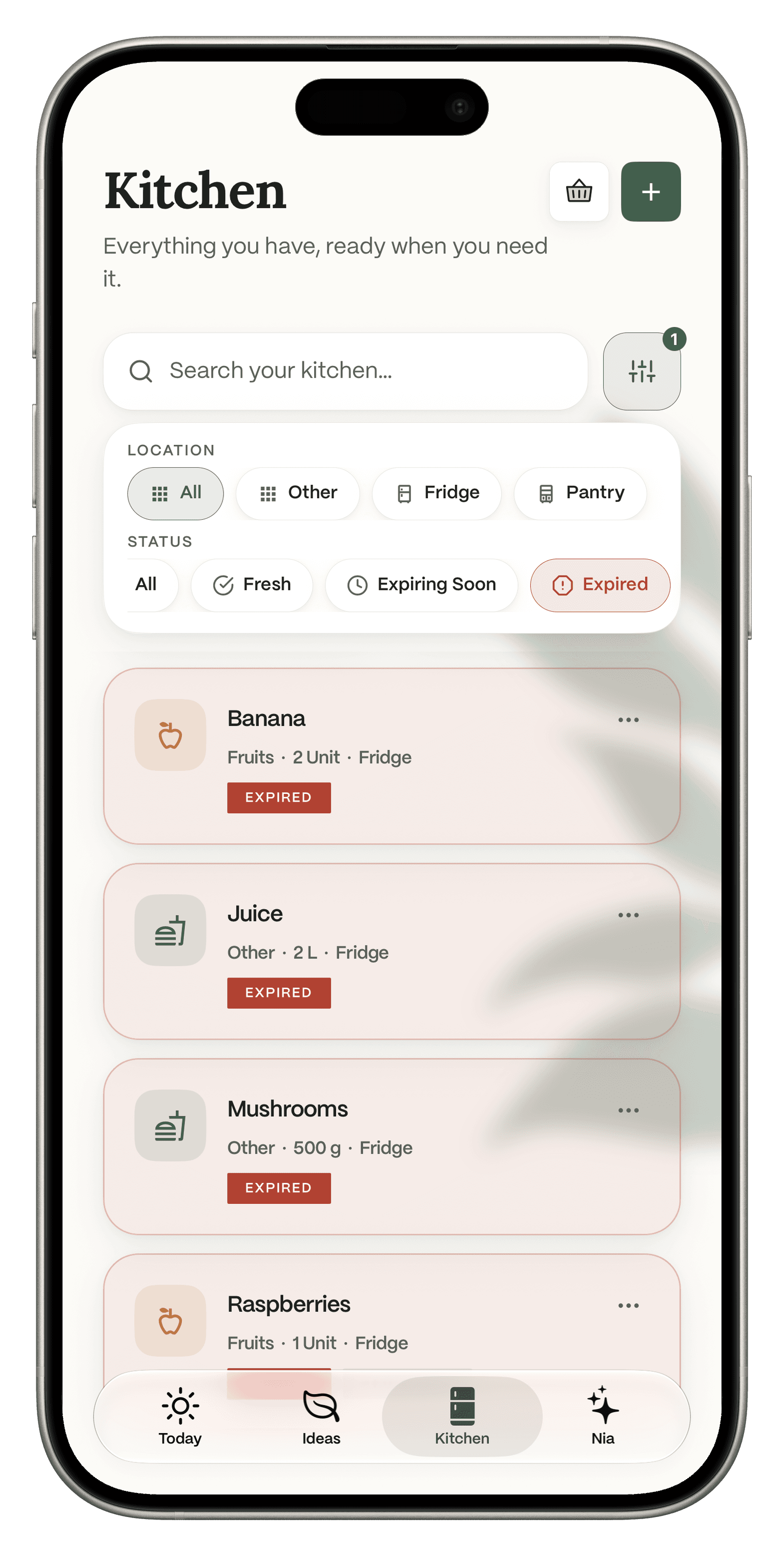
Filter your kitchen by Fridge or Pantry, and by Fresh, Expiring Soon or Expired, so the mushrooms get used before they turn.

The Dietrack Kitchen filtered to Expired, with location filters for Other, Fridge and Pantry and status filters for Fresh, Expiring Soon and Expired.

Pro.

Ideas that fit your diet, and the dishes you grew up with

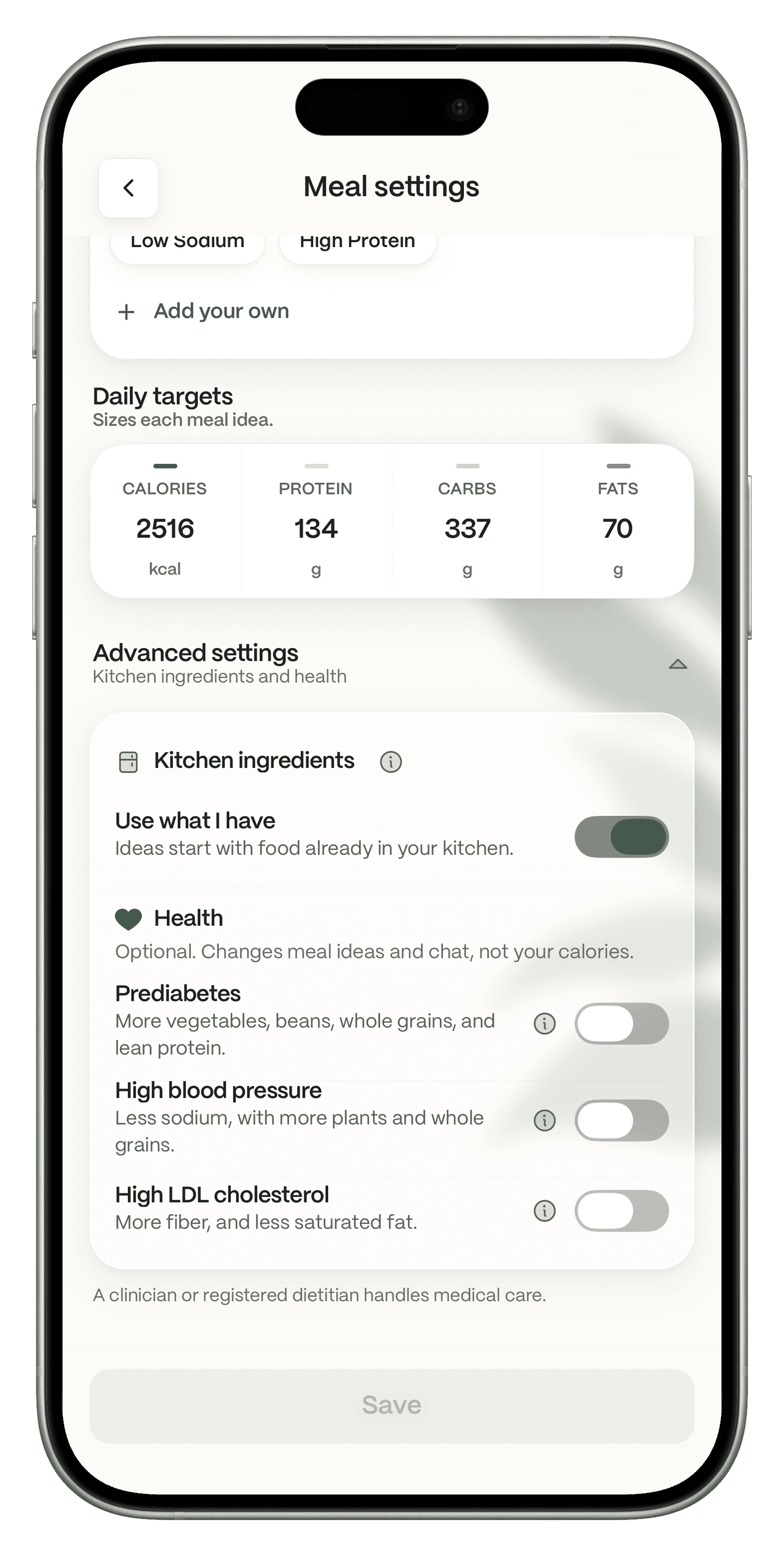
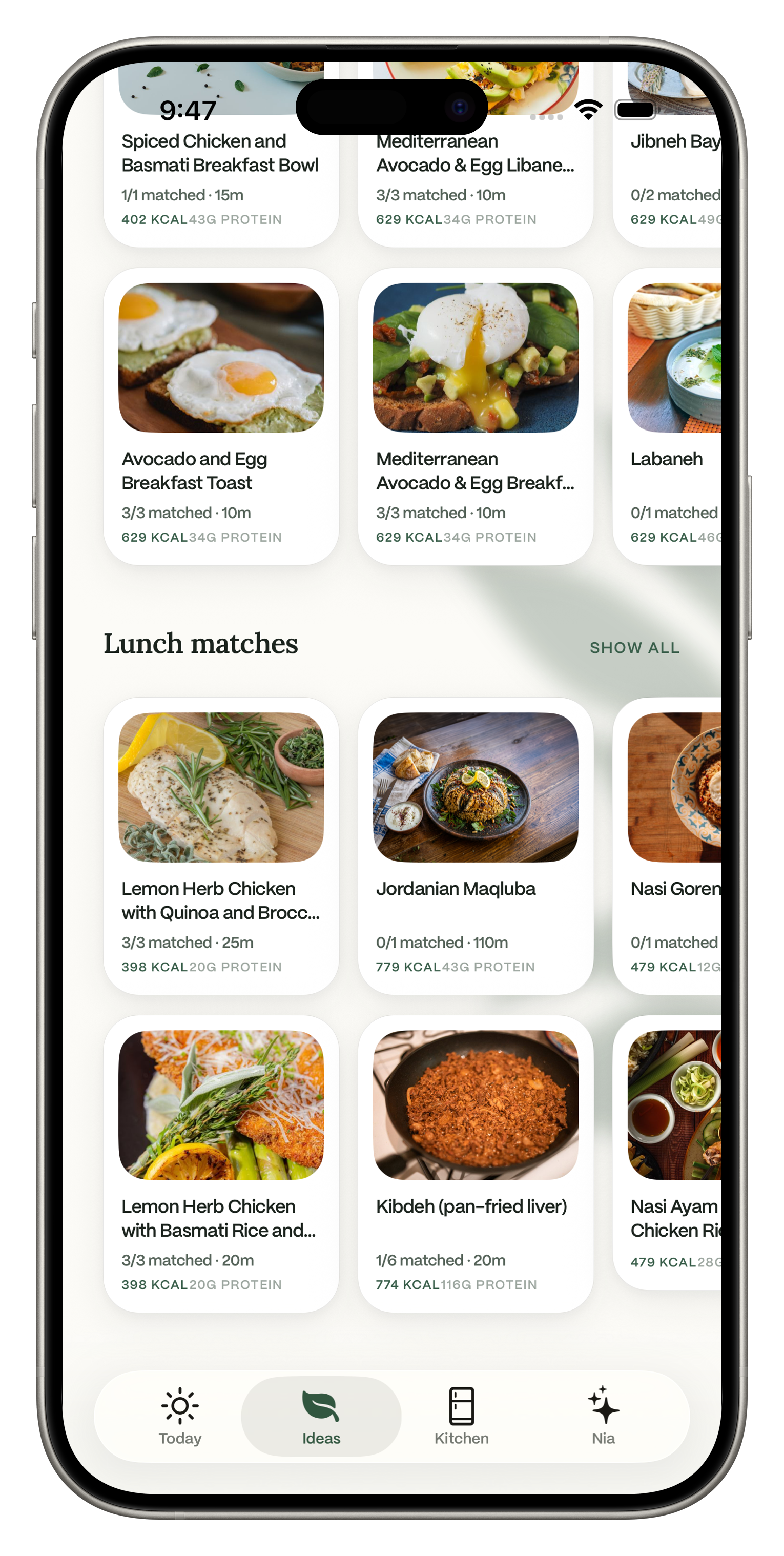
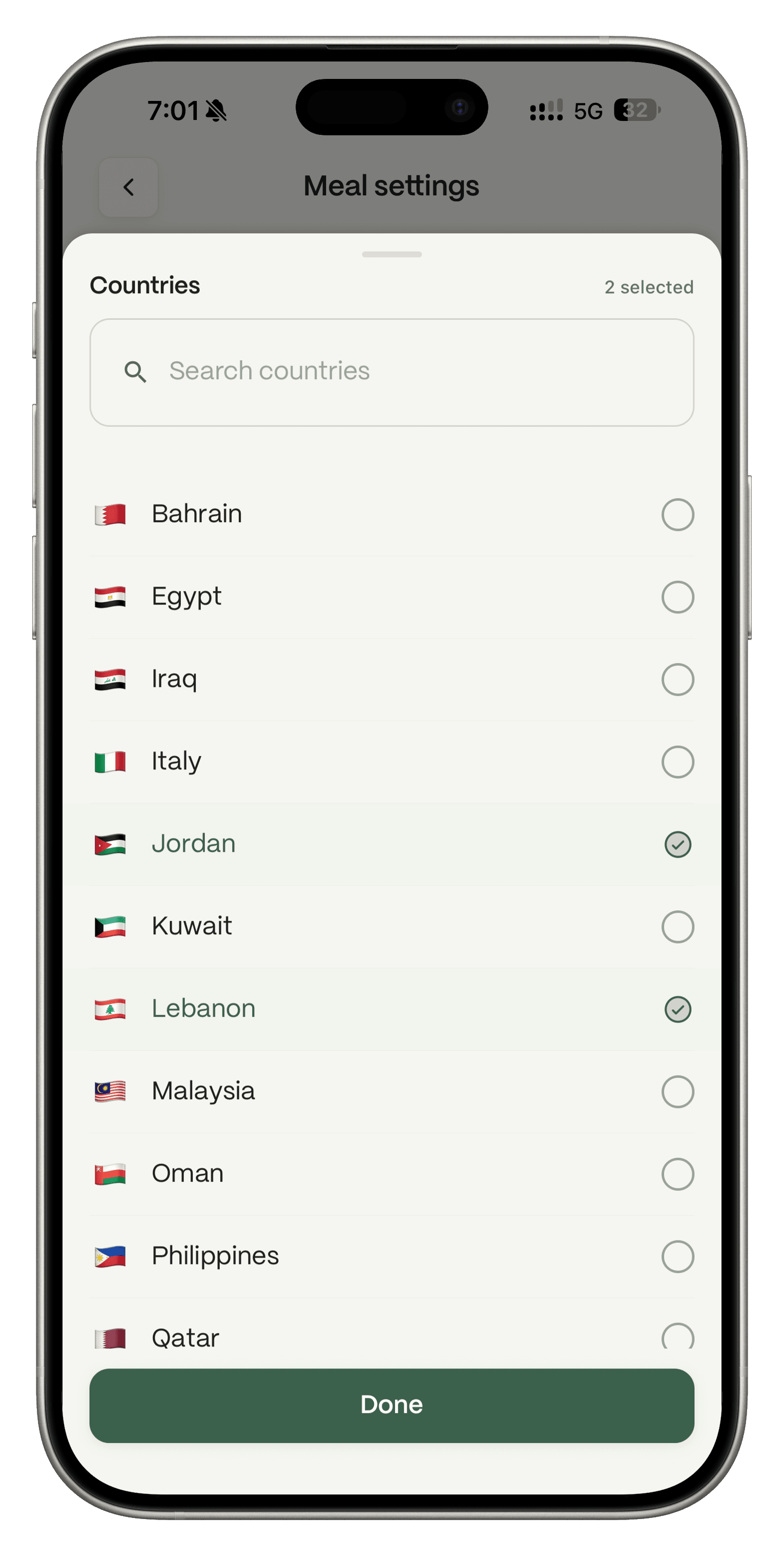
Ideas follows your goal, dietary preferences and allergies, and works even before you log a single meal. In Meal settings, under Advanced settings, then Kitchen ingredients, you will find Use what I have. The subtitle in the app is Ideas start with food already in your kitchen. When the setting is on, Ideas start from kitchen food. When it is off, Ideas can go beyond what you have and still fit your goals and preferences. Switch to Local dishes to get ideas from countries such as Lebanon, Syria, Jordan, Egypt, Saudi Arabia, Italy or the Philippines.

Dietrack Meal settings with daily targets and the Use what I have toggle
Ideas in Dietrack with breakfast and lunch matches that include local dishes, each card showing kitchen matches, calories and protein.
The Countries list in Meal settings with Jordan and Lebanon ticked and a Done button.

Pro.

A coach that has read your log

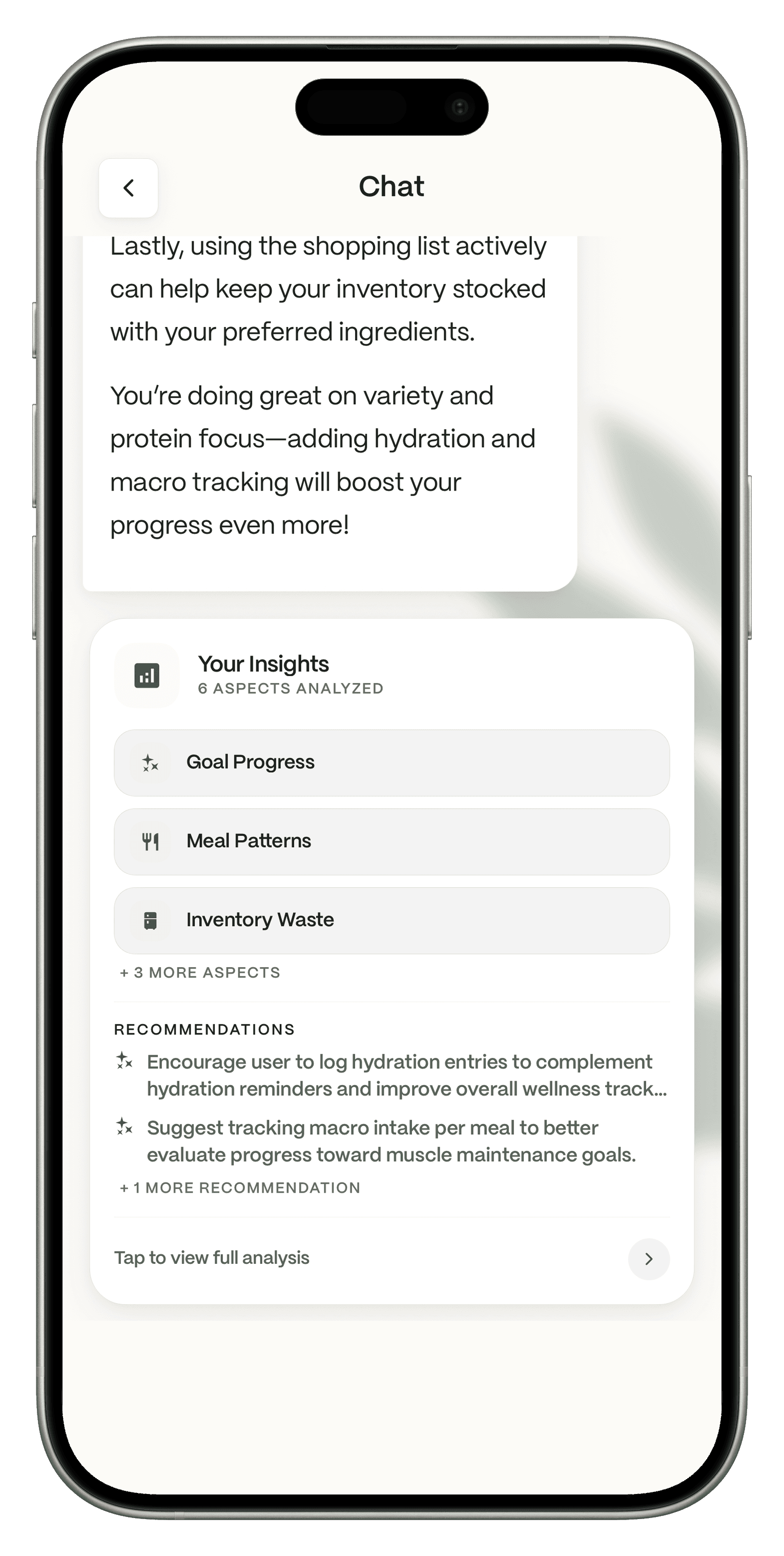
Nia is the AI assistant inside Dietrack. It analyzes what you log, including goal progress, meal patterns, kitchen waste and more, and suggests what to work on. Nia suggests, you decide what to add or log.

Nia chat in Dietrack showing Your Insights with goal progress, meal patterns and inventory waste, plus recommendations

Switch in three steps

  1. 1

    Download Dietrack and set your goal, diet and allergies. It is free.

  2. 2

    Add what is in your kitchen. Type it or scan a barcode for free. Photograph your fridge or a receipt with Pro, after your one free photo scan.

  3. 3

    Open Ideas and pick tonight's dinner. Tap Add all for anything missing, then log the meal when you eat it.

Dietrack cannot import data from other apps, including Mealime. Mealime deleted personal data at shutdown anyway, so every app starts you fresh, and Dietrack is built so you do not need a library to begin.

Common doubts, answered

What is free, exactly?
The app, your kitchen with expiry filters, the shopping list, manual and barcode logging, and calorie and macro tracking are free, with no ads. Dietrack Pro adds Ideas, fridge, receipt and meal photos after your one free photo scan, the Nia assistant, and Find My Portion after your first result.
Is Pro worth it?
Pro is €7.99 a month, or €49.99 a year, which works out to €4.17 a month. Try it free for 7 days first. The trial is one time per account. If Ideas and Nia do not change how you decide on dinner, keep using the free app.
Why trust Dietrack?
There are no ads on any plan, so the app is not built around showing you more of them. Free and Pro are listed plainly on our pricing page, every comparison on this page links its source, and the screenshots are the real app.


Who should pick which

  • Meals Hub: you loved Mealime's recipes and already shop at an Albertsons Companies store.
  • Samsung Food: you want a free weekly calendar shared with family.
  • Plan to Eat: you collect recipes from blogs and plan weeks ahead.
  • Eat This Much: you want a plan generated to hit exact calorie and macro numbers.
  • Dietrack: you want each day planned from the food you already have, with calories and macros on every idea, a food log and an AI coach in the same app.

FAQ

Get the app

Tonight's dinner is probably already in your fridge.

Add what you have and let Dietrack plan the day around it.

Download Dietrack on the App StoreGet Dietrack on Google Play

Free to download. No ads. Try Ideas free for 7 days.

How we checked

Competitor facts come from each company's own pages, read on Nov 10, 2026, and are linked above. Dietrack facts come from dietrack.app/pricing and the Dietrack team. We make Dietrack. Spotted an error? Email support@dietrack.app.

Author: The Dietrack Team.