SuperCook shows what you can cook. Dietrack plans what to eat today.
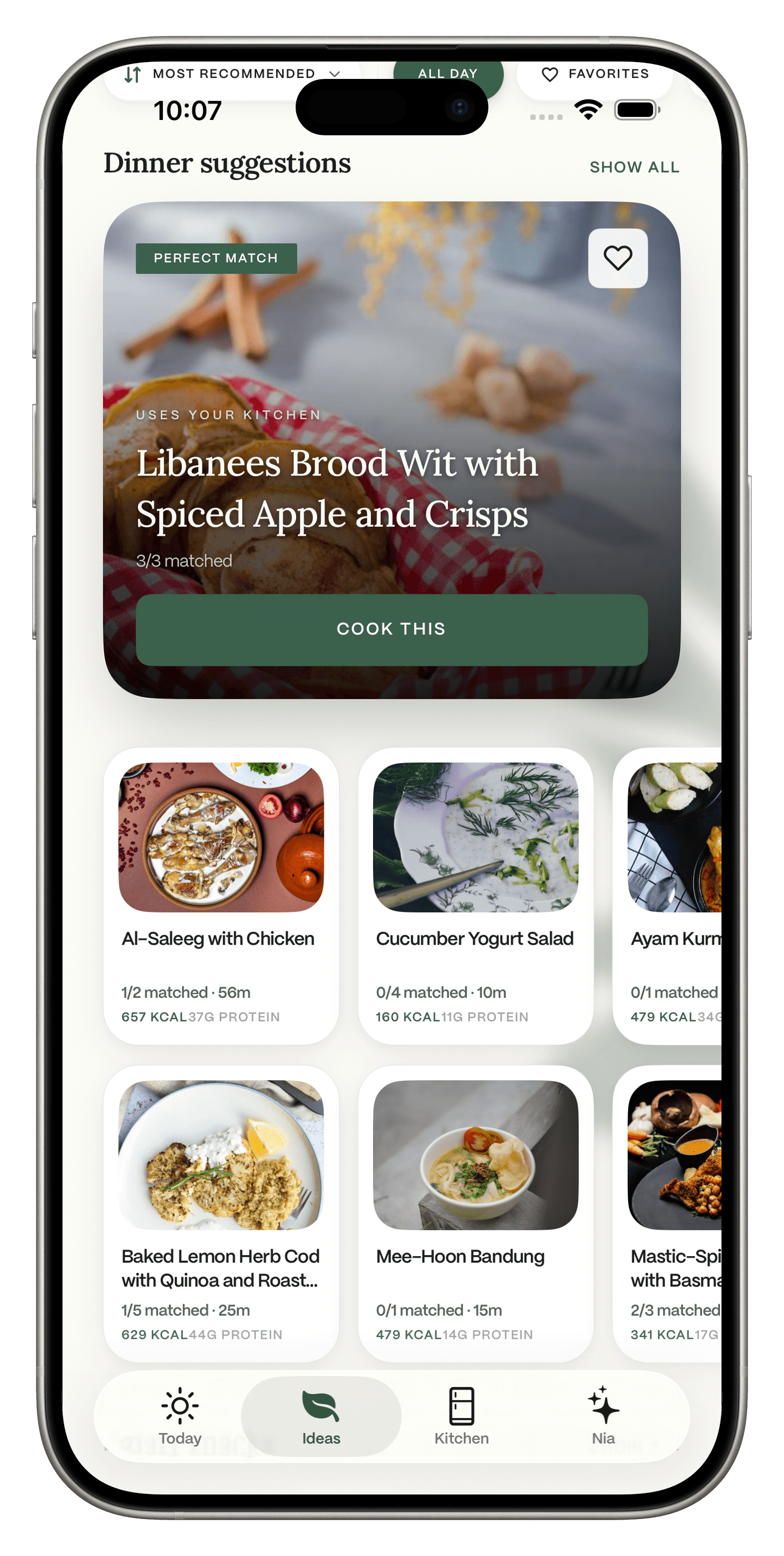
Start from the food you have, just like SuperCook. Dietrack then suggests breakfast, lunch, dinner and a snack that fit your calorie and macro targets, your diet and your allergies, and you log what you eat in the same app.
Free to download. No ads. Try Ideas free for 7 days.Facts checked Nov 10, 2026. Sources below.
Quick answer
Pick Dietrack if:
You want ideas that fit a calorie or protein target, not only recipes that use your ingredients.
You want the whole day planned, plus a food log and an AI coach in the same app.
You want to see what is about to expire and use it first.
Stay with SuperCook if:
You want a free search across a huge number of web recipes and you do not track what you eat.
Why SuperCook fans try Dietrack
SuperCook does its job well. Its App Store listing says it searches more than 11 million recipes from 18,000 recipe websites, lets you pick from 2,000+ ingredients or say them out loud, and it is free (US App Store, read Nov 10, 2026). People usually look further when they want more than a recipe search:
"Does this fit my goals?"
Calorie and macro targets are not mentioned in SuperCook's App Store listing.
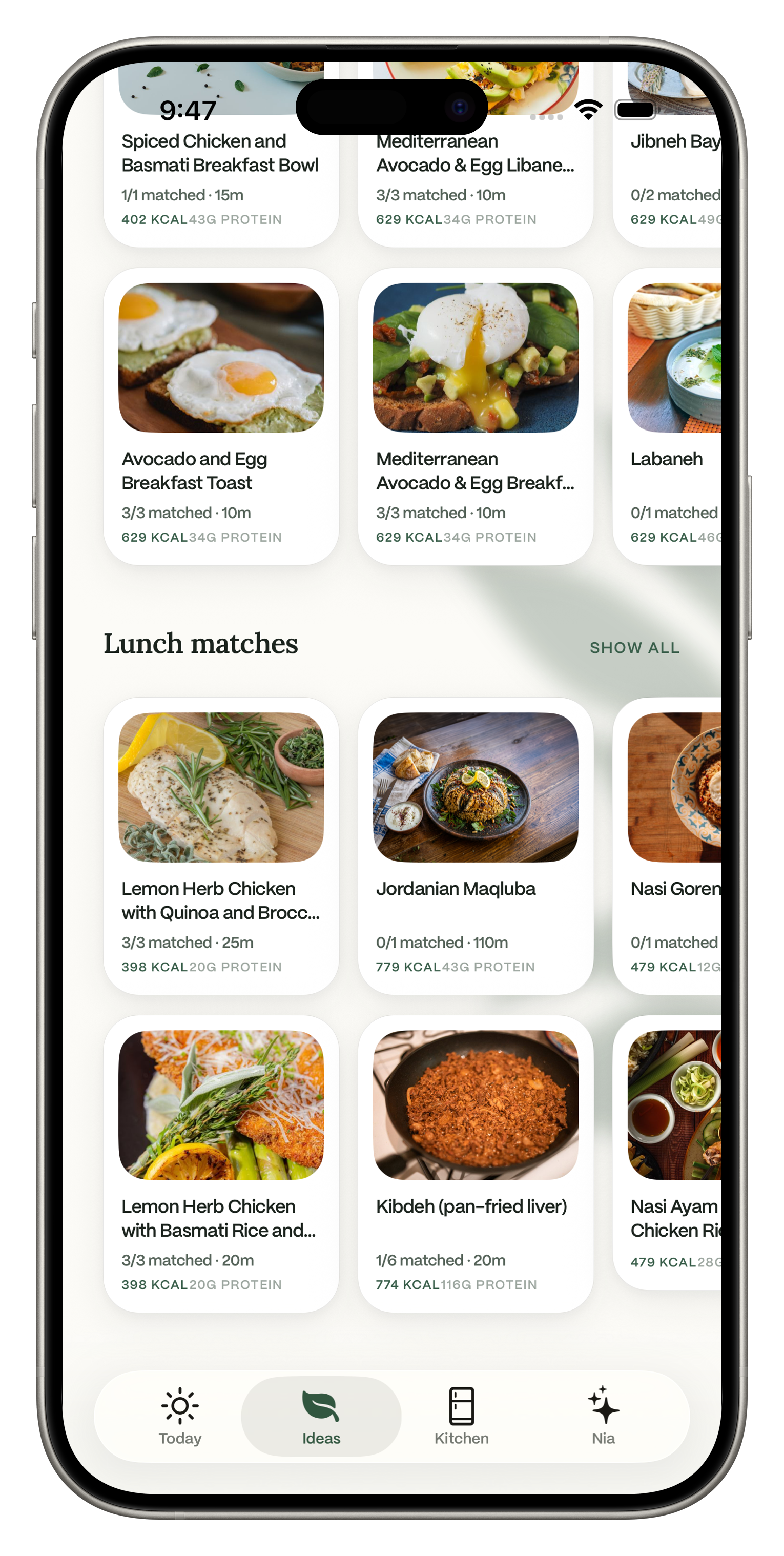
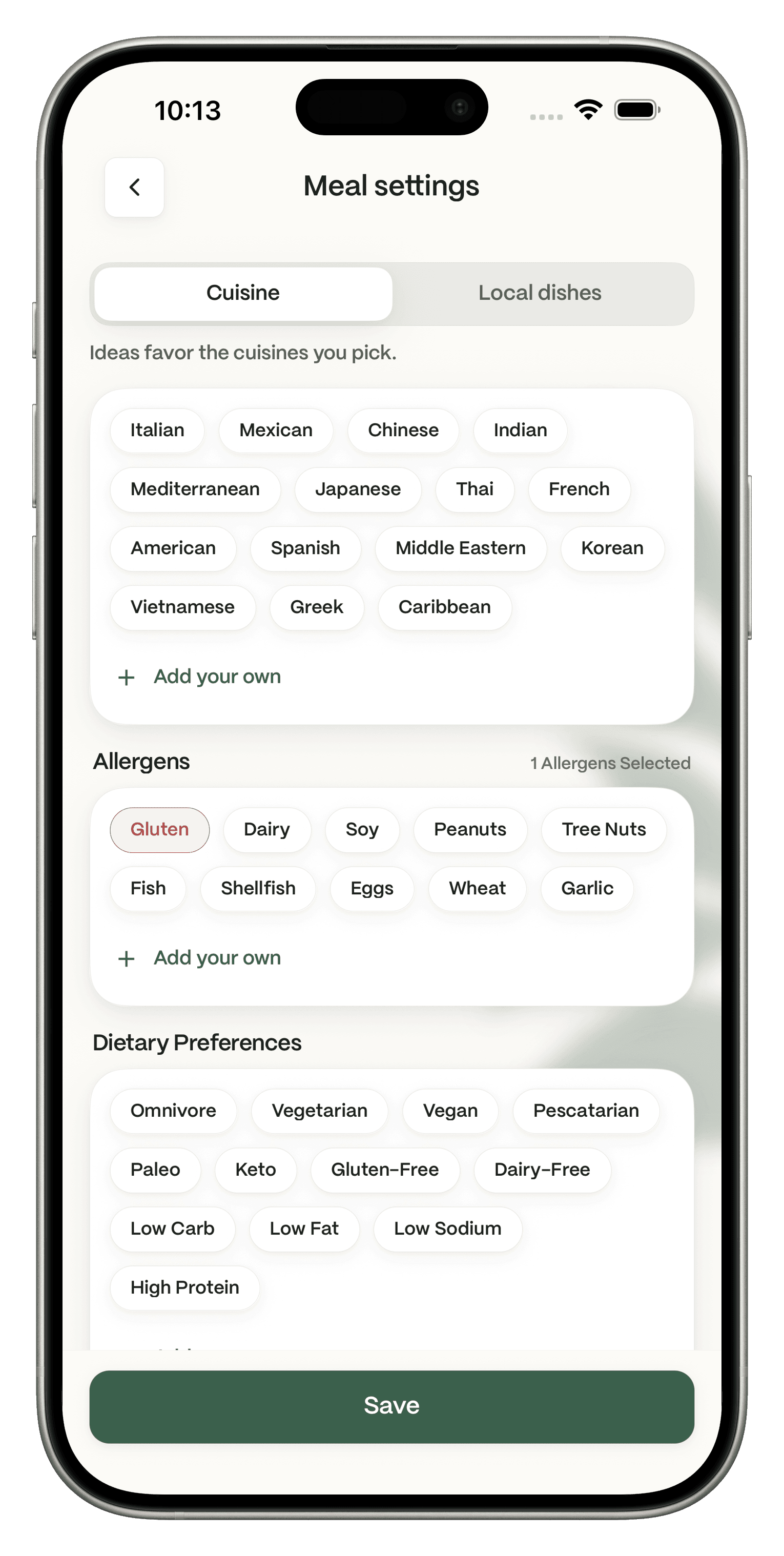
Dietrack: Every idea follows your targets, diet and allergies, and shows kcal and protein on the card.
"What about the rest of the day?"
A recipe search answers one meal at a time.
Dietrack: Ideas suggests breakfast, lunch, dinner and a snack together.
"I want to use it before it goes off."
Expiry tracking is not mentioned in SuperCook's listing.
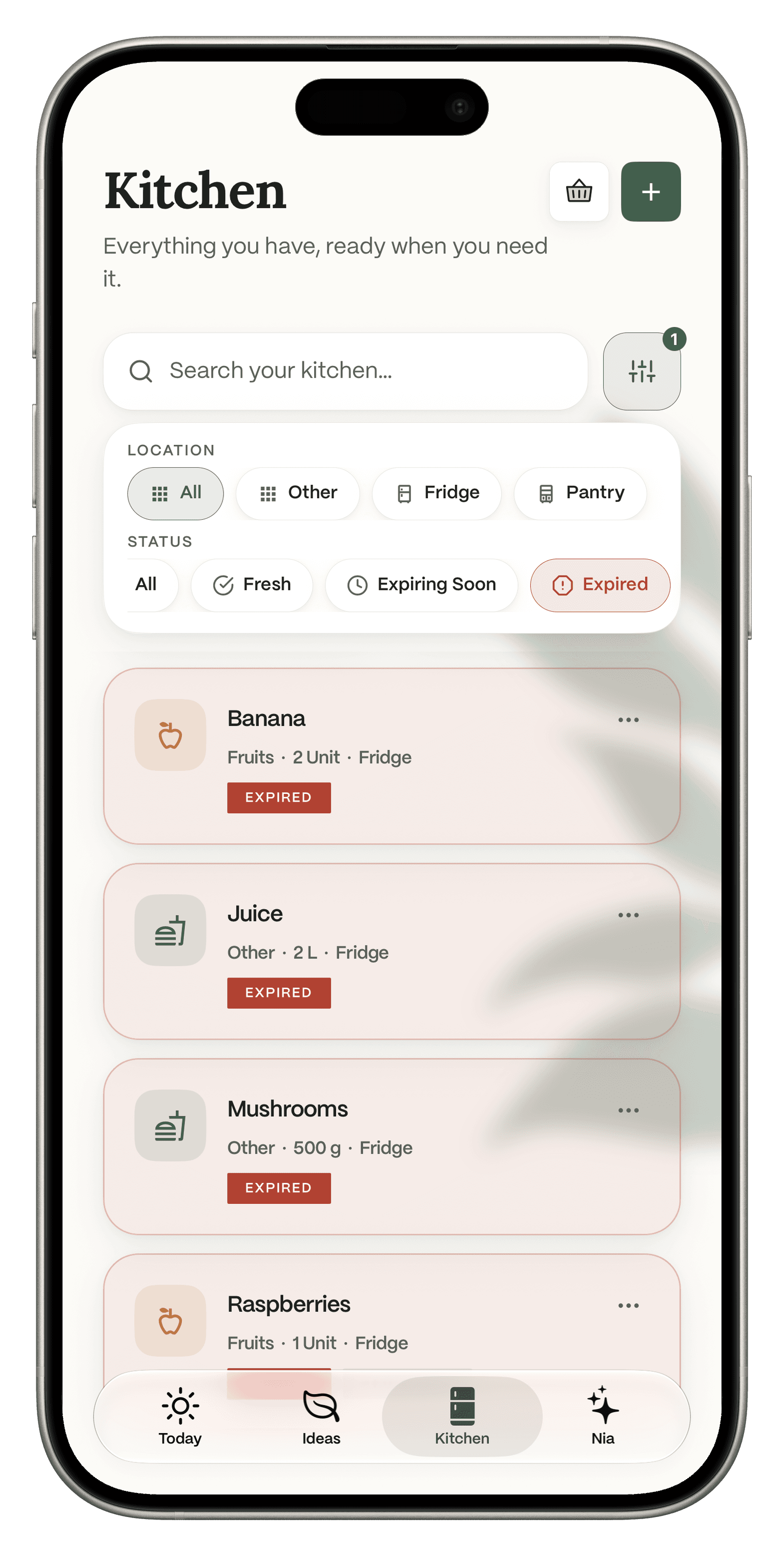
Dietrack: Kitchen filters show what is Fresh, Expiring Soon or Expired.
SuperCook and Dietrack, side by side
Last checked Nov 10, 2026. The first two rows are what both apps do. "Not mentioned" means SuperCook's App Store listing does not say. It does not mean SuperCook lacks it.
Dietrack
SuperCook
Starts from the ingredients you have
Saves what is in your kitchen
Fridge, freezer, pantry or other
Pantry list
Ideas fit your calorie and macro targets
Not mentioned
Respects your diet and allergies
Not mentioned
Plans a full day of meals
Breakfast, lunch, dinner, snack
Not mentioned
Missing ingredients
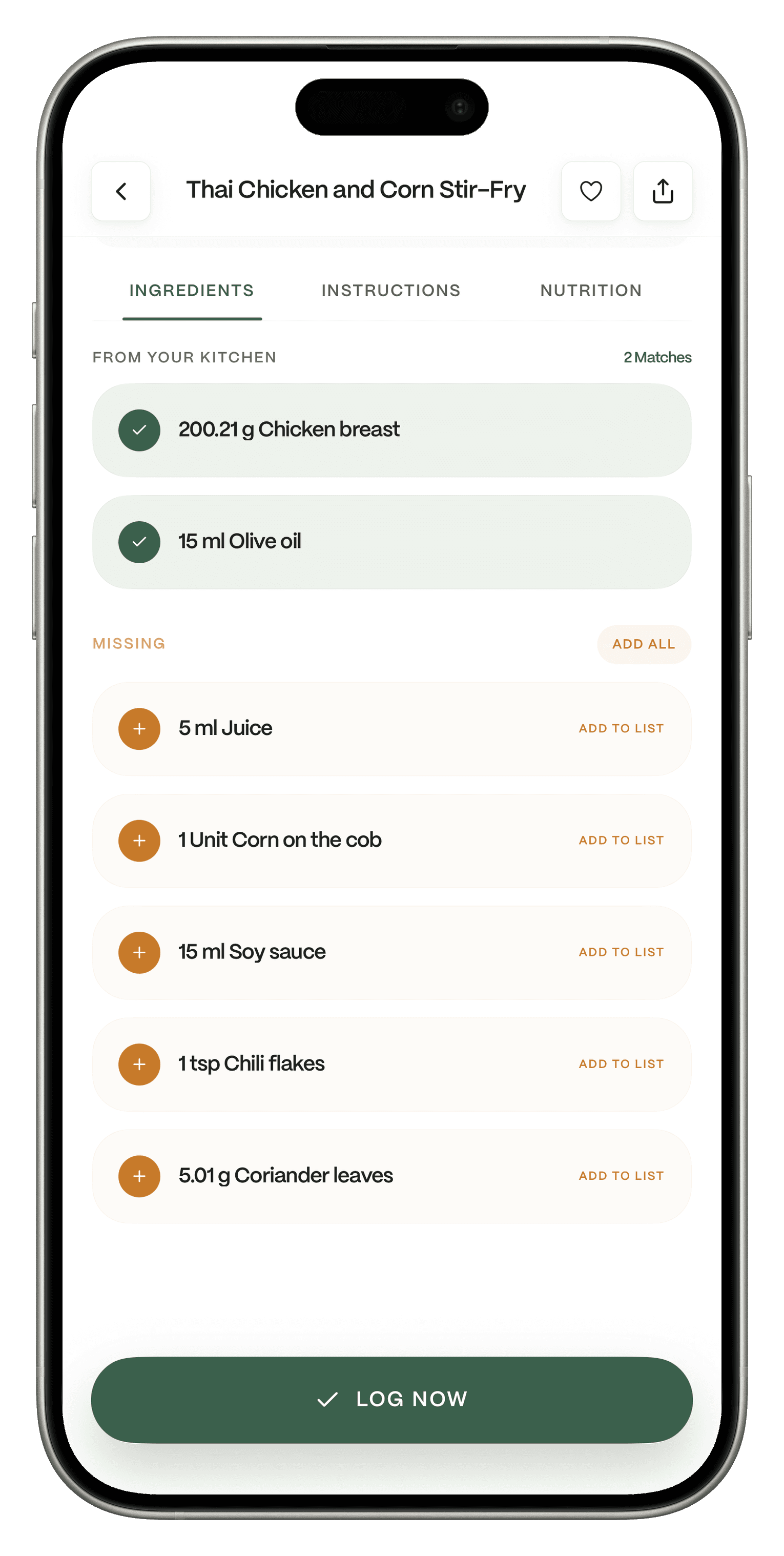
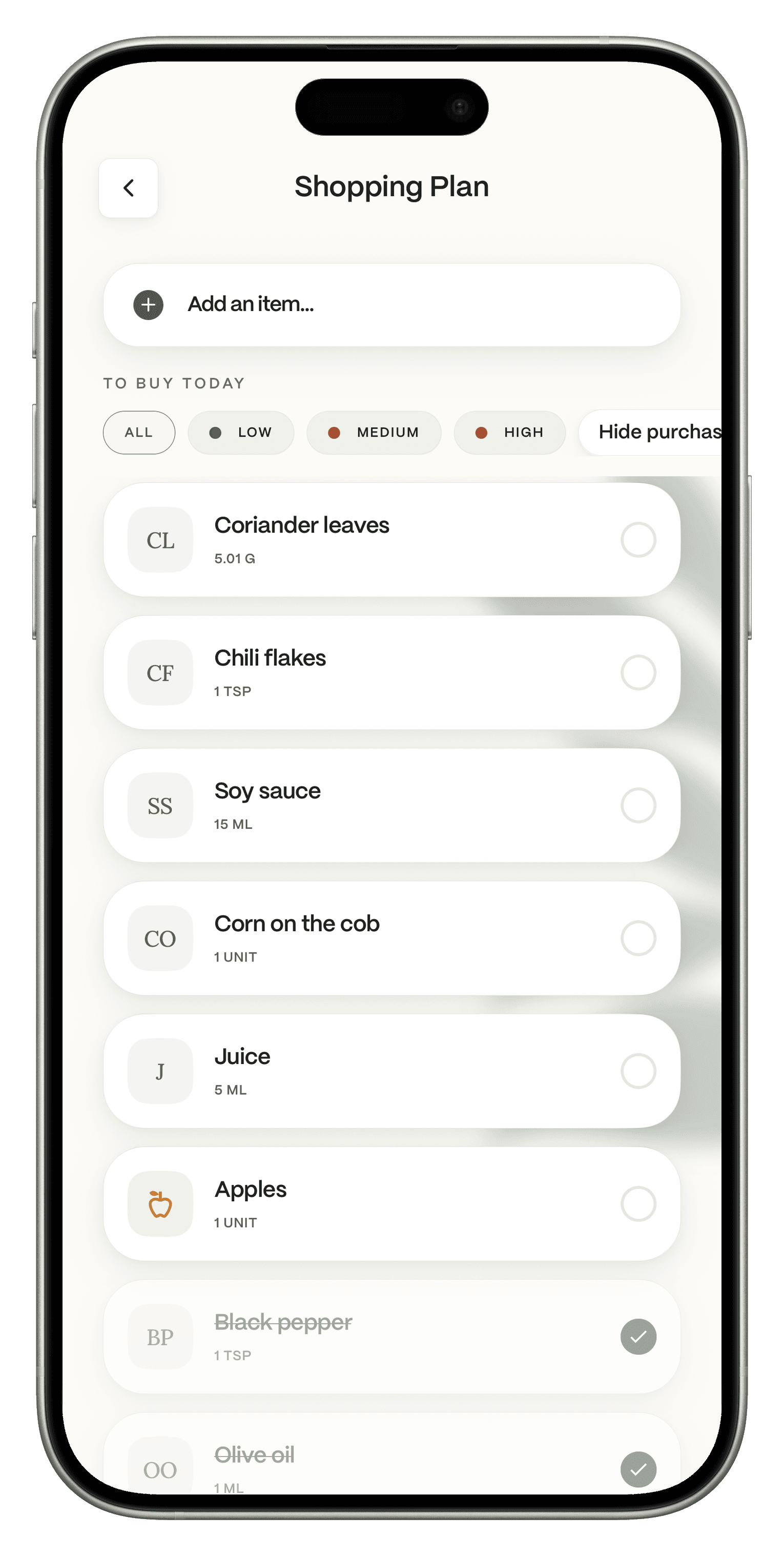
Listed per dish, Add all to your free shopping list
Shows recipes you can make now
Food log in the same app
Free, including barcode logging
Not mentioned
Shows food that is expiring or expired
Kitchen filters
Not mentioned
AI coach that knows your log
Nia, Pro
Not mentioned
Dishes from your home country
Local dishes by country
Recipes in 20 languages
How you add food
Type or barcode free; fridge and receipt photos with Pro
Pick from 2,000+ ingredients or by voice
Recipe source
AI ideas from your preferences, plus a local dish catalog
Over 11 million recipes from 18,000 recipe websites
Price
Free app. Ideas is Pro, €7.99 a month or €49.99 a year, 7-day trial
Open any dish to see what comes from your kitchen and what is missing. One tap on Add all puts the missing items on your shopping list, and Log now records the meal when you eat it.
Pro.
Strict to your fridge, or open to anything that fits
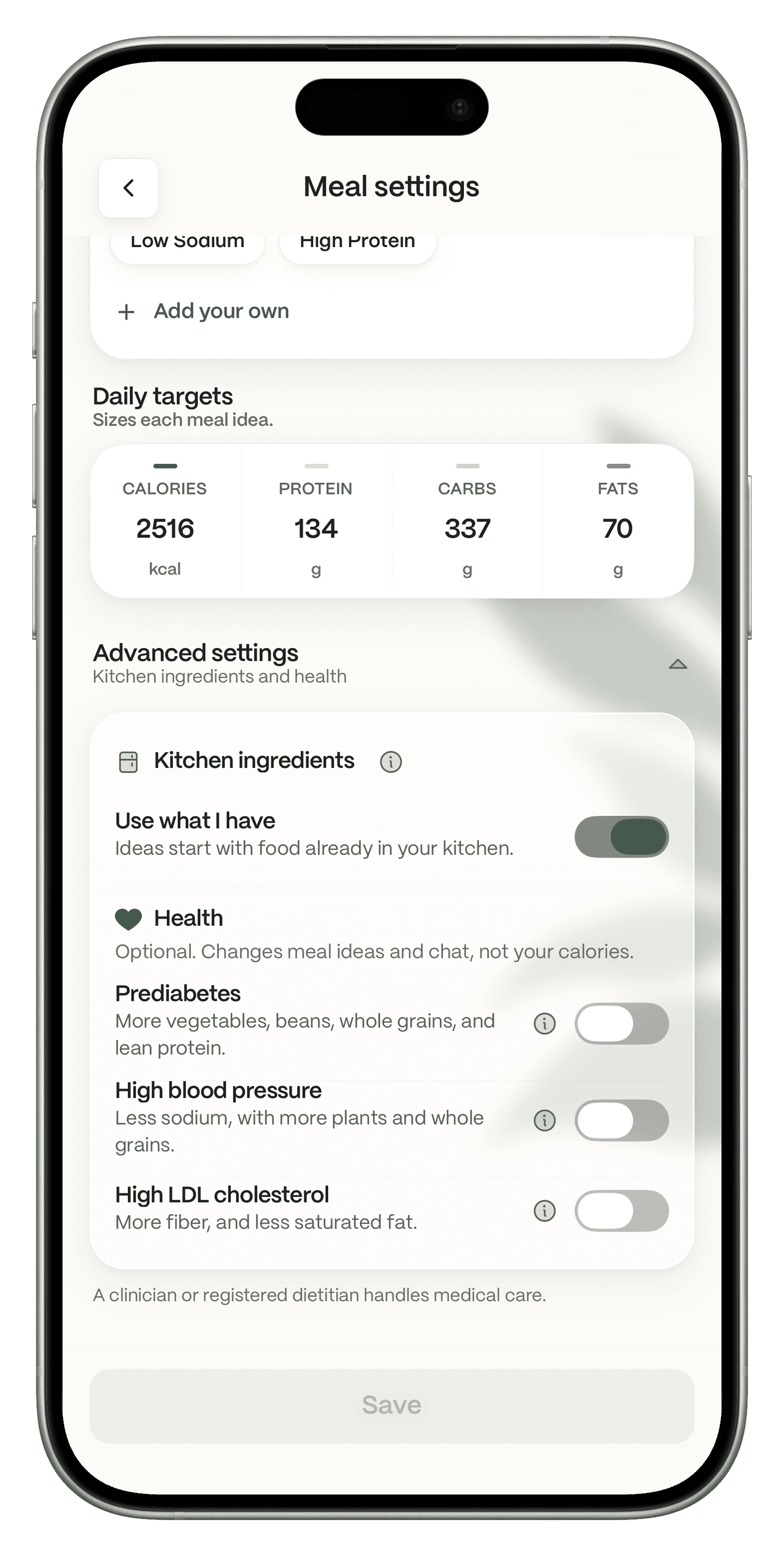
In Meal settings, under Advanced settings, then Kitchen ingredients, you will find Use what I have. The subtitle in the app is Ideas start with food already in your kitchen. When the setting is on, Ideas start from kitchen food. When it is off, Ideas can go beyond what you have and still fit your goals and preferences. Ideas works from your goal, dietary preferences and allergies even before you log a meal.
Free.
Use it before it turns
Filter your kitchen by Expiring Soon or Expired, by Fridge or Pantry, and cook what needs cooking first.
Pro, part of Ideas.
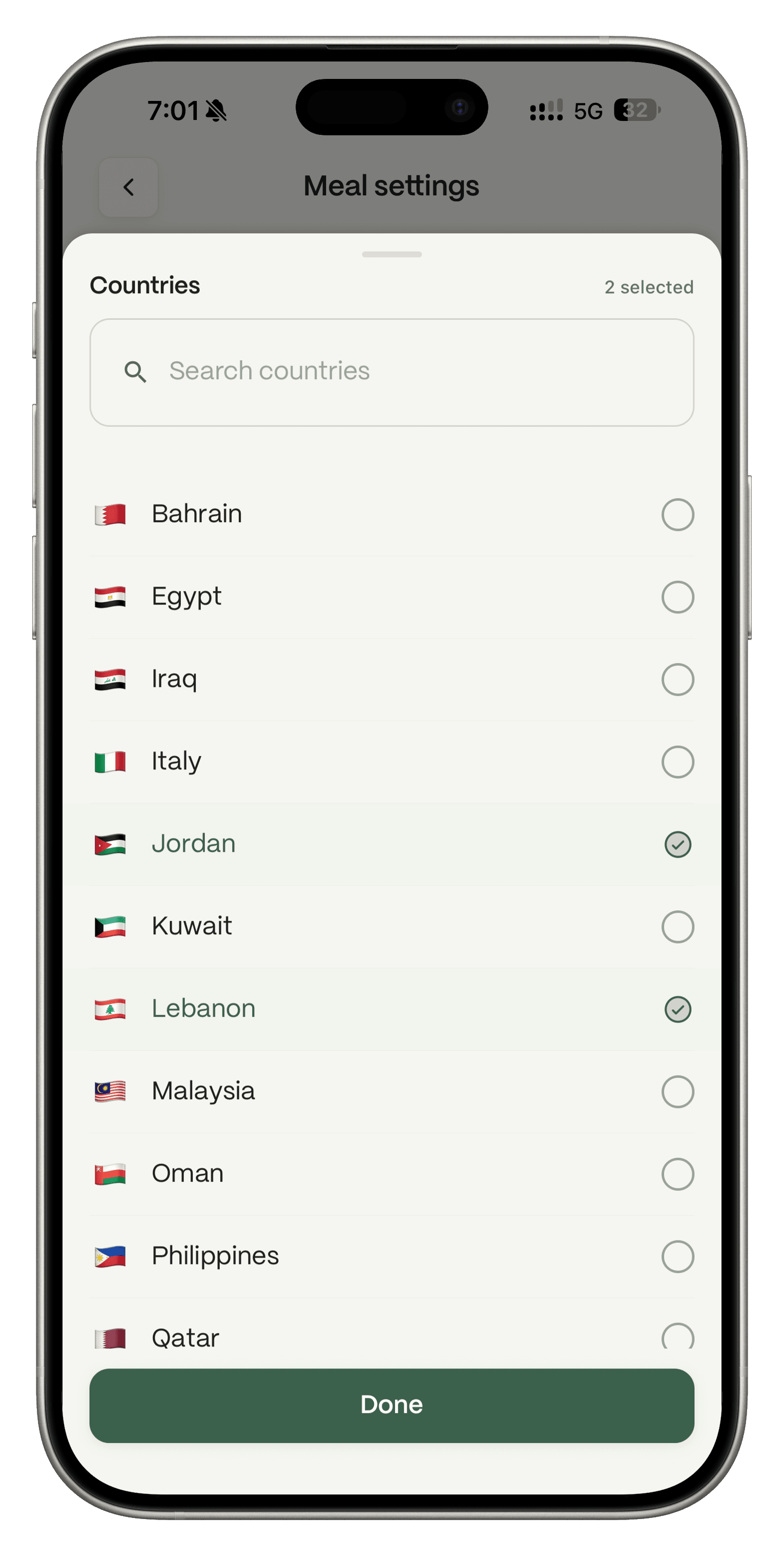
Your grandmother's kitchen, not just the internet's
Switch Ideas to Local dishes and choose countries such as Lebanon, Syria, Jordan, Egypt, Saudi Arabia, Italy or the Philippines.
Pro.
A coach on top of the cookbook
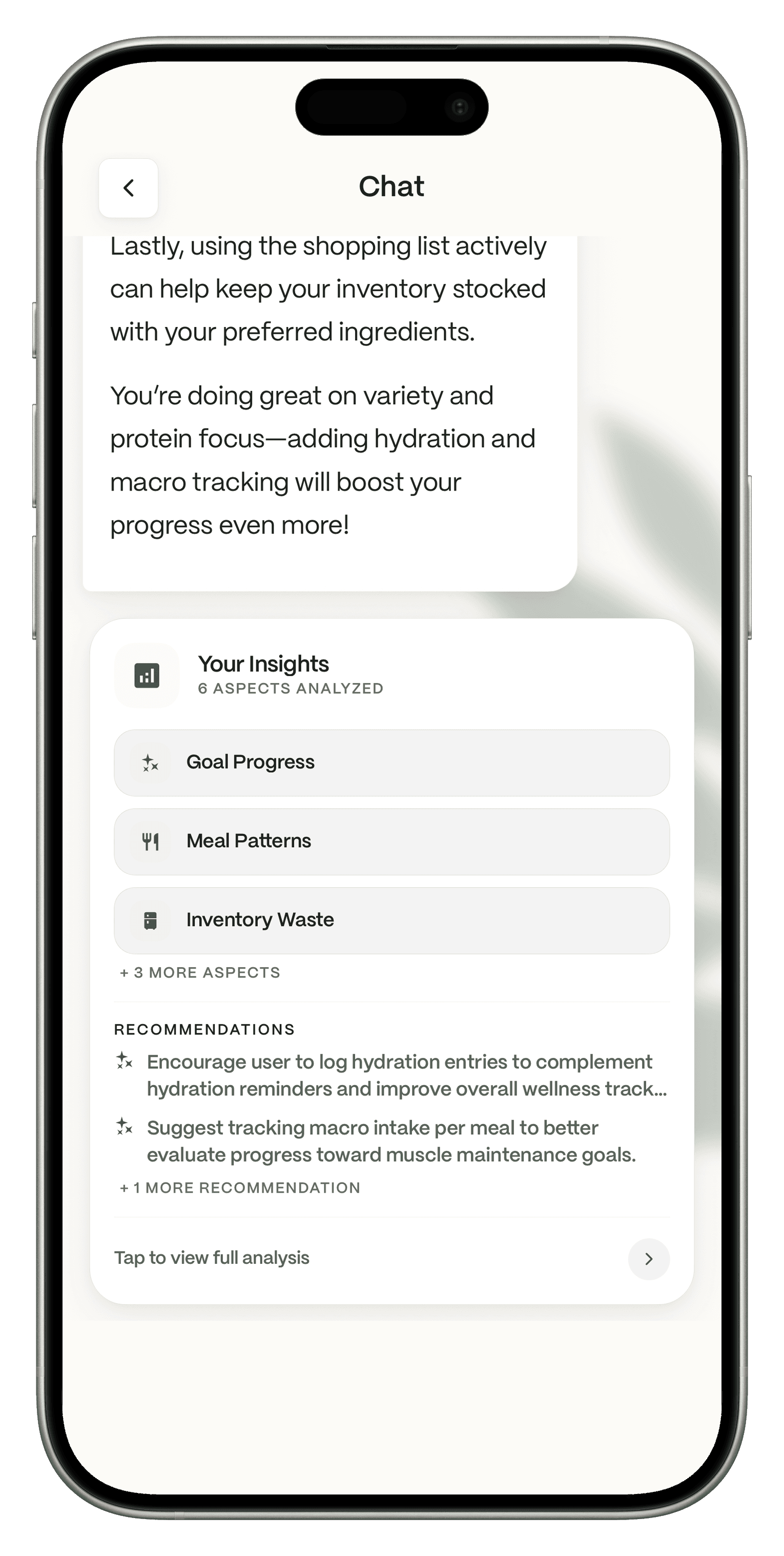
Nia is the AI assistant inside Dietrack. It analyzes what you log, including goal progress, meal patterns, kitchen waste and more, and suggests what to work on. Nia suggests, you decide.
Switch in three steps
1
Download Dietrack and set your goal, diet and allergies.
2
Add what you have to your kitchen. Type it or scan a barcode for free.
3
Open Ideas and pick a meal. Tap Add all for anything missing, then log it when you eat.
Dietrack cannot import data from other apps, so your SuperCook pantry list does not carry over. Adding your staples by hand or barcode is the quickest way in.
Common doubts, answered
SuperCook is free. Why pay for Ideas?
You do not have to. Your kitchen, expiry filters, shopping list and food log are free in Dietrack, with no ads. Ideas and Nia are the parts that plan your day around your targets and coach you on it, and you can try both free for 7 days before deciding.
What does Pro cost?
€7.99 a month, or €49.99 a year, which works out to €4.17 a month. The trial is one time per account.
Will I miss SuperCook's huge recipe library?
If you love browsing many versions of a dish, maybe, and keeping SuperCook for that is fine. Dietrack's job is different: picking what to eat today from what you have, so it fits your goals.
Who should pick which
SuperCook: a free recipe search from your ingredients, and you do not track calories.
Dietrack: you want the day planned around your targets, diet and allergies, your kitchen and food log in one place, or dishes from home.
Also worth a look: Samsung Food has a "Use It Up" search from your food list, part of its paid Food+ plan (support.samsungfood.com, read Nov 10, 2026).
FAQ
Get the app
Same fridge. A whole day planned.
Add what you have and let Dietrack turn it into meals that fit your goals.
Free to download. No ads. Try Ideas free for 7 days.
How we checked
SuperCook facts come from its US App Store listing, read on Nov 10, 2026. Dietrack facts come from dietrack.app/pricing and the Dietrack team. We make Dietrack. Every calorie number in any app is an estimate. Spotted an error? Email support@dietrack.app.