
Free.
Scan it, check it, log it, free
Open Add items, tap Scan barcode and point at the pack. Dietrack looks the product up and shows its nutrition per 100 g, the amount and an expiry date. Then choose Log as meal or Add to kitchen.
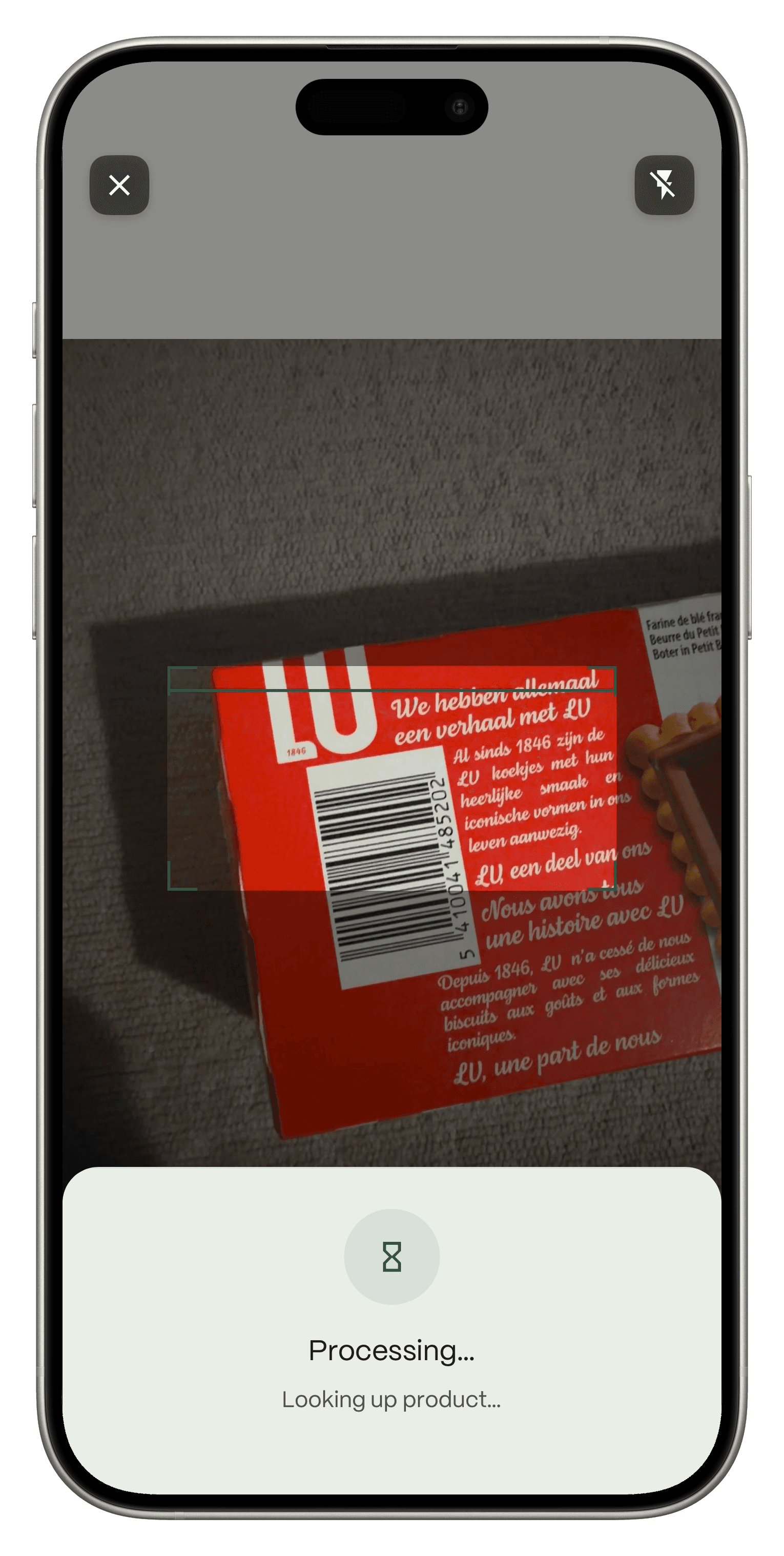
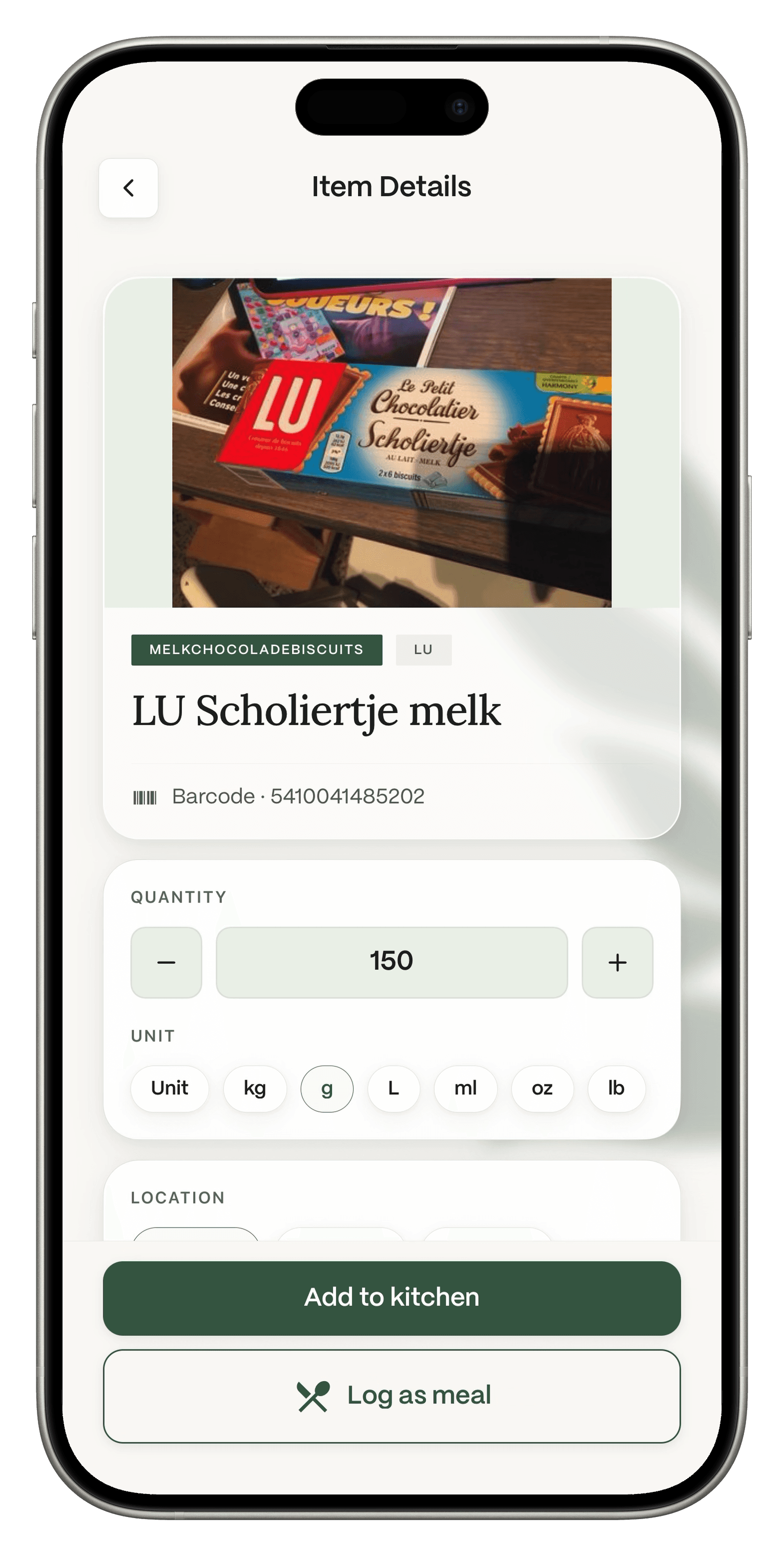
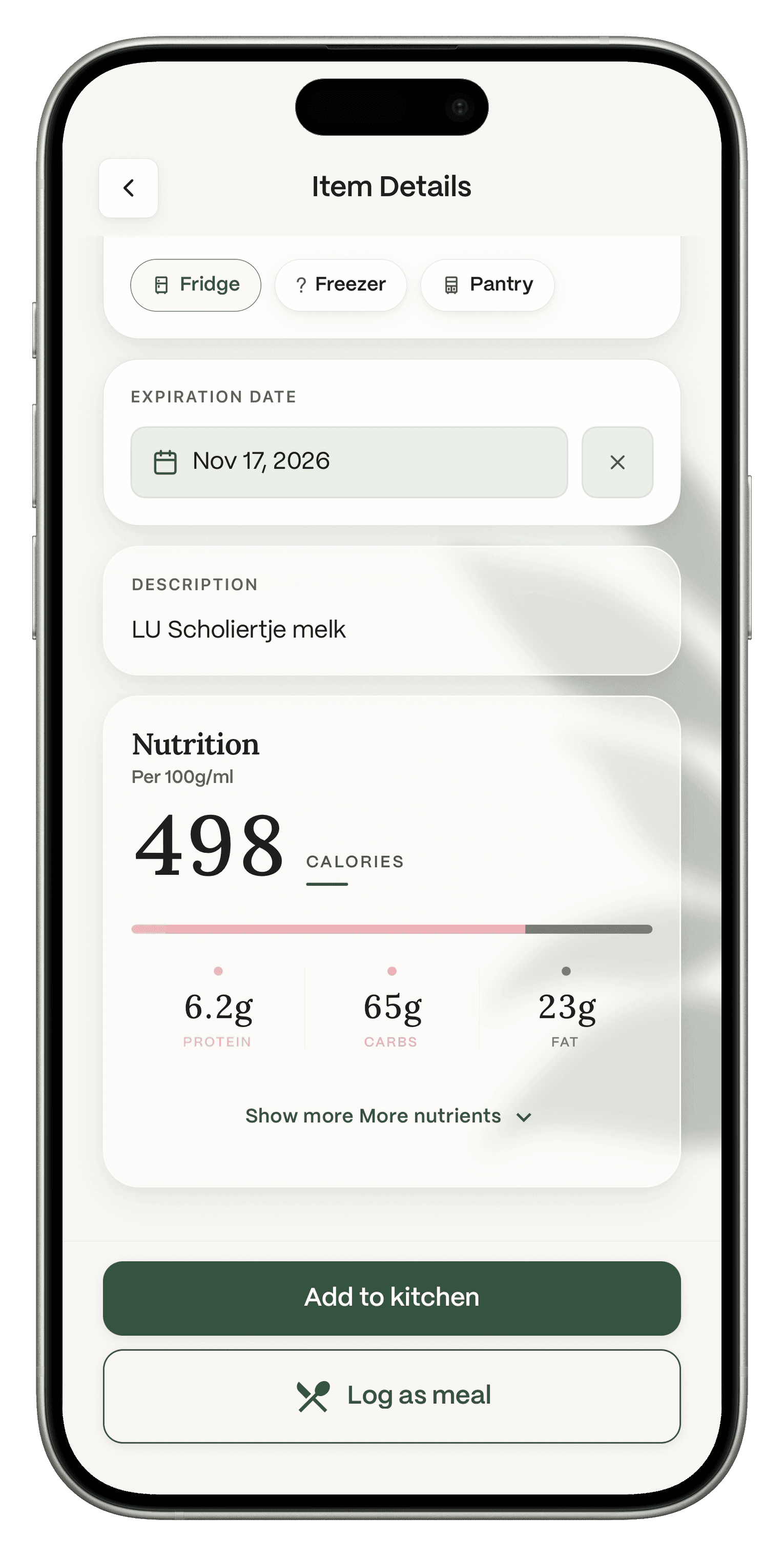
Scan a barcode, see the nutrition and log it, all on the free plan. When you want more, Nia, Dietrack's AI coach, reads your log and tells you what to work on next.

Free to download. No ads on any plan. Barcode logging is free.Facts checked Nov 10, 2026 against MyFitnessPal's own help center. Sources below.
Fact: MyFitnessPal's help center lists the barcode scanner and Meal Scan as Premium features, not part of the free plan (support.myfitnesspal.com, updated Sep 1, 2026, read Nov 10, 2026).
Dietrack: Barcode logging is free. So is adding food to your kitchen by barcode.
Fact: The same help page lists an ad free experience as a Premium feature.
Dietrack: There are no ads on any plan, free or Pro.
Fact: The same page lists meal plans and grocery lists as Premium+.
Dietrack: The shopping list is free. Meal ideas from your kitchen and the Nia coach are in Pro, with a 7-day free trial.
What reviewers say: We read the 250 most recent US App Store reviews of MyFitnessPal on Nov 10, 2026. Of the 117 rated one or two stars, 37 mentioned price, subscriptions or the paywall, 18 mentioned ads and 13 mentioned the barcode scanner. These are keyword counts, not a study, and many of those reviewers still like the app.
Last checked Nov 10, 2026. MyFitnessPal says prices vary by country and plan length, so we do not list them. "Not listed" means MyFitnessPal's help page does not mention it. It does not mean MyFitnessPal lacks it.
| Dietrack Free | MyFitnessPal Free | Dietrack Pro | MyFitnessPal Premium | |
|---|---|---|---|---|
| Food logging | ||||
| Calories and macros | Goals by percentage | Plus macros by gram | ||
| Apple Health or Health Connect | Many partner apps | Many partner apps | ||
| Barcode scanner | Free | Premium only | ||
| No ads | Ads shown | |||
| Grocery list | Free | Premium+ only | Premium+ only | |
| Kitchen inventory with expiry filters | Not listed | Plus fridge and receipt photos | Not listed | |
| Photo meal logging | One free photo scan, shared across meal, fridge and receipt photos | Premium only | Meal Scan | |
| AI coach that reads your log | No | Not listed | Nia | Not listed |
| Meal ideas from your kitchen | No | Not listed | Ideas | Meal plans are Premium+ |
| Portion estimate without a scale | First result free | Not listed | Find My Portion | Not listed |
| Price | Free | Free | €7.99 a month or €49.99 a year, 7-day trial | Varies by country |
Sources: MyFitnessPal Help, "The difference between Free, Premium, and Premium +", https://support.myfitnesspal.com/hc/en-us/articles/34889191368077-The-difference-between-Free-Premium-and-Premium (updated Sep 1, 2026). Dietrack: dietrack.app/pricing, dietrack.app/calorie-tracker-app, dietrack.app/find-my-portion, dietrack.app/ai-nutrition-assistant, and the Dietrack team (free barcode logging, Nia), all Nov 10, 2026.
Free.
Open Add items, tap Scan barcode and point at the pack. Dietrack looks the product up and shows its nutrition per 100 g, the amount and an expiry date. Then choose Log as meal or Add to kitchen.
Pro.
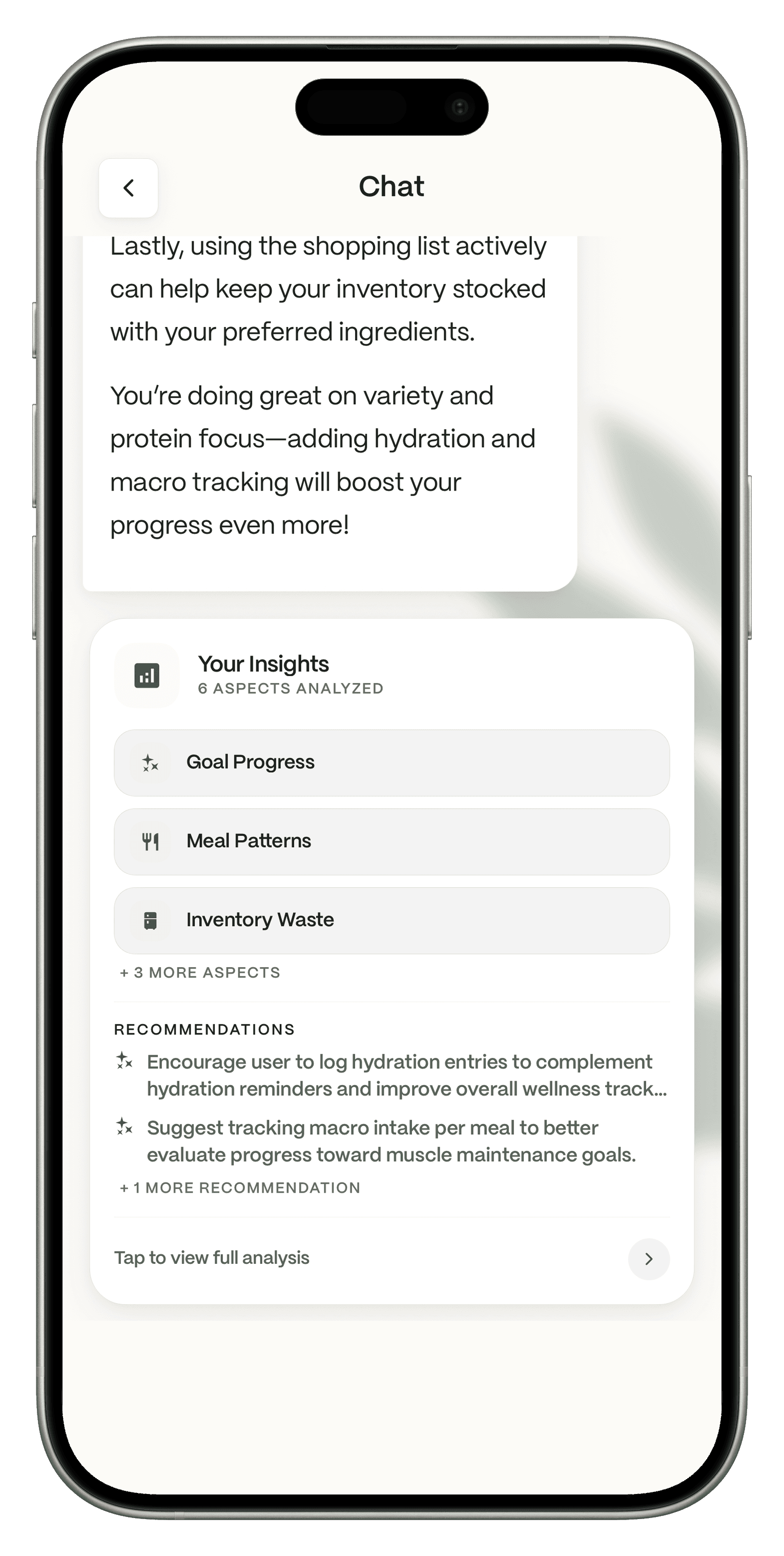
Nia is the AI assistant inside Dietrack. It analyzes what you log, including goal progress, meal patterns, kitchen waste and more, and suggests what to work on. Nia suggests, you decide what to log or add.
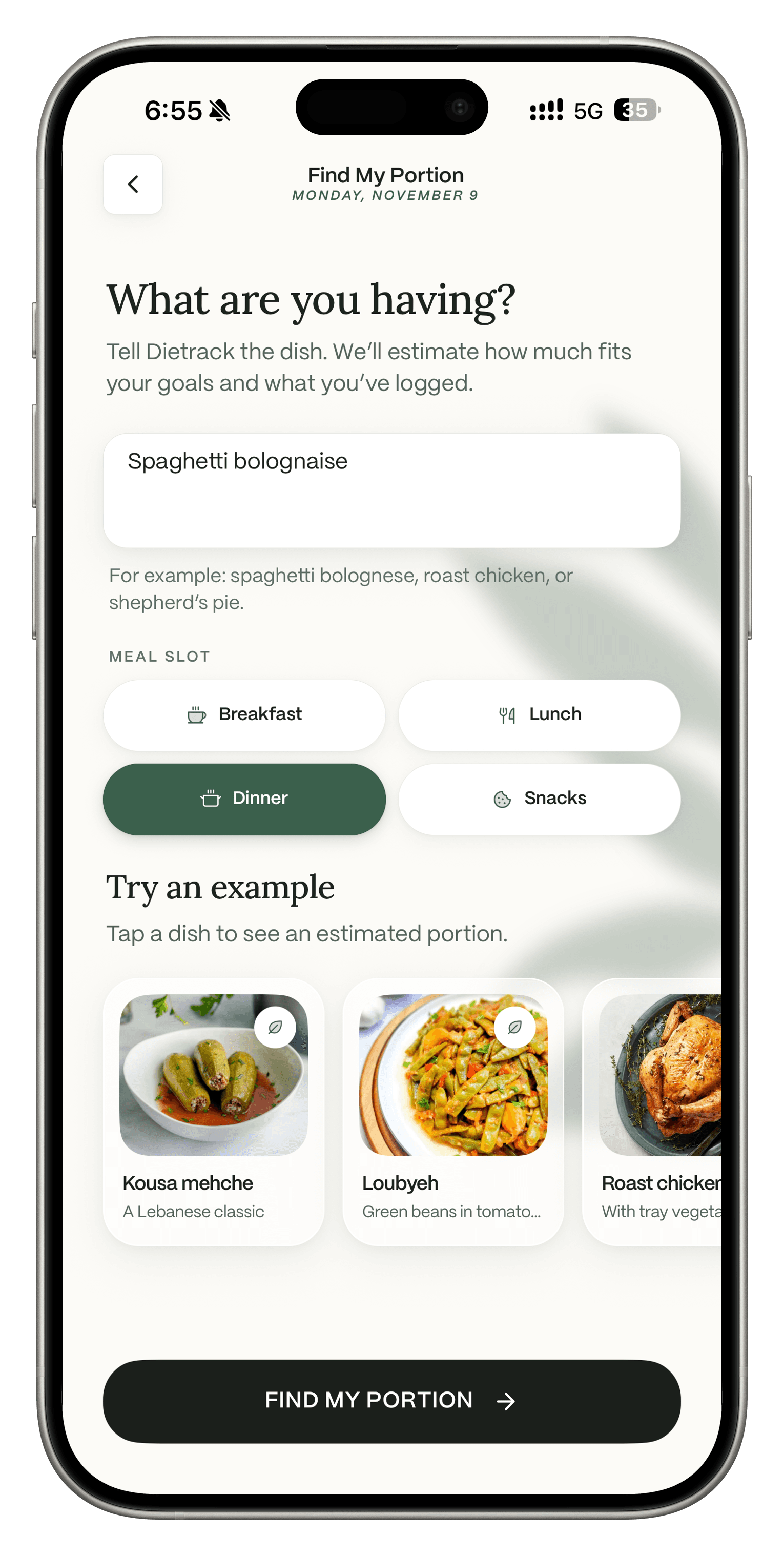
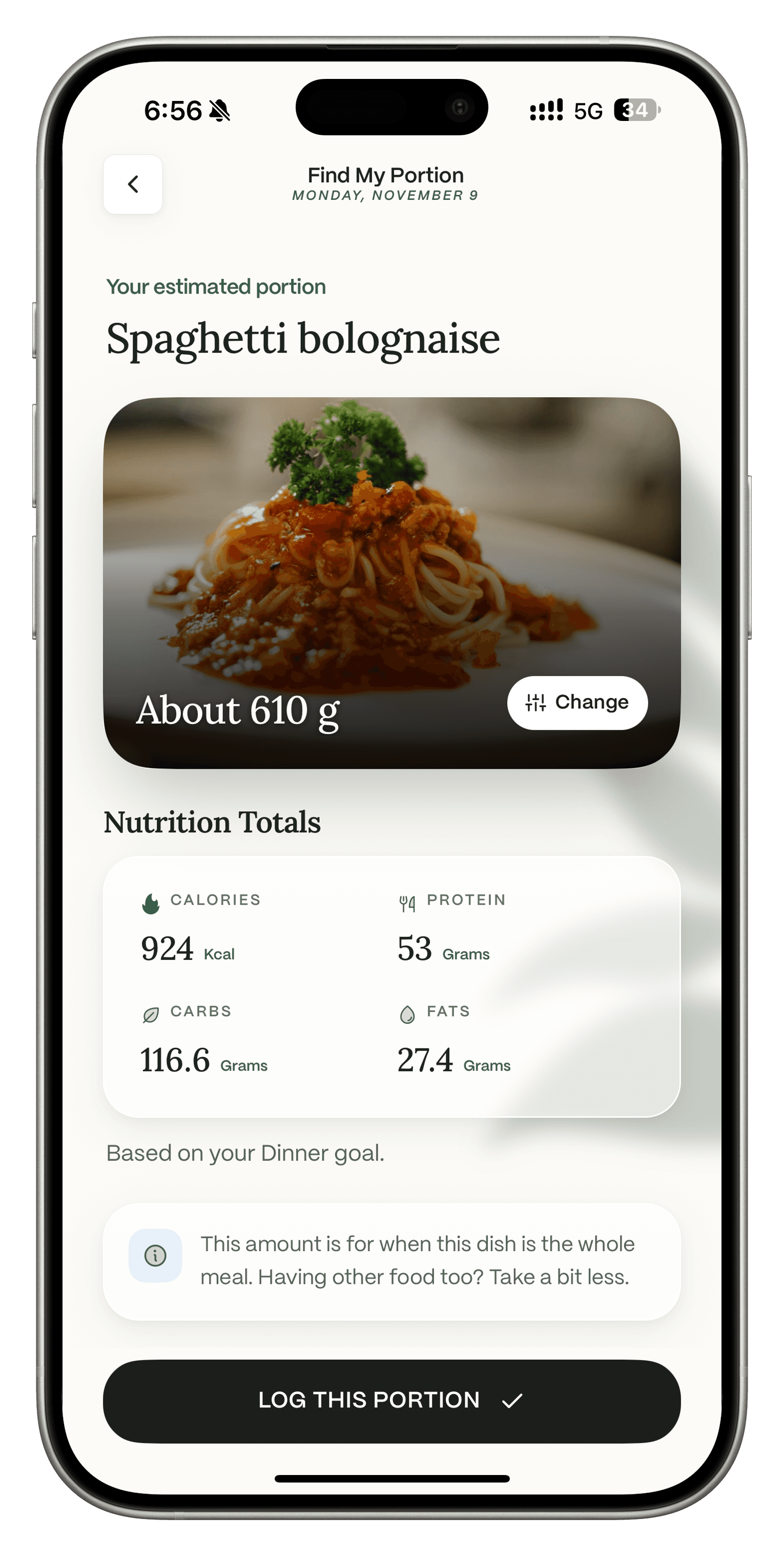
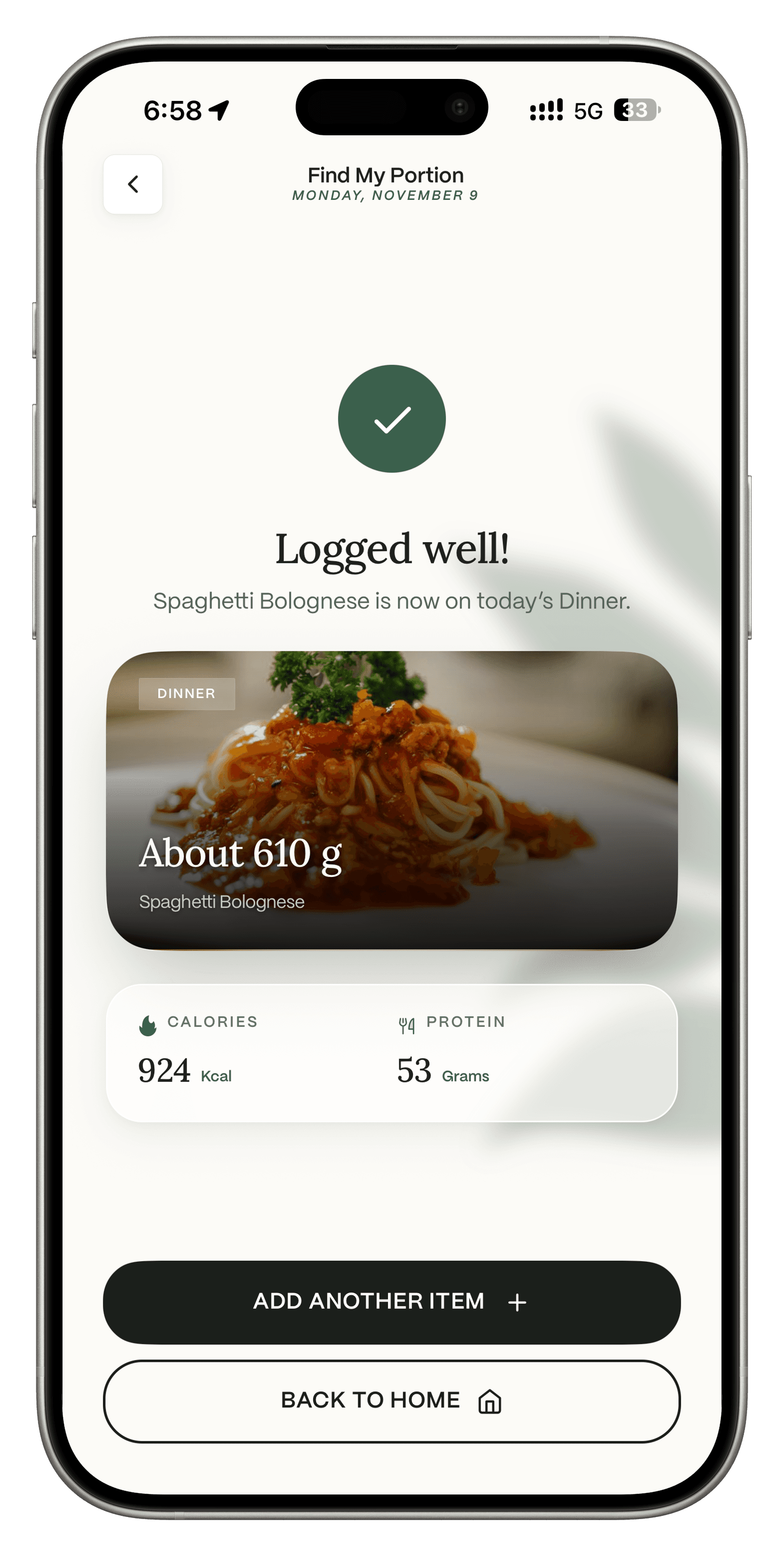
Free first result, then Pro.
Eating out or at a friend's place? Find My Portion suggests how much to have based on your goals and what you have logged today. Your first result is free.
Free.
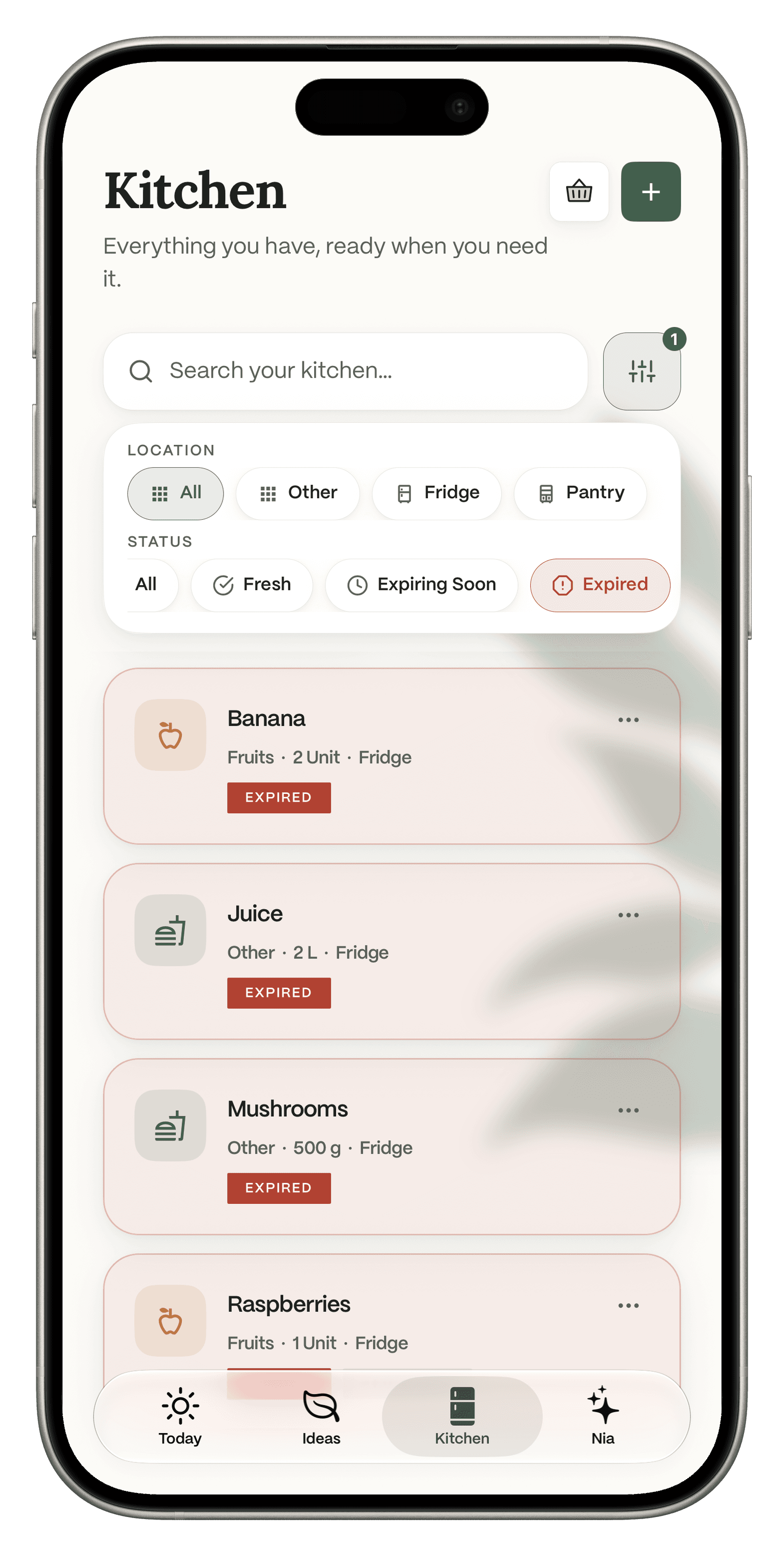
Everything you scan can go straight into your kitchen. Filter by Fridge or Pantry, and by Fresh, Expiring Soon or Expired, so you see what to eat first.
Download Dietrack and set your calorie and macro targets. No ads, no card needed.
Log your next meal. Scan a barcode or search. Connect Apple Health or Health Connect if you want steps, workouts and weight in Progress.
Optional: start the 7-day Pro trial and ask Nia what to work on after a few days of logging.
About your history: Dietrack cannot import data from other apps, including MyFitnessPal. You start from your next meal. Keep MyFitnessPal installed for a while if you want to look back at old entries.
Get the app
Free barcode logging, no ads, and a coach that knows your log when you want one.
Free to download. No ads on any plan.
MyFitnessPal facts come from its help center and US App Store listing, read on Nov 10, 2026. Dietrack facts come from dietrack.app/pricing and the Dietrack team. We make Dietrack. Every calorie number in any app, ours included, is an estimate. Spotted an error? Email support@dietrack.app.
Author: The Dietrack Team.