A fridge photo can give you a useful draft inventory. It cannot see behind a carton, weigh a half-used jar, or prove when leftovers are safe to eat. That distinction matters far more than any impressive-looking demonstration.
We build Dietrack's fridge inventory experience, which uses a photo to suggest items for you to review and confirm. This guide explains what a normal kitchen photo does and doesn't tell a recognition model. It is not a benchmark comparing image models, and we have not measured an accuracy percentage for your fridge.
Five questions a fridge-photo scanner needs to answer
| Question | What the photo may show | What you still need to verify |
|---|---|---|
| Which visible foods exist? | Eggs, tomatoes, lettuce, containers | Hidden or occluded foods are missed |
| What is this package? | A readable brand or label | Similar-looking milk, yogurt and cream |
| How much is left? | Number of visible whole items | Half-used jars, weights and contents inside opaque boxes |
| Where is it stored? | Fridge shelf in the photo | Food you moved to the freezer or pantry |
| When should I use it? | Maybe a legible printed date | Purchase date, opening date, cooking date, storage history |
A confident label on a screen is not evidence that every item or quantity is correct.
A simple photo test to try at home
Put three visible items at the front of the fridge: eggs, a bag of spinach and a yogurt tub. Put a fourth item behind the yogurt.
Now ask a photo-recognition tool to list what's visible. The sensible result should identify the visible items and acknowledge that hidden food might be missing. It should not confidently name the fourth item. Repeat with the yogurt label facing away; does the tool admit uncertainty about the type?
This is a reproducible check for you, not a claim that we ran a formal accuracy study. Every model and photo will produce different results.
Why quantity is the hardest part
Six visible eggs can be counted. The amount of Greek yogurt left inside an opaque 500 g tub cannot be read from its packaging. The same goes for a carton of milk that is half empty.
If you're planning nutrition or a shopping list, treat the photographed inventory as a starting point. Correct amounts manually where they matter, and use the product label for branded nutrition rather than assuming a vision model can infer it.
A photo does not tell you whether food is safe
Food safety requires information that pictures rarely contain: when the food was cooked, how quickly it was cooled and the temperature at which it was stored. A use-soon date is a planning prompt, not a safety verdict.
For cooked leftovers, US Department of Agriculture guidance recommends refrigerating promptly and generally using refrigerated leftovers within 3–4 days, with stricter limits when food has been left unrefrigerated. Read the USDA's full safety guidance and our region-aware leftover storage guide.
Dietrack's actual workflow
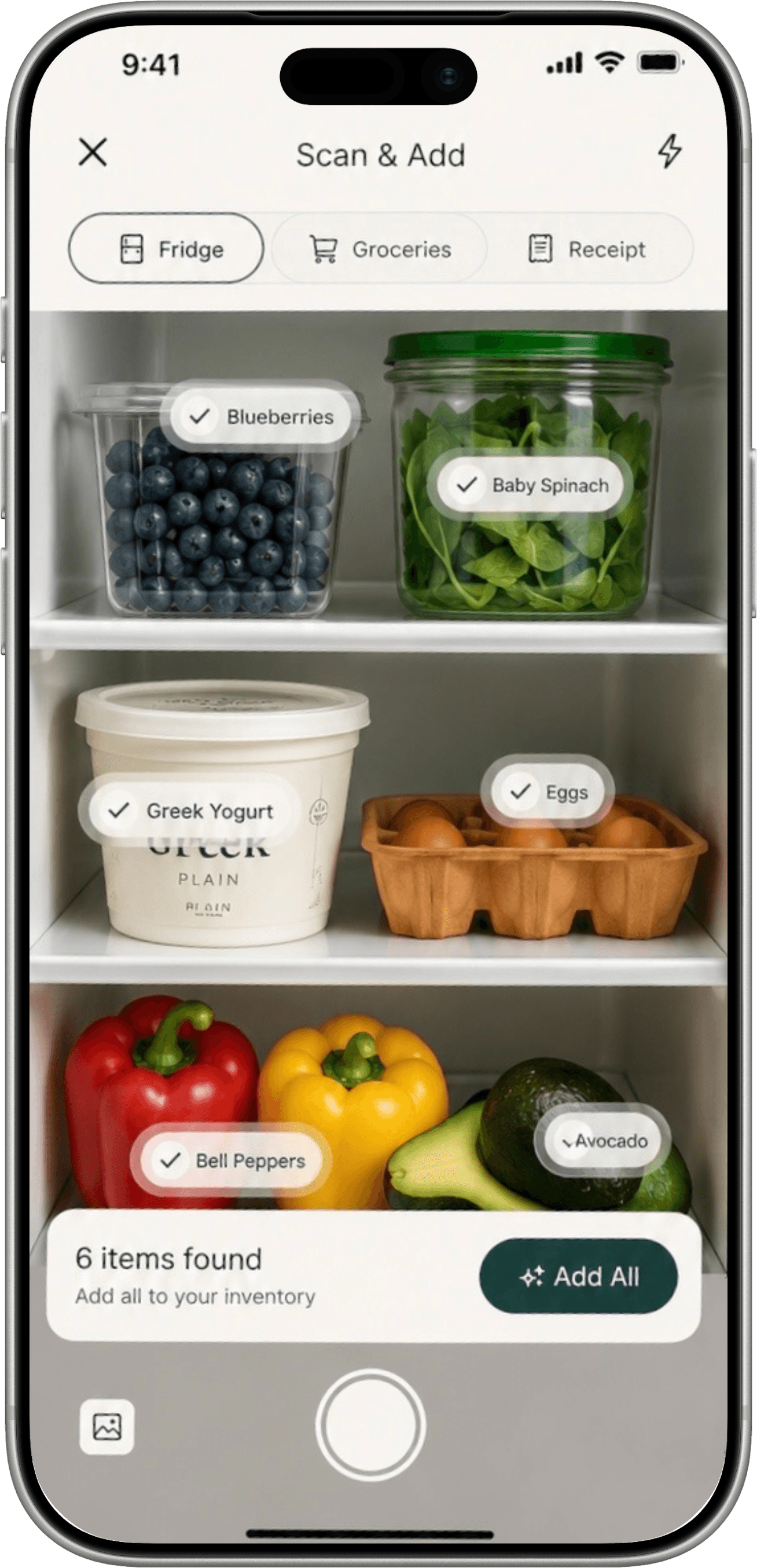
- Photograph the fridge in reasonably clear light.
- Check the suggested names, quantities and any uncertain rows.
- Confirm only the foods that should be saved in your kitchen.
- Use the saved list to discover meal ideas and visible use-soon items.
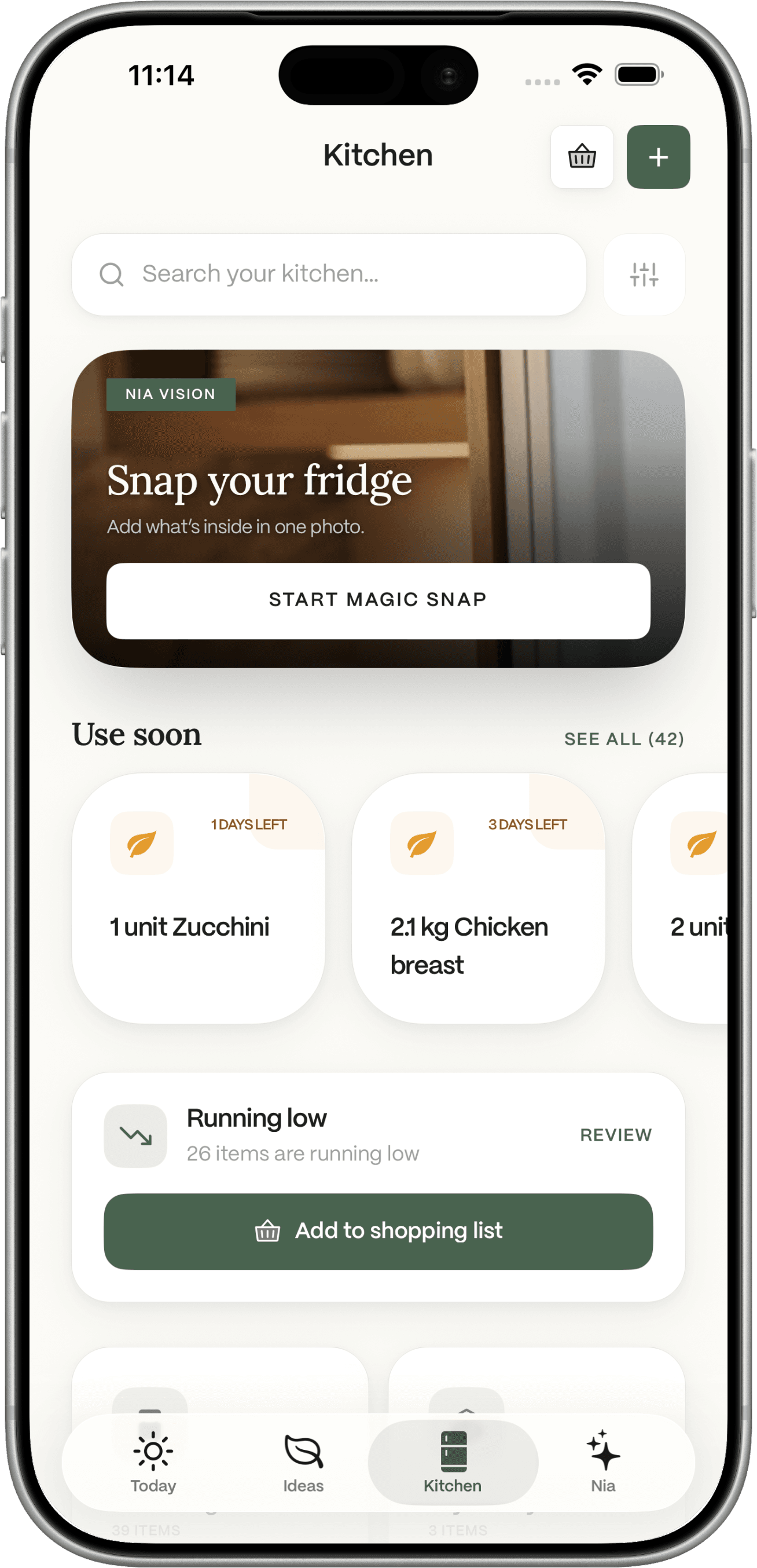
These images show the product interface, not proof of perfect recognition. The feature may be subject to the app's current free-trial or Pro limits; check the current plans.
What a scanner should never promise
- Every hidden item will be detected.
- A photo reliably gives exact calories or protein for your entire kitchen.
- A printed best-before date automatically establishes food safety.
- A week-old scan proves what food remains today.
- One picture can substitute for an accurate nutrition or allergy label.
If you need to add a shopping haul rather than scan shelves, see how to scan a grocery receipt into your pantry. If you want a cooking idea once inventory is ready, try recipes from ingredients you already have.
The useful AI is not the model that sounds certain. It is the model that gives you a reasonable draft and lets you correct it quickly.