Short answer: a grocery receipt is a convenient starting list, not a reliable inventory by itself. Photograph it, check the extracted foods, correct the quantities, and save only what actually came home. Then use those ingredients to decide what to cook.
If you're comparing cashback or expense-scanning tools, start with our guide to receipt scanning app types. This is the practical kitchen workflow, written from building Dietrack, which supports receipt photos followed by a confirmation step.
Try this with a normal weekly shop
Imagine the receipt says:
| Receipt line (illustrative) | What you should save | What needs checking |
|---|---|---|
| TOM CHERRY 250G | Cherry tomatoes, 250 g | Does 250 g represent one pack or several? |
| EGGS FREE RANGE 6 | Eggs, 6 pieces | Count and storage location |
| YOG GRK 500G | Greek yogurt, 500 g | Brand, fat percentage and any dietary restrictions |
| CHICKPEAS 400G | Tinned chickpeas, 1 tin | Is 400 g the packed weight rather than drained weight? |
| SPINACH BAG | Spinach, quantity from label | Receipt doesn't say the bag weight |
These are illustrative receipt abbreviations, not a measured Dietrack accuracy test or a claim about a particular supermarket. Real cash-register abbreviations vary enormously.
A useful scanner should offer these proposed names for your review, not pretend it can know everything about the food from the receipt.
Four steps from receipt to kitchen
- Keep the paper flat and legible. Photograph the full receipt in decent light. Long receipts may need another image or manual adjustments.
- Review every proposed grocery. Check similarly named products, counts, duplicate scan rows, non-food purchases and anything missing. A scanner may confuse a product code with the actual food.
- Confirm what you brought home. Choose the correct quantities and kitchen locations. A grocery receipt is a record of buying something, not proof that it is still there next Tuesday.
- Use the inventory. Start dinner with ingredients you already own, then add genuinely missing items to a shopping list. Review the list again after cooking.
Want meal ideas and a list of missing ingredients after you confirm the groceries? See the ingredient-first meal plan and shopping-list walkthrough.
The most important step is number two. An incorrect scan that goes unchecked can be worse than entering a short list yourself.
What this looks like in Dietrack
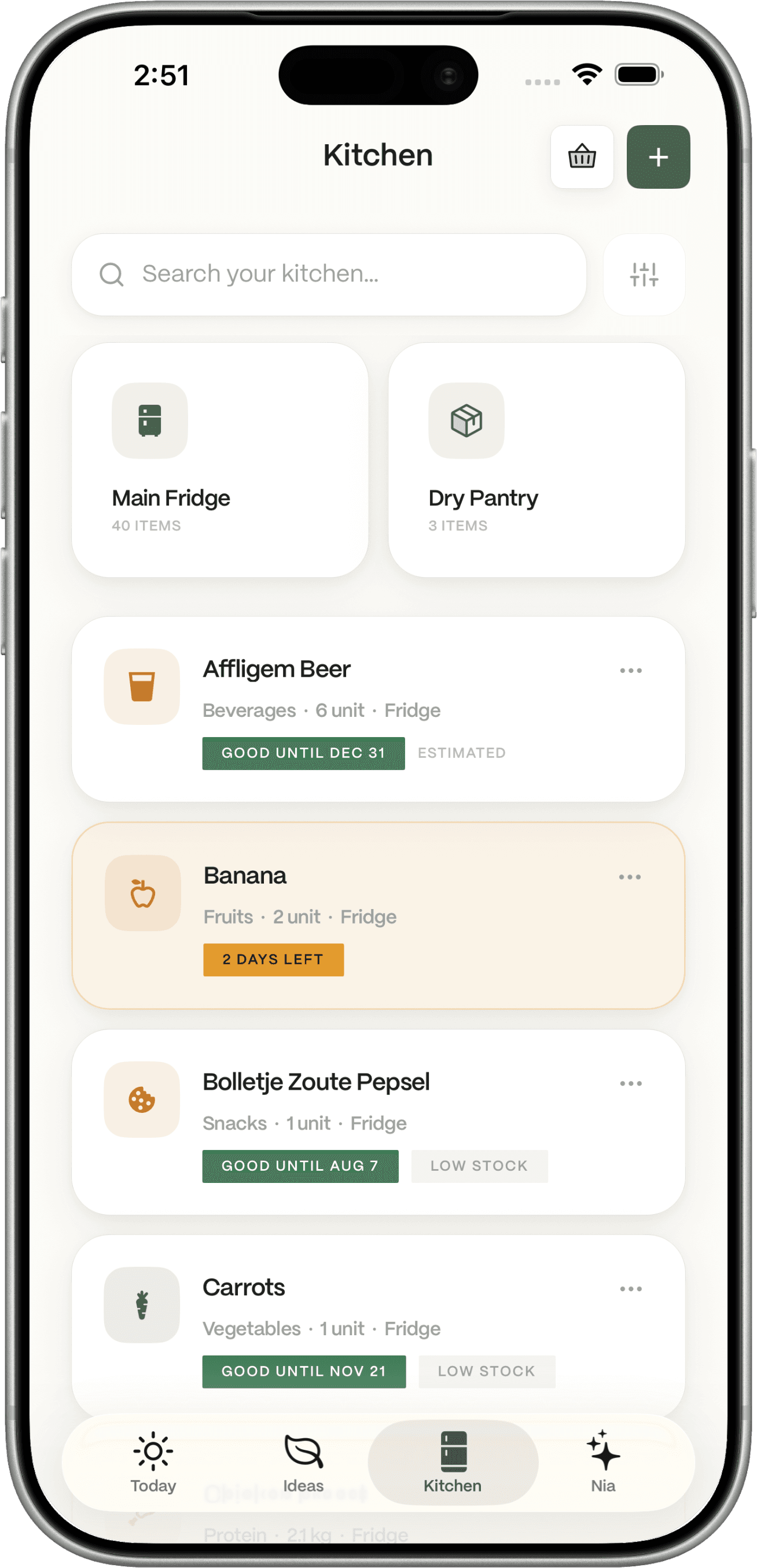
Dietrack can propose foods from a photographed receipt. You confirm or correct them before adding them to your kitchen. Once saved, those ingredients can inform Ideas, the AI meal planner for today.
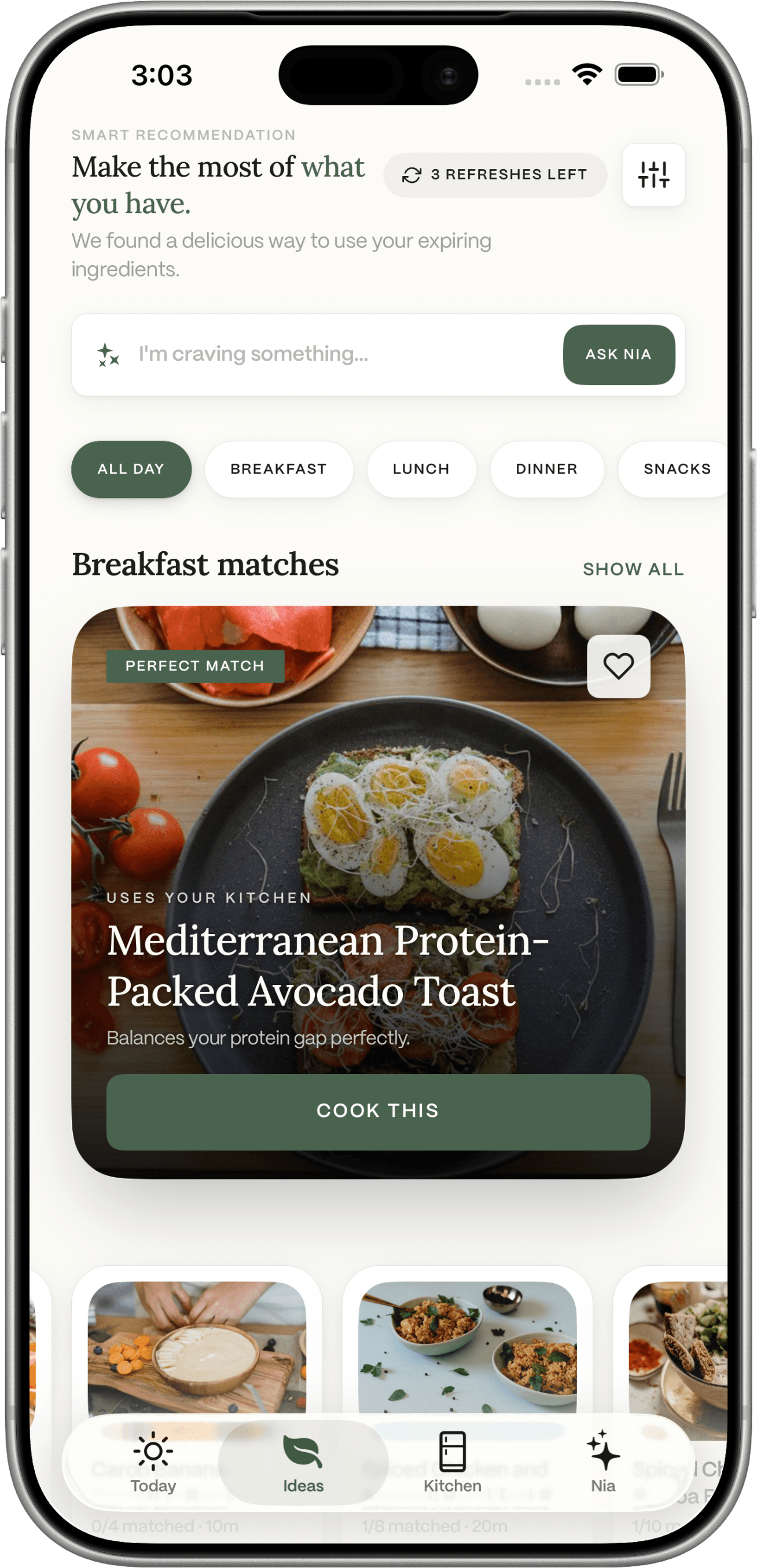
These are actual app-screen illustrations, not a controlled side-by-side scan of the sample receipt above. Your meal suggestions will depend on your inventory and saved preferences. We don't claim zero errors, perfect shopping history or automatic receipt-to-recipe conversion without review.
What should not go into your pantry list?
- A drink bought for someone else.
- Items returned or refunded at checkout.
- Packaging, cleaning products and other non-food lines.
- Duplicate items the scanner found twice.
- An ingredient already used before you updated the inventory.
If you share groceries across a household, check whether your chosen tool supports the way you actually share the kitchen; don't assume two people automatically have one synchronised inventory.
Can receipt scanning really replace a grocery list?
Not completely. A receipt tells you what was purchased, while a shopping list tells you what you'll need next. A useful system connects the two through real kitchen stock, cooking and corrections.
For example, a tin of chickpeas and fresh tomatoes could become a warm skillet meal tonight; the shopping list might only need bread or lemon. See our meal planner from ingredients for the distinction between foods at home and optional extras.
When manual entry is better
If your receipt is very faded, your supermarket uses obscure abbreviations, or you bought only three items, typing may be faster. Barcode scanning may be better for a single packaged product when a matching product entry exists.
For choosing between scanning methods, read what a fridge photo scanner can and cannot recognise.
Bottom line: scan to save typing, confirm to protect accuracy, and keep the inventory current so meal ideas remain useful. Explore Dietrack's smart grocery list or see the kitchen inventory approach.